• >>>NEW Colour 2.0 Workshop<<<
  • Technique
    • Latest Techniques
    • FREE TIPS
    • Quick Tips
    • Video
    • Site Search
    • Blog
    • Archives
  • Mentoring
  • >Online Workshops<
  • Workshops
  • Studio Lighting Books
  • Contact
    • Newsletter
    • Contact
    • Statement
Jake Hicks Photography
  • >>>NEW Colour 2.0 Workshop<<<
  • Technique
    • Latest Techniques
    • FREE TIPS
    • Quick Tips
    • Video
    • Site Search
    • Blog
    • Archives
  • Mentoring
  • >Online Workshops<
  • Workshops
  • Studio Lighting Books
  • Contact
    • Newsletter
    • Contact
    • Statement

Is the Sensor or the Lens to Blame for Poor Image Quality?

Technique Tuesday Is the Sensor or the Lens to Blame for poor Image Quality.jpg

Embarrassingly a few years ago I was very vocal about how disappointed I was about some of the Nikon lenses. I've been using Nikon cameras and lenses for decades and although I was very pleased with the image quality and colour rendition their cameras produced, I strongly considered jumping the Nikon ship in search of crisper, cleaner looking lenses. In fact I was so close to leaving Nikon a couple of years ago that I went through the process of hiring and testing other brands to see if other manufacturers could deliver what Nikon could not. If you're interested, here was findings as I tested the Nikon against the Sony and Fuji - Comparing the Nikon D610 vs Fuji X T-2 vs Sony A7R II

But what was my issue with the Nikon lenses?

My biggest gripe with regards to the Nikon glass was the obscene amount of flaring that was being produced in the highlights, especially when that was seen in contrast to surrounding dark areas. In fact I was so puzzled by this horrendous effect that I even thought it was designed by Nikon as a sort of 'skin-smoothing' effect to try and appeal to the portrait and wedding market.

In the images above you can see how flared the highlights are when in contrast to the darker surrounding areas. Look at how fluffy that white text on black looks!

In the images above you can see how flared the highlights are when in contrast to the darker surrounding areas. Look at how fluffy that white text on black looks!


Defining Image Quality

Before we get any further, I just want to quickly take a look at what I mean by 'image quality'. This is a term we all use regularly but I think it means different things to many of us. I think for a lot of people starting out in photography, image quality refers to the megapixels of a camera, the bigger the number, the more image quality you have. Although there is a lot of truth in this, it's filled with ambiguity. For example a lot of us really don't need any more than an 8 megapixel camera. Years ago I shot ad campaigns that were printed huge but they were all shot on an 6 megapixel camera and the shots looked fine. Conversely, we're now told that cameras on our phones have 23+ megapixels of image quality, yet the images look utter trash.

So what's going on here?

Well it's because image quality and our perception of it is made up of a few factors and both sensor quality and lens play a fundamental role in that. My 6 megapixel DSLR had a good lens and my images we lit cleanly resulting in them being able to be blown up huge. Camera phones have huge megapixel counts but they still take an image through a tiny porthole that lives in your pocket filled with 6 week old receipts, dust, fluff and old sweet wrappers. Megapixels certainly isn't everything but it definitely helps when used in conjunction with a great quality lens.


So why did I stick with Nikon?

Like I mentioned before, I tested several cameras to replace my Nikon system and ultimately I didn't leave them because I'm somebody who focuses heavily on colour and the Nikon sensor was incredible at colour rendition. The depth of the colours was superior in my opinion to other brands and that colour depth was what ultimately kept me invested in Nikon and I just resigned myself to their very odd lens flaring.

Thankfully though, I was very, very wrong about Nikon's lenses!
 
Clicking on the image above will take you to my article on comparing the image quality of the Nikon D610 vs D850.

Clicking on the image above will take you to my article on comparing the image quality of the Nikon D610 vs D850.

Lenses are not the problem

In 2017 I was offered a Nikon D850 to replace my D610 for a price I couldn't refuse and so I upgraded my camera. Unbeknownst to me, I had just acquired a beast of a camera and trust me, I'm no tech-nerd, not even remotely. I'm a working professional and my camera is a tool to me just like a hammer is to a builder. I rarely update my kit because I don't believe that kit make me a better photographer. Because of this slightly laissez faire attitude to camera technology, I actually know very little about cameras and their modern features. It wasn't until I wrote a review last year on the difference in image quality between the D610 and the D850 that I realised just how wrong I had been about the Nikon lens quality up until that point. What the camera tests showed me was that it was most certainly not the lenses that were the issue, but in fact it was the sensor.


Comparing old and new lenses on old and new cameras

So in an attempt to share my foolishness with you, I thought I'd grab a few test shots with both the older Nikon D610 and the newer Nikon D850 just to show you how careful you need to be when considering one lens superior to another.

As you scroll down through the images below, pay close attention the highlight area on the gold sequins, look at how the area surrounding those highlights are blown out to the point of creating a flare effect.

JakeHicksPhotography all 1500px.jpg

From the images above, you should now be able to see what I'm referring to when I ask 'Is the sensor or the lens to blame for image quality?'

If you'd like to take a closer look, I've included the larger images below for you to enlarge separately.

I'll be honest, I find it staggering to me just how incredibly awful that sensor in the D610 is when compared to the newer D850. Don't get me wrong, that D610 made me a lot of money over the years and no client ever mentioned 'Hmm, what's that odd flaring?'. The camera still produces excellent results but when compered to the newer D850, the D610 shots look like it's shooting through a Fisher-Price lens!

Some of you may even be looking at these shots and thinking

'I bet Jake's got snot on the sensor or something. It wouldn't look that bad if he cleaned his camera once in a while'.

That would be a fair assessment but I also have a D600 here which has exactly the same results and I also tested other photographers lenses and camera bodies and all resulted with the same flaring effect.


Here's the shots again but a bit bigger if you'd like to click and enlarge any individually to see the results up close.

All Image taken below on the Nikon D610

View fullsize JakeHicksPhotography sensors d610 24-70mm f2.8.jpg
View fullsize JakeHicksPhotography sensors d610 28-105mm f3.5-f4.5.jpg
View fullsize JakeHicksPhotography sensors d610 85mm f1.8.jpg
View fullsize JakeHicksPhotography sensors d610 86mm f3.5.jpg
View fullsize JakeHicksPhotography sensors d610 105mm f2.0.jpg
View fullsize JakeHicksPhotography sensors d610 Helios 85mm f1.5.jpg

Click on the images above to enlarge them


All Image taken below on the Nikon D850

View fullsize JakeHicksPhotography sensors d850 28-105mm f3.5-f4.5.jpg
View fullsize JakeHicksPhotography sensors d850 85mm f1.8.jpg
View fullsize JakeHicksPhotography sensors d850 86mm f3.5.jpg
View fullsize JakeHicksPhotography sensors d850 105mm f2.0.jpg
View fullsize JakeHicksPhotography sensors d850 Helios 85mm f1.5.jpg
View fullsize JakeHicksPhotography sensors d850 Nikkor 24-70mm f2.8.jpg

Click on the images above to enlarge them


Closing Comments

I feel this image comparison should really speak for itself but I'll just pull out a couple of sobering areas for your consideration. Firstly, let's just highlight the two extremes of this test by taking a look at the image taken with the D610 with a 2007 Nikon lens versus an image taken by the D850 with a Nikon lens from 1963.

Click to enlarge

So just to be crystal clear once again on the madness that's happening here, but on the left we have the D610 using a modern lens from 2007 and on the right we have the D850 using a lens from the 1960's.

The D850 is using a lens nearly FIFTY YEARS OLDER than the 24-70mm lens on the D610!

I find it very hard to believe that you all wouldn't join me in choosing the D850 with the old lens compared to the D610 with the modern lens. And just to clarify what that old lens is, this is what Ken Rockwell said about the Nikon 43-86mm f3.5, and I quote 'The original Nikon 43-86mm is the worst lens Nikon has ever made.' Source

Granted there are other things to consider when choosing lenses beyond their simple flaring. For example in the 86mm shot above you can see the blurred edge off to the left, but nonetheless the results are still very impressive.

Technique Tuesday nikon comp.jpg

If you wanted to see me compare that old Nikkor lens against its modern counterparts then that can be seen here - The New the Old and the Vintage - Nikon's 'Worst' & 'Best' Zoom Lens Comparison - Ironically, those test shots were all taken on the D610 so the results would be even more impressive had they been shot on the newer D850 today.


In Conclusion

As I mentioned at the top, we're really splitting hairs here and this article is likely more aimed at those who are interested in squeezing every last drop of quality from their shots. For the most part, you use any camera or lens manufactured in the last 20 years and get fantastic results. But if you're after the crispest and sharpest files around, you may have to do a bit more research.

The biggest reason for me writing this and sharing it with you is the fact that I hear countless people talking about how important the lens is when it comes to 'image quality' and sharpness. And although lens choice is a fundamental decision when it comes to getting sharp shots, I think this exercise very clearly highlights just how important the sensor is when it comes to the image quality and sharpness. Even if you're browsing files online and comparing lenses for yourself, you really need to see those lenses results when the images are shot on exactly the same camera body.

For example, if you found an image of the Helios 85mm taken on the D850, you'd be forgiven for thinking that the Helios is a sharper lens than the Nikkor 85mm if you'd see that image taken on the D610.

When considering the sharpness of a lens, be very careful of what camera actually took the shot you are reviewing. Comparing the D610 with a Nikkor 85mm image versus a D850 with a vintage 85mm lens yields results that are misleading. The Helios looks far sharper when in reality it most certainly isn't.

Nearly all lenses out there right now are excellent and spotting variances between them can be very tricky and often futile. But whatever lenses you ultimately choose to own, just be sure of how the images will look on your particular camera body to avoid any disappointment.

This article is not about how impressive the Nikon D850 sensor is but on how important all camera sensors are when it comes to apparent lens quality. If you're checking other peoples reviews of a lens before purchasing one, you need to know exactly what camera body they shot their images with before you can make any real decisions and even then I would still recommend hiring the lens and testing it on your own camera before fully committing to spending thousands on it.

Thanks for Reading

Thanks as always guys for reading this article, I really do appreciate your precious time. If something doesn't make sense or if you have any questions then please don't hesitate to message me or comment below.

If you'd like to be updated once a month with all of my other articles then feel free to sign up to my newsletter here. Signing up now also gets you a free 10 page studio lighting PDF.

See you all in the next one :)


:WARNING: There is a high chance of irresistible temptation ahead!


If you liked this article and would be interested in more posts like this in the future, please feel free to sign up to my monthly newsletter. I publish one of these articles every week and each month I collect them all up and send them directly to your inbox just in case you missed one. Signing up now also get's you my free 10 page pdf on Studio Lighting Tips and Techniques. Jake Hicks Photography - Newsletter

gel trio newsletter.jpg

If you're interested in any of my work and would like to know more about how I created some of my shots then why not check out my workshops. Here you can find out everything there is to know about Gelled Lighting, Long Exposure Flash Photography and my entire Post-Pro Workflow. Jake Hicks Photography - Workshops

gel workshop trio.jpg

I've also just released a brand new 22 hour complete Gelled Lighting Tutorial video. I go over everything from studio lighting setups with gels to being on location with gels plus I also go through my complete retouching and post pro workflow. For more details and complete breakdown of everything that's include check out my Coloured Gel Portraits Tutorial

gel trio set video.jpg

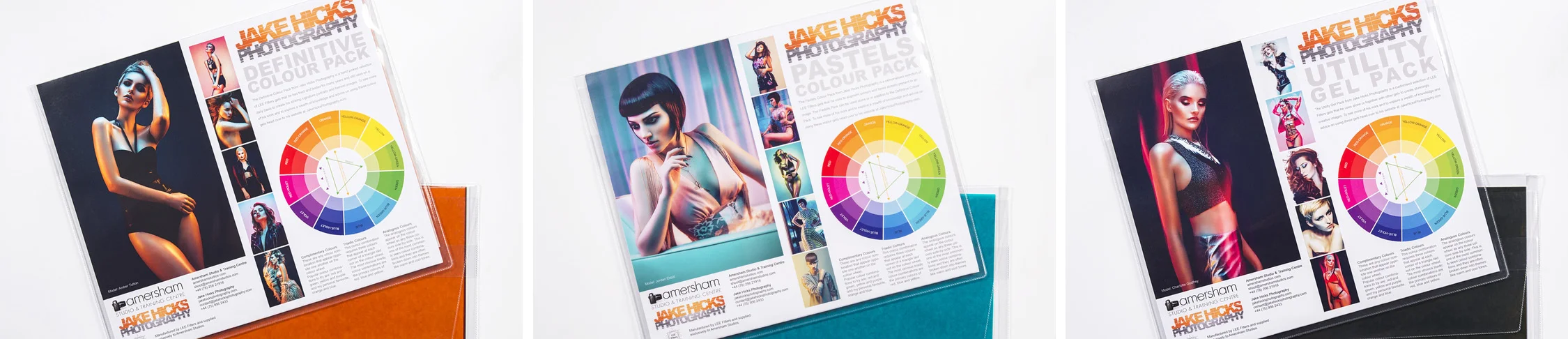
I also offer comprehensive coloured gel packs. These collections of gels are what I use day to day to create some of the most highly saturated colours around. If you're looking at getting into gelled lighting or need to get stronger and richer colours in your coloured gel work why not check out my Jake Hicks Photography Gel Packs
gel trio set crop.jpg
Tuesday 08.14.18
Posted by Jake Hicks
Comments: 1
 

Colour Banding and Gel Modifiers

Technique Tuesday Colour Banding and Gel Modifiers.jpg

For those of us that have dealt with colour in any way digitally in the last decade, we are unfortunately all too familiar with the dreaded colour banding issues. If you're not sure what colour banding is, then it's the visual 'stepping' of colour that happens in digital files. It happens a lot and it can happen for any number of reasons but the most common scapegoats for colour banning are usually poor colour depth in our cameras, aggressive compression algorithms with online sites and any number of other technical failings. Although all of these are often part of the problem, I see one other major culprit of severe colour banding and that's lighting.

Lighting with coloured gels is hard. Just let me be clear on that from the start, and to that end, it's far easier to get horrendous looking coloured light images than good ones. Nearly everybody at my lighting workshops say that they are there because they tried to shoot with coloured gels and couldn't get it work, so came to learn more. There are a lot of elements that need to be working together for gelled shots to look good and that often begins with the lighting modifiers we use.

Colour banding is often used as a term to describe harsh steps in colour. Image compression and colour depths aside, poor modifier choices will also create these ugly steps in colour.

Colour banding is often used as a term to describe harsh steps in colour. Image compression and colour depths aside, poor modifier choices will also create these ugly steps in colour.

As a general guide, light falls into two categories; hard light and soft light. Hard light produces stronger colours, is easier to control, but it often isn't very flattering. Soft light conversely produces weaker colours, harder to control light when using gels but does produce a more flattering looking light.

Most people start using gels through  harder light modifier like grids and bare reflectors because the light is far easier to control. Unfortunately the down side of using these hard light modifiers is that I often see blown highlights in the gels. But blown highlights in the gels are not blown to white, they're blown to a single block of colour or their 'saturation limit'. I'll cover 'saturation limits' another day as that's a whole other issue and in this article I wanted to focus on how to avoid the issue more than explain them.

 
Colour banding is ugly in that it looks very unnatural. Colour never 'steps' like this in real life so when we see it in photos we aren't impressed.

Colour banding is ugly in that it looks very unnatural. Colour never 'steps' like this in real life so when we see it in photos we aren't impressed.

What is Colour Banding?

If you've used gels with speedlights or hard light modifiers then I'm sure you'll have seen this clipping in the colours that we often refer to as colour banding. It is especially apparent when we see it on blank surfaces like backgrounds or even clothing. It's incredibly annoying and looks very ugly and unprofessional so we all try to avoid it as much as possible, but unfortunately that's a lot easier said then done. Like I mentioned earlier, older camera tech, online compression and a whole host of other things conspire to make colour banding happen, but we must ensure that we don't start the issue with poor modifier choices when we make the initial shot.

A lot of us are stuck with speedliits due to budget and I assure you a huge part of this colour banding problem is due to the lights you're using to begin with. Small lights are like hard lights and thus produce more contrast and saturation and that saturation is what's causing the aggressive banding. Speedlights are some of the hardest light sources around due to their small size but with that being said, strobes and their harder light modifiers like grids and open reflector dishes will also create this problem so let's look at how we can reduce it and it certain situations, even eliminate it entirely.

 
hard and soft modifiers.jpg

Hard and Soft Light Modifiers

Before we get any further, lets just take two seconds to clarify what I mean by hard and soft light modifiers. Hard light modifiers are generally smaller in relation to the subject, so for example grids, snoots and just open reflector dishes are usually referred to as hard light modifiers because they keep the spread of light quite direct and controlled. Conversely, soft light modifiers are the opposite and they are generally far larger in size in relation to the subject. Modifiers like softboxes, umbrellas and even beauty dishes produce this softer looking light.

Beyond their obvious larger size over hard light modifiers, soft light modifiers also do not allow any direct light to fall onto the subject. For example a softbox has diffusion built into them, umbrellas bounce the light around their surface prior to it falling on the subject and beauty dishes have that internal diffusion cone that also forces the light to be bounced around before it reaches the subject.

All of these characteristics result in the light not being as contrasty when it reaches its destination and that reduction in contrast also means a reduction in saturation.

Normally you'd be thinking 'fantastic, saturation is a plus', but that is not how we want to achieve great saturation in our lighting. The saturation level is achieved by shining a gel onto a shadow, the gels are made saturated when they leave the light, it is in fact poor light placement that ruins saturation not the modifier. But again, that's a topic for another day, here we want to wrangle the saturation to within a useable level so that we eliminate that horrendous colour banding. So to do this we would need the best of both worlds right? We would want the control and power that a hard light modifier gives us, but we would also want the soft and controlled saturation that a soft light modifier gives us. Is there such a thing?


The Solution to a Soft + Hard Light Modifier

Thankfully there is such a thing and it comes in the form of diffusion gels. Diffusion gels are essentially colourless and heat resistant thick sheets of tracing paper and they can be used anywhere that you'd use your normal gels. To show what they can do, let's look at a few examples of hard light modifiers at work with and without the diffusion gels in place.

Click to enlarge

-In the images above we can see the result of a standard open grid reflector being shone against a white wall with a pink gel. On its own it produces a very ugly colour banding grad regardless of whether it's close to the wall or further away from it. But by adding a diffusion gel, you immediately see how that ugly colour banding disappears at nearly all exposure ranges. Even when it's clearly very overexposed, it still does a great job of maintaining colour transitions.

Click to enlarge

-In this set of images we're looking at the light created by an umbrella reflector dish. These dishes are usually coated with a mirror-like silver interior to work in conjunction with the umbrellas. They are not really designed to ever be shone directly onto a surface and as a result they produce some of the ugliest colour banding around. But even with that mirror-like interior, the diffusion gel does an excellent job of diffusing the light to reduce even the worst colour banding.


Click to enlarge

-Here I wanted to show what we would normally use as reflector dish on a background. This is the far wider spread of a 65 degree dish or Maxilite as theyre often called. Even though this is what I use to light my backgrounds, they still produce a horrendous amount of colour banding regardless of whether they are close or far from it. The addition of a diffusion gel certainly helps to get it under control though and at low powers, this combination of wide dish and diffusion gel can produce some excellent and smooth background colours.

Click to enlarge

-I also wanted to include this last test as an example of how a 60x60cm softbox can eliminate colour banding nearly entirely. This softbox has two layers of diffusion, one internally and one externally. As a result, we get buttery smooth graduations in colour. So why not use this all the time? Well as a result of using a softbox to light the background, the entire room is now bathed in pink which makes for a real problem when it comes to lighting our subject.


Conclusions

So what can we take away from the above tests?

Diffusion gels would appear to reduce colour banding no matter what hard light modifier we use - Well first and foremost I think it's pretty clear to see just how powerful the diffusion gels are when used in connection with hard lights. No matter what hard light modifier we used, they always reduced colour banding and in a lot of cases eliminated it entirely.

Colour banding happens regardless of how close you are to the background - I often recommend people bring their modifiers away from the background to reduce colour banding and although this certainly helps a lot, it's not going to eliminate colour banding alone. Brining you modifier away from the backdrop and applying a diffusion gel on the other hand may well eliminate the problem entirely.

Reducing the power of the light will often reduce colour banding issues - We briefly spoke about saturation limits before and one of the route causes of this is, overexposing a gel. Often by reducing the power of the light through the gel will also reduce the colour banding issues.

Don't be afraid to double-up the diffusion - In the above tests I'm using a single diffusion gel but don't be afraid to double them up to get even more diffusion when needed. Often the doubling of gels does little to nothing, but doubling up the diffusion will certainly have an impact in this instance.

Lastly, I appreciate this is a test against a white wall and not a model, but trust me, the exact same principles apply whether it be a background or a model. Using a diffusion gel on your hard light modifiers will always reduce colour banding issues.


Where can I get me some Diffusion gels?!

Thankfully diffusion gels are fairly common but they do tend to be used by videographers a lot more than stills shooters. In the world of cinematography the diffusion gels are often simply referred to as 'frosts'. They have strong diffusion that they refer to as 'heavy frosts' and lighter diffusion that often refer to as 'light frosts'. Searching for any of those terms will yield a bunch of results.

JakeHicksPhotography (1 of 1)1500.jpg

But if you'd like to know which ones I personally use then it's pretty simple, I actually use the diffusion gels out of my very own gel packs. As a lot of you know, I sell my own gel packs, my 'Definitive' pack has all the saturated colours I use, the 'Pastels' pack has all of the softer colours I use and lastly my 'Utility' pack contains all of my colour correction gels, neutral density gels, as well as the diffusion gels.

My Utility pack contains two of the heavy frosts so that when they're doubled up they reduce practically all colour banding from any modifier. Plus they are made by LEE Filters which double coats them with heat resistant layers ensuring they last a very long time on hot lights and in my tests, these diffusion gels do not alter the colour of the light in any discernible way either. More information on these and my other gel packs can be found on my gels page here. Just scroll down to the bottom for the details on the 'Utility' pack which can be purchased directly here.

I understand that this whole article has now sounded like an advert for my gels, I even questioned whether I should include this section at all for fear of making the whole thing just sound like a sales pitch. You guys will have to make up your own minds on that but I will just say that the tests done here and their results should speak for themselves and are entirely genuine.

Whether you choose use my gels or not, I recommend you use some form of diffusion over your hard light modifiers just like I personally do to reduce or even eliminate that dreaded colour banding.
 

Bonus Tip: Gel Attachment

One last bonus tip as I know I'm going to be asked how I gelled my softbox in this test. Here's how I gel my modifiers with the 8"x10" gel sheets that come in my packs.


Thanks for Reading

Thanks as always guys for reading this article, I know they're often fairly long so I really do appreciate your precious time. If something doesn't make sense or if you have any questions then please don't hesitate to message me or comment below.

If you'd like to be updated once a month with all of my other articles then feel free to sign up to my newsletter here. Signing up now also gets you a free 10 page studio lighting PDF.

See you all in the next one :)


:WARNING: Yet more flagrant use of HARD sales below!


If you liked this article and would be interested in more posts like this in the future, please feel free to sign up to my monthly newsletter. I publish one of these articles every week and each month I collect them all up and send them directly to your inbox just in case you missed one. Signing up now also get's you my free 10 page pdf on Studio Lighting Tips and Techniques. Jake Hicks Photography - Newsletter

gel trio newsletter.jpg

If you're interested in any of my work and would like to know more about how I created some of my shots then why not check out my workshops. Here you can find out everything there is to know about Gelled Lighting, Long Exposure Flash Photography and my entire Post-Pro Workflow. Jake Hicks Photography - Workshops

gel workshop trio.jpg

I've also just released a brand new 22 hour complete Gelled Lighting Tutorial video. I go over everything from studio lighting setups with gels to being on location with gels plus I also go through my complete retouching and post pro workflow. For more details and complete breakdown of everything that's include check out my Coloured Gel Portraits Tutorial

gel trio set video.jpg

I also offer comprehensive coloured gel packs. These collections of gels are what I use day to day to create some of the most highly saturated colours around. If you're looking at getting into gelled lighting or need to get stronger and richer colours in your coloured gel work why not check out my Jake Hicks Photography Gel Packs

gel trio set crop.jpg
Tuesday 07.31.18
Posted by Jake Hicks
 

DIY Cheap Coloured LED Lighting for £20 - Lighting Setups Included

Technique Tuesday Facebook Thumbnail DIY LED.jpg

LED lights are everywhere now, and from kids toys to professional studio lighting, LEDs are being used in absolutely everything. At a photographic level there are a ton of great options to look at and a while ago I even reviewed and tested some of the more professional level LEDs from Spekular and their new modular lights (review here).

Image shot with £20 LED lighting. Lighting setup explained below.

Image shot with £20 LED lighting. Lighting setup explained below.

These lights are clearly excellent and when using them and other similar high-end LED lighting you have a lot of benefits and features including, colour consistency, bright LED's, lighting modifiers and so on. But all of those features come with an understandably high price tag.

So what if you're interested in simply playing with some LED lights? What if you just want to test out some cool lighting ideas but don't want to jump in at the deep end and invest a whole bunch of money on them just yet?

Well thankfully due to LED lights being so prolific right now, there are some very cheap options and in fact you can even make your own LED lights quite easily too.

In this article I'm going to be showing you some lighting ideas that can be achieved with very affordable, off-the-shelf options and that's because LEDs are so cheap that it's practically more expensive to make them yourself. If you're still interested in the DIY option, here's a couple of pointers and places to consider.

 
Finding LED light strips are now very common and very easy to find. Any number of keyword searches will get you where you need to go.

Finding LED light strips are now very common and very easy to find. Any number of keyword searches will get you where you need to go.

DIY LED Lighting Kit

The LEDs

First off you'll need the LED light strips and they are very easy to come by. Places like eBay and Amazon are your safest and easiest options and here's a single link to some colour changing LEDS that are controllable with a remote; 5M LED Strip Lights Kit.

The thing you need to be searching for is the 'LED strip lights'. From there you'll get a whole bunch of options but keep an eye out for a remote in the preview picture as it'll show you all the options you have with it. One thing that I found when searching for these, is that 'white light' is not always a colour that comes with these as standard so if you're after playing with white light LED lighting just bear that in mind.

 
Finding appropriate housings for your LEDs is a little harder but anything round and translucent will do. Alternatively purpose built housings also exist.

Finding appropriate housings for your LEDs is a little harder but anything round and translucent will do. Alternatively purpose built housings also exist.

The Housing

Next up you'll need some way of actually holding and supporting the LEDs so that you can use them as independent light sources. This is a little harder but that's only because you have so many options. I looked at a lot of translucent piping, extruded acrylics and so on, but I very quickly found that there is in fact several purpose-built housings available which saves you the trouble of going all out on the DIY nature of cutting and sawing etc. For example this Round Frosted Cover for use with LED Strip Lights is a good place to start. Have a hunt about but searching for "LED housing/channel/cover" will give you a bunch of options.

 
If you're after a one-stop-shop then there are a few dedicated LED shops out there.

If you're after a one-stop-shop then there are a few dedicated LED shops out there.

Everything LED Related

I did also come across one site that had all the parts you need and all you simply had to do was choose the pieces you liked for your complete custom LED build. Wholesale LED Lights had a entire section dedicated to all the bits you could possibly need including the lights, the housing and even the remote controls. If you're after a one-stop-LED-shop this could be your place.


That seems like a whole lot of work!

So if like me you're thinking,

"Surely somebody out there has done all this for me already. Where the hell is their shop?!"

Thankfully we're in luck :D

In the mood for a spot of school disco and nausea inducing colour rhythm presets? Grab yourself a prebuilt LED light stick.

In the mood for a spot of school disco and nausea inducing colour rhythm presets? Grab yourself a prebuilt LED light stick.

As it turns out, those cheesy DJ's love a good light changing metre of translucent acrylic, and for just £20 you can pick yourself one up that's all ready to go straight out of the box.

If you want to have a search about then just search "standing LED disco light" and you'll get a whole bunch of options to look at. Here's a couple to get you started though; Gear4music ADJ LED Colour Tube, or on Amazon you have Colour changing LED Standing Disco Light Stick. You get the idea but essentially you're after a metre long, colour changing LED light that preferably has something like a remote control to adjust it.

For £20, it just seemed silly to even try and make it myself so I just bought 4 of the complete LED lights which at the time cost me £60 total. You obviously don't need 4 but for what I wanted to play with, 4 of them would give me plenty of options.


The Purpose Built LED Lights

So I got my four LED lights, they're a metre long and about 8cm in width. They are powered via a mains adaptor and they are all controlled via a remote that has all the colour options accessible via a single button press, plus you can do all sorts of horrendous kids disco light patterns that any epilepsy candidate should avoid at all costs. You also have a handy feature here to increase and decrease the brightness of each colour via those sunshine up and down arrows in the top left of the remote (pic below). Although I initially thought this was not that useful, as surely I just want them all at full power all the time, but as different colours require different exposures this feature turned out to be pretty handy.

I picked up 4 prebuilt LED tubes and attached them to 4 of my light stands.

I picked up 4 prebuilt LED tubes and attached them to 4 of my light stands.

In the images above you can see that the lights are all mounted on light stands, these are my light stands as the LED lights do not come with any of their own.

What a shock!&nbsp;Gaffer tape fixes yet another problem.

What a shock! Gaffer tape fixes yet another problem.

I simply attached the vertical ones by gaffer taping the clamps that the LED lights come with to my light stands. The LED lights themselves are incredibly lightweight so there is almost no pressure or fear of them coming away from the stand once they're attached.

The horizontal light is simply attached via a Manfrotto Superclamp atop another stand. Again these lights are so lightweight that only minimal pressure is required to keep them in place.


The Lighting Setups

So now that we have our lights and have attached them to our stands we're finally ready to start shooting.

Key Light + Side Lights + Background Light

The first setup I tried was two side lights, one key and one background light.

Teal & Purple

Click to enlarge

Click to enlarge

Click to enlarge

The first thing I noticed was that using an LED light vertically for a key-light just wasn't working. It didn't give enough light coverage across the face in a vertical position so I quickly remounted it at a horizontal angle by simply removing the mount and gaffer tape and re-taped it at the new position. Once that was done the light was far more usable.

The next trick with this setup is using that background light to burn out the ambient colour created by the side lights. Position the model too far away and I didn't get any purple back there, position her too close to the background and the purple washes out the background light.


Blue & Purple

Next up I quickly changed the teal to a pure blue colour. There might not seem like much difference in the shots and that's because there really isn't. These LED lights show that they have a whole bunch of variety in their colours, but in reality it really is just subtle variances of Red, Green and Blue when you actually start photographing them.

The LED lights themselves claim to have a lot of variation in colour, but the reality is that they really only have the Red, Green and Blue. The variations are really only different densities of each of those three base colours once you start to photograph them.

Click to enlarge


Red & Purple

Click to enlarge

I was still playing with the colours and combinations and here I simply just changed it to pure blue on top and behind and pure red on the sides.

This quick switching of colours sounds super-easy right? Well although in theory it's really simple and as easy as pressing the button of the exact colour you want, the problem is that these LED lights are all controlled via a remote... a remote that changes ALL the lights at the same time!

This results in some awkward body contorting and hand shielding to try and just change one light at a time without changing them all simultaneously. Without removing each light from the set and taking it into another room to adjust it before bringing it back and then repeating that process three more times, the process of switching colours can be comedically frustrating at times. You can get three lights right and then whilst trying to switch the last one blue you inadvertently turn all four lights blue and the whole process starts again.


Ring Light Effect

Next up I thought I'd try a ring light effect since I had four lights. I also thought this would be a good opportunity to test out the white lighting look of the LEDs.

White Light

Click to enlarge

As you'd expect, the setup simply involves placing all four lights in front of the model in a square and then you shoot through them.

Those of you with human eyes may have also noticed something not quite making sense in this resulting image that doesn't quite match the setup. That's right the BLUE light!

So the 'white' light given off by these LED lights is very odd to say the least. First and foremost, this wavelength doesn't exist on the Kelvin spectrum so it was impossible to white balance this out in-camera.

After a lot of work in Lightroom I was able to get a somewhat pleasing skin tone but that was only with a 14,380 Kelvin Temp and a -52 Tint. As you can see here in the background though, the background and shadow areas have now gone a cool blue colour.

Cheap LED lights are horrendously bad at white lighting and is why they have such a bad reputation. Yes you can get excellent LED lighting but it costs an awful lot of money to get them. Fancy a nice white LED light? How about a 30cm by 65cm Arri SkyPanel? That'll be nearly £4500 then please!

Of course I've chosen the most overpriced alternative I could find to make my point but I think you get the idea. If you're looking to play with cheap LED lighting, don't beat yourself up if the colour looks horrendous.

All that aside, I actually quite like the colouring and incredibly soft and beautifying light this portrait has. If you're happy with this alternative look then I think you can have a lot of fun with these.


Red & Blue Ring Light

Of course one of the incredibly useful benefits of having separate lights as part of this ring light setup is that you can adjust them independently. For example in the shots below, I'm playing with red and blue; red either side and blue above and below.

With the model really close to these lights you're able to get some very interesting looks. I also experimented with varying amounts of tones and brightness on each of the lights so that I have one far softer and more muted look compared to one that is a lot more saturated.

Click to enlarge

Click to enlarge

JakeHicksPhotography (10 of 11).jpg
JakeHicksPhotography (9 of 11).jpg
 

Closing Comments

As with so many things in life, you get what you pay for. These LED lights are only £20 each and for four of them at £60 I was able to create some very impressive coloured portraits. But I quickly found some frustrating limitations that you should be aware of before you pick these up yourself and start playing.

Concerns

Brightness

First and foremost, these LED lights are not powerful with regards to their brightness. A lot of these images are shot at ISO 800, f2 at 1/60th second. To those with a bit of experience in ambient lighting, you'll know from those figures that the lights are pretty dark. In fairness most modern cameras are more than capable of dealing with those ISOs with little issue but it's certainly worth bearing that in mind.

Colour Consistency

Based on my tests with the 'white light' shots, it's fair to say that these LED lights do not excel at white lighting portraits. Yes you can make it work in post, but I'd say that I have a fair amount of experience in colour correction and it was a real pain in the ass to get the shot to look as good as it does here. I'd potentially say that these are almost unusable as white lights and whether that's due to their opaque housing or the actual LED themselves, caution is advised.

Usability

The other big stumbling block I found of course was that I couldn't easily adjust these lights independently with their remote control. Changing one light meant that you have to change them all without a lot patience. Was it manageable? Yes, but it certainly wasn't as easy as I first thought it might be. Again, I don't think this is catastrophic but patience is required.

 
JakeHicksPhotography (1 of 7).jpg
JakeHicksPhotography (2 of 7).jpg
JakeHicksPhotography (3 of 7).jpg
JakeHicksPhotography (4 of 7).jpg
JakeHicksPhotography (5 of 7).jpg
JakeHicksPhotography (6 of 7).jpg
JakeHicksPhotography (7 of 7).jpg
JakeHicksPhotography (1 of 7).jpg JakeHicksPhotography (2 of 7).jpg JakeHicksPhotography (3 of 7).jpg JakeHicksPhotography (4 of 7).jpg JakeHicksPhotography (5 of 7).jpg JakeHicksPhotography (6 of 7).jpg JakeHicksPhotography (7 of 7).jpg

Fun Factor

With those concerns aired, I still recommend playing with these lights, especially as I personally don't see them as a major investment. I had a whole bunch of fun playing with these and having the ability to see colour being shaped on the model in real time is very educational.

But beyond all the negative crap and workarounds, I got some killer shots that I actually really, really like. So to be fair, even if I never use these LED lights ever again, I feel like they were well worth it.

Thanks for Reading

Thanks as always guys for reading this article, I know they're often fairly long so I really do appreciate your precious time. If something doesn't make sense or if you have any questions then please don't hesitate to message me or comment below.

If you'd like to updated once a month with all of my other articles then feel free to sign up to my newsletter here. Signing up now also gets you a free 10 page studio lighting PDF.

See you all in the next one :)


:WARNING: Hardly FREE awesome content below!


If you liked this article and would be interested in more posts like this in the future, please feel free to sign up to my monthly newsletter. I publish one of these articles every week and each month I collect them all up and send them directly to your inbox just in case you missed one. Signing up now also get's you my free 10 page pdf on Studio Lighting Tips and Techniques. Jake Hicks Photography - Newsletter

gel trio newsletter.jpg

If you're interested in any of my work and would like to know more about how I created some of my shots then why not check out my workshops. Here you can find out everything there is to know about Gelled Lighting, Long Exposure Flash Photography and my entire Post-Pro Workflow. Jake Hicks Photography - Workshops

gel workshop trio.jpg

I've also just released a brand new 22 hour complete Gelled Lighting Tutorial video. I go over everything from studio lighting setups with gels to being on location with gels plus I also go through my complete retouching and post pro workflow. For more details and complete breakdown of everything that's include check out my Coloured Gel Portraits Tutorial

gel trio set video.jpg

I also offer comprehensive coloured gel packs. These collections of gels are what I use day to day to create some of the most highly saturated colours around. If you're looking at getting into gelled lighting or need to get stronger and richer colours in your coloured gel work why not check out my Jake Hicks Photography Gel Packs

gel trio set crop.jpg
Tuesday 07.24.18
Posted by Jake Hicks
 

Stay Inspired - Inspirational work from 10 Photographers and Artists 001

Stay Inspired thumb 001.jpg

"Stay Inspired" is a weekly post where I share the work of an inspirational photographer or artist every Thursday on my Facebook Page. I've been doing this every week since 2013 so there is now a vast number of outstanding creatives from all genres and disciplines that we've looked at over the years and it would be a shame to not try and collate them all in one place for not only myself but for you as well.

These new posts will look at a collection of 10 artists each and they should prove to be an excellent resource for not only inspiration but motivation as well. With each artist shared, I will include a short overview of their work including things to consider and look at whilst on their portfolio. Please bear in mind that these will be very subjective opinions and mine alone so please take from them what you will. I believe a more personal point of view of another artists work may be of more value to you over simply stating their name and age for example but this does mean you may not always agree with me and I would encourage that. Art is subjective and I like music, the best art does not appeal to everybody.

Inspirational Work from 10 Photographers and Artists 001

Stay Inspired Facebook Thumbnail TempBenjamin Kanarek.jpg

I'll start this off by sharing the site of Benjamin Kanarek. By all means check out some of his recent work for Vogue and Harper's Bazaar but the link that I'm providing here actually takes you to his archives. In here you will find some of his incredibly vibrant colour works he was producing in the 80's and 90's. Check out some of the projects like, 'L'OFFICIEL Paris', 'VOTRE BEAUTE' and 'VOGUE Italia' to see what I mean. For those of us who were shooting film, phrases like 'cross-processing' and 'pushed and pulled exposures' rouse mixed emotions, as much fear of pushing the technique too far as there was excitement of how it might turn out. It certainly appears that Mr Kanarek had mastered some of these lost arts enough to gamble on them for the front cover of Vogue.

I absolutely love this work, go check it out.

Benjamin Kanarek

 
Stay Inspired Facebook Thumbnail Christian GirottoTemp.jpg

Next up we just have some insanely good artistic skills from Christian Girotto. I'm tempted to think this guy is using a different version of Photoshop than me; that's my excuse and I'm sticking to it!

Check out the albums 'Vanessa Cruz' along with 'In the Edge' and start making your excuses.

Pay close attention to how significant a creative style can be with post-pro alone. A personal style is not unique to the photography and investing time in a personalised post production look can be just as important.

Christian Girotto

 
Stay Inspired Facebook Thumbnail TempNicoline Patricia Malina.jpg

Nicoline Patricia Malina is an Indonesian photographer that seems just as happy shooting the vivid Asian colours of Hello Kitty and friends as she does shooting Europe's cinematic black and whites. Another photographer that is seemingly unburdened by her own style. Check her out.

Nicoline Patricia Malina

 
Stay Inspired Facebook Thumbnail TempBruno Dayan.jpg

This guys work is phenomenal. I've been a huge fan of his style and aesthetic for more than a decade now and I would put Dayan's work up there as one of my core inspirations when I was starting out with synthesised colour in my imagery all those years ago. I absolutely adore his use of soft colours and storytelling with subjects and environments and although I'm not personally a huge fan of the 'dead-doll' posing aesthetic that permeates so much of his work, I think it works incredibly well within his environments and lighting. Stop reading this nonsense and get over there!

Bruno Dayan

 
Stay Inspired Facebook Thumbnail TempDamon Loble.jpg

L.A based Damon Loble has a very distinct style and although the content of his images may not be to everybody's liking, his method certainly holds some weight in my mind. For the photographic reverse-engineers among us, it's worth bearing in mind that these images are current, have very little post and shot with his Hasselblad digital back. I find it hard to believe that the timeless feel to his images are all generated 'in-camera' with that digital Hasselblad but none the less exceptional work. Take from that extra info on the capture device for what it is, but I do find it interesting given the look and style of his work. Regardless of the process though, the bottom line is that this work is fantastic.

-Be warned this site loads everything at once and is VERY SLOW TO LOAD!- Be patient.

Damon Loble

 
Stay Inspired Facebook Thumbnail TempLucas Passmore.jpg

LA based photographer Lucas Passmore appears to have a phenomenal knack of getting some stunning poses from his models and I love the connection he seems to get from them through the lens. Here is a link to his site which although shows some great 'commercial' shots I personally find the real magic is shown on his blog http://lucaspassmore.tumblr.com/archive

Here there are row after row of great shots highlighting his best work with some great lighting and gorgeous colour grading. Go and say hi!

Lucas Passmore

 
Stay Inspired Facebook Thumbnail TempMartin Schoeller.jpg

I wanted to show you NY based photographer Martin Schoeller and his famous series called 'Close up'. Martin has photographed the biggest of the big names in this series but what draws me into the shots is his photography techniques. No posing no fancy styling just bold crops and impeccable lighting. What's also worth noting is the shaping and structure these portraits have by the actual absence of light around the edges. I love it. The link here takes you straight to the project but while you're there check his 'Twins' series shot in the same style, very freaky though.

Martin Schoeller

 
Stay Inspired Facebook Thumbnail TempSølve Sundsbø.jpg

Norwegian born but currently London UK based, Sølve Sundsbø has a fantastically clean style and has shot for all the major campaigns including Chanel, Cartier, Dolce & Gabbana, plus the the Alexander McQueen retrospective in New York.

I'd be surprised if you hadn't perviously seen at least one of his images before and considering his breadth of skill base, he's not afraid to push all manner of techniques like shutter drags, gels and even underwater shoots. Head on over and check out his work.

I'd be interested to hear what you guys think of his work though.

Sølve Sundsbø

 
Stay Inspired Facebook Thumbnail TempGlenn Norwood.jpg

Not only a great guy but also phenomenal photographer so I'd just like to highlight one of my followers amazing work on here. I've been a big fan of Glenn Norwood's photography for a while, especially his fantastic use of colour and the guy has won one more prestigious photographic awards in his career than I can count and definitely knows what he's talking about. There's little I can say that will do his work justice so just head over and check it out.

His site is under construction at the moment so check out his Instagram in the meantime.

Glenn Norwood

 
Stay Inspired Facebook Thumbnail TempSantiago & Mauricio.jpg

Some fascinating inspiration with these sibling photographers as we look at the more unique style of Santiago & Mauricio. Santiago & Mauricio are two brothers from Mexico city currently working out of New York and they seem to specialise in the blending of stills and motion with every campaign they produce. Their site includes a lot of video over stills and their style certainly has more of a rougher edge over the more mainstream fashion looks we might be more accustomed with.

I wouldn't say they were anti 'normal' but their look and character portrayal certainly explores the more irregular body shape and gender stereotypes. They allow their characters to do most of the work in their shots and a strong connection with camera to subject and a photographic technique that takes second place behind the model makes for some powerful imagery.

Very refreshing work and although not my personal preference and I have a lot of admiration for what they're achieving with their subject here. I'd love to hear what you think though.

Santiago & Mauricio


Closing Comments

As with all of my posts, I always welcome your comments and thoughts on the artists I've shared here and although all of the photographers and creatives I've mentioned come from my own personal tastes and appreciations, I still feel they are all incredibly varied which ultimately means there will be at least one persons work here that you'll love.

Sure, we've really only looked at 'people' photographers here including, portraits, fashion and editorial shooters with none of the other photographic genres being covered but it's still incredible to me as to just how varied this single discipline can be.

I think one of the core things I want you to take away from this series is how another person interprets their subject into a photograph. Sure you can simply reverse engineer the lighting or copy a pose of an image but I hope you take away a lot more than simply the mechanics of a photograph.

Look at their style and see how that is impacting their work for the better. Look for similarities in pose, expression, subject, lighting, theme and colour. All of these things play a role in any image and by appreciating that in others work we can be better equipped to express it into our own images.


If you liked this article and would want to be shown more posts like this in the future, please feel free to sign up to my monthly newsletter. I publish one of these articles every week and every month I collect them all up and send them directly to your inbox in case you've missed one. Signing up now also get's you a free 10 page pdf of studio lighting tips and techniques. Jake Hicks Photography - Newsletter 


:WARNING: Free advertising space being liberally used by myself below!


If you liked this article and would be interested in more posts like this in the future, please feel free to sign up to my monthly newsletter. I publish one of these articles every week and each month I collect them all up and send them directly to your inbox just in case you missed one. Signing up now also get's you my free 10 page pdf on Studio Lighting Tips and Techniques. Jake Hicks Photography - Newsletter 

gel trio newsletter.jpg

If you're interested in any of my work and would like to know more about how I created some of my shots then why not check out my workshops. Here you can find out everything there is to know about Gelled Lighting, Long Exposure Flash Photography and my entire Post-Pro Workflow. Jake Hicks Photography - Workshops

gel workshop trio.jpg

I've also just released a brand new 22 hour complete Gelled Lighting Tutorial video. I go over everything from studio lighting setups with gels to being on location with gels plus I also go through my complete retouching and post pro workflow. For more details and complete breakdown of everything that's include check out my Coloured Gel Portraits Tutorial

gel trio set video.jpg

I also offer comprehensive coloured gel packs. These collections of gels are what I use day to day to create some of the most highly saturated colours around. If you're looking at getting into gelled lighting or need to get stronger and richer colours in your coloured gel work why not check out my Jake Hicks Photography Gel Packs

gel trio set crop.jpg
Tuesday 07.17.18
Posted by Jake Hicks
 

Behind the Scenes on my New Lighting Video Tutorial - Long Exposure Studio Photography

On June 22nd I headed to St. Louis, Missouri to shoot my second lighting tutorial with the video production powerhouse that is RGG EDU.

I'll share some behind-the-scenes of us making tutorial below but the working title of the project was 'Long Exposure Studio Photography'. I'd been planning, testing and troubleshooting the long exposure shots and setups for months so although I felt prepared to teach this fairly complex topic on video, creating long exposure images is never simple and doing so whilst on a film set was never going to make it any easier.


Like I mentioned above, the biggest project of June was my new video lighting tutorial on Long Exposure Studio Photography.

The production crew that filmed it were the infamous RGG EDU and they were also the same crew that filmed my previous Gelled Lighting Tutorial a couple of years ago so I knew I was in safe hands.

Every great shoot is always built on the foundations of great prep work and having great stylists and makeup artists onboard practically guarantees excellent results every time!


The majority of this tutorial was about using long exposure lighting techniques in the studio. Of course long exposure work usually requires a very dark room to shoot in.....this was not ideal for a film crew to record me in so a constant 'lights-on' and 'lights-off' between images was a slow but very necessary evil.


For those of you that prefer shooting long exposure outdoors in the dark, don't worry we have you covered too. I spent a night in downtown St. Louis shooting on the streets with a model to capture some incredible shots in places you'd probably walk past every single day and never consider them photoshoot locations. Long exposure literally transforms the world around you into great locations everywhere you look.


Lastly of course we had the obligatory pieces to camera where I went into more detail on the theory, philosophy and techniques covered in the tutorial. This is harder than it looks but ultimately this is what ties the whole thing together.


I will of course keep you all updated on the progress of this tutorial and especially the release date. Keep your fingers crossed but hopefully that could even be within the next couple of months!!! :D


If you'd like to be kept updated on this project and others like it then hear about them first via my newsletter. No spam, no repetitive sales plugs, I won't share your email, you'll just receive occasional news updates from me as well as all of my Technique Tuesday posts once a month in the form of my newsletter. Grab yourself a free studio lighting PDF in the process by signing up here JHP Newsletter Signup

Wednesday 07.11.18
Posted by Jake Hicks
 
Newer / Older