• >>>NEW Colour 2.0 Workshop<<<
  • Technique
    • Latest Techniques
    • FREE TIPS
    • Quick Tips
    • Video
    • Site Search
    • Blog
    • Archives
  • Mentoring
  • >Online Workshops<
  • Workshops
  • Studio Lighting Books
  • Contact
    • Newsletter
    • Contact
    • Statement
Jake Hicks Photography
  • >>>NEW Colour 2.0 Workshop<<<
  • Technique
    • Latest Techniques
    • FREE TIPS
    • Quick Tips
    • Video
    • Site Search
    • Blog
    • Archives
  • Mentoring
  • >Online Workshops<
  • Workshops
  • Studio Lighting Books
  • Contact
    • Newsletter
    • Contact
    • Statement

DIY Camera Case Dividers for Less Than £10

I'm as interested in an 'easy life' as much as the next person, so if somebody else has already done the hard work of making a product for me, and I can purchase it for a reasonable price, I'm all over it. After all why make life hard for yourself if you don't have too. Unfortunately there are times when you literally can't purchase what you need and the only option is to get all arts-and-crafts on the problem!
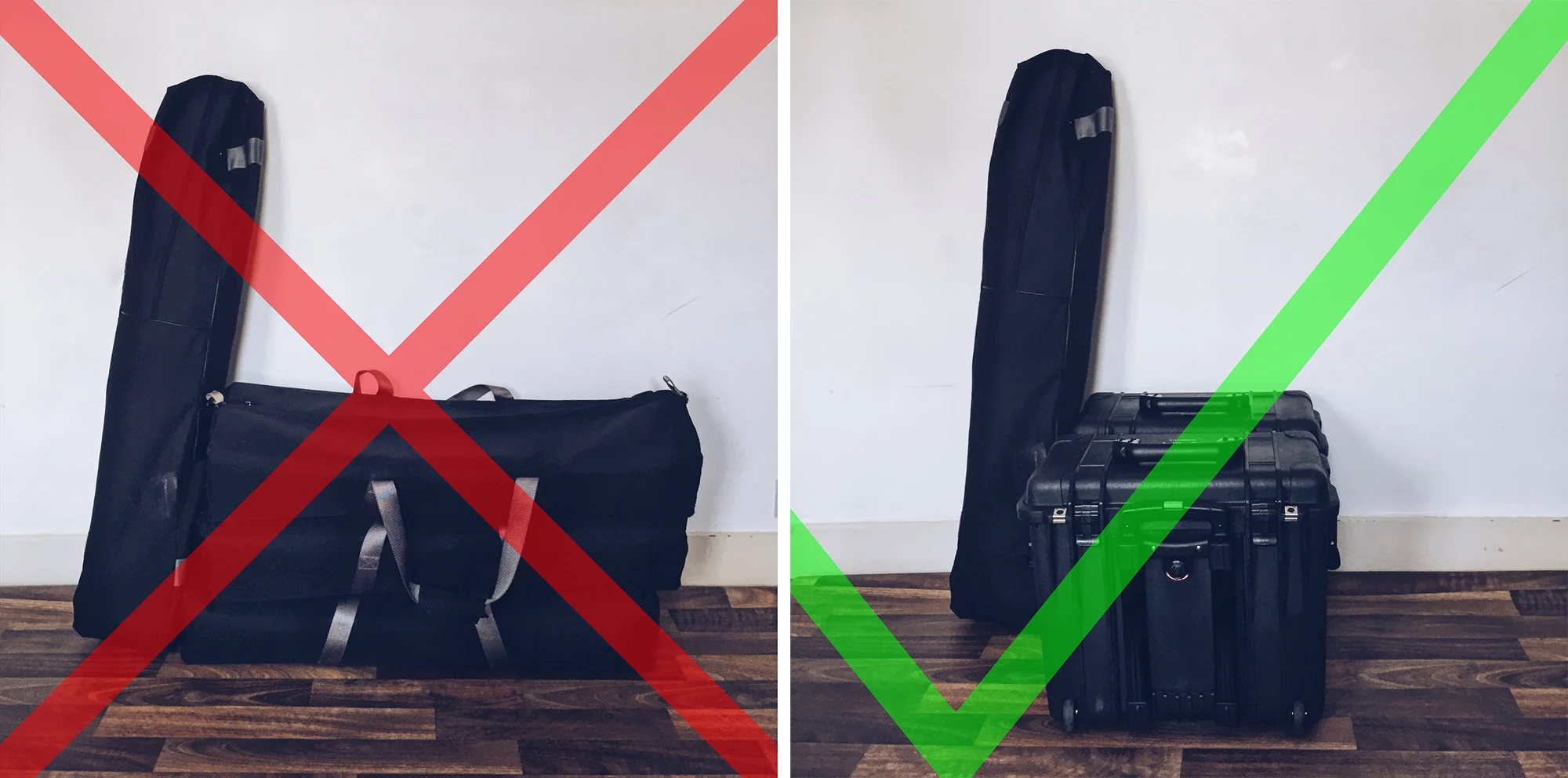
I finally got around to upgrading my old long soft-bags to the Peli hard cases. Unfortunately I couldn't find quote the case dividers I needed...

I finally got around to upgrading my old long soft-bags to the Peli hard cases. Unfortunately I couldn't find quote the case dividers I needed...

I recently decided to upgrade my flash-head carrying bags from the old, long, soft and cumbersome kit bags to the sleek, compact and robust Peli cases. These new 1440 Peli cases hold three of my strobes upright, side-by-side. This upgrade not only offers me far more protection on the heads but it also makes it a lot easier to transport them with their wheels. But although they fit my three strobes perfectly, I needed some way of separating them inside to avoid them bashing against one another in transit. Thankfully Peli does offer many varying solutions to this problem including foam and of course their own standard dividers but alas they did not have the correct inserts for what I needed for separating the lights and I would have had to remove too much foam for it to be effective. There is one other option as well for all you Peli case fans and that's the TrekPak dividers. I love the simplistic nature of these but unfortunately TrekPak don't make them for the size Peli case I have :(

'If you can't buy it, build it.'

So when money can't help you, the only option is to make your own dividers and thankfully it's actually pretty easy. This quick tutorial is for making dividers for my Peli case but exactly the same thing can be applied to smaller soft camera bags too.

What you will need

  • Fairly stiff Cardboard
  • High density foam (not as tricky to find as you might think)
  • Sharp craft knife
  • Metal ruler to cut straight lines
  • Tape measure to ......measure stuff
  • Your preferred fabric (I personally used Nylon and that's what I would recommend)
  • Velcro strips (preferably with self adhesive sticky-backs)
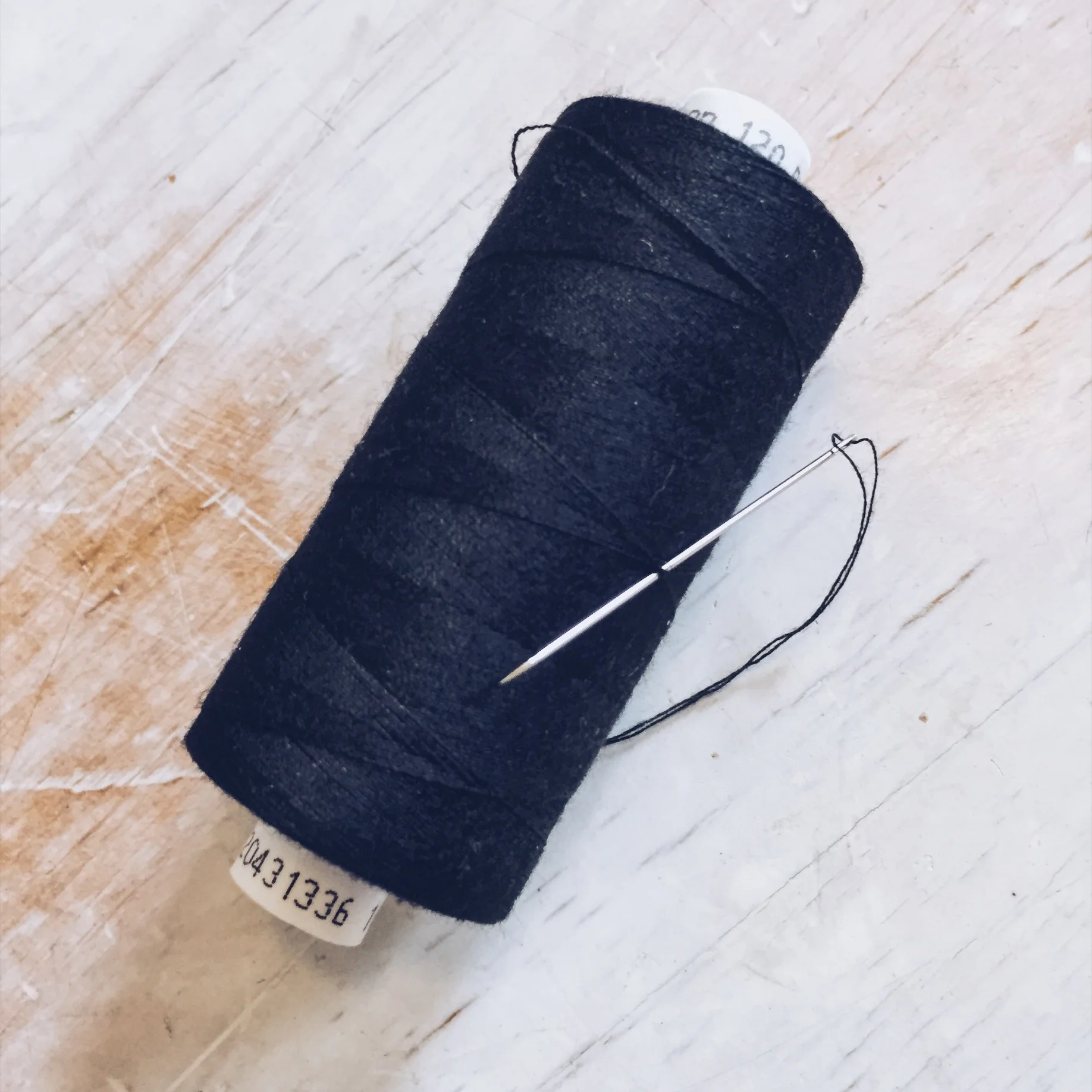
  • Needle and thread (This is the worst part but bear with me)
  • Stapler (optional)
 

Cardboard

I shouldn't need to explain this one I'm sure but if you're stuck, just stack up two or three layers of cereal box cardboard to make one thicker piece. The cardboard is only there to offer additional support and is sandwiched between two pieces of foam. So don't worry, it will be completely hidden and nobody will ever know that you still love Lucky Charms.

High Density Foam

Like I mentioned before, this is actually really easy to get a hold of via sites like eBay who will sell it to you in small quantities. Here's a link to the one I used 60"x20" High Density Foam. Mine cost around £4.85 and it was the thinnest foam at a quarter of an inch thick.


Fabric

This is something that you'll need to decide for yourself but my recommendation is the Nylon. This fabric is essentially made of lots of interlinked plastic threads that means its harder to tear or rip as soon as you cut into it like other fabrics. This is very useful for us as we'll be making lots of thread holes close to its edges, so unless you're a master seamstress it just makes our lives a lot easier. Here's link to the sheet I got; 4oz Waterproof Black PU Coated Nylon Fabric. I bought a metre of this black fabric for around £3.75 but you can obviously get whatever colour you'd prefer to match you specific bag.


Velcro

This is that 'hook & loop' stuff that makes all the noise. You'll need enough of it for the size of the project you wish attempt but  I got a metre of it for £1.19. You're looking for the 'hook' part though as nearly all camera cases and bags have the 'loop' part as their lining, meaning that you can place your dividers anywhere inside. Here's a link to the strip I bought; 1m 20mm Black Self Adhesive Hook & Loop Fastening. Whatever you decide to go for it would be my recommendation that you get the self adhesive ones as again this will make your life a lot easier. The sticky side is the one covered in the white strip on one side in the picture.
 

Needle and Thread

This is the worst bit but to really make your camera dividers stand the test of time you'll need to do a little bit of sewing. WAIT! Before you close this window, you don't need any prior knowledge and it really is pretty quick and easy so I promise its worth doing. I had four pretty large panel dividers to make for my two cases and it took me about an hour to do them by hand. If you have access to a sewing machine (and a fully trained operator ;) ) though this is literally 5 minutes work. Obviously, if you have smaller panels to make it'll take no time at all. I'm sure you already have thread at home somewhere but if you don't, here's what I bought. Machine Thread 120s Spun Polyester 1000YD. And no I have no clue why on Earth I bought a THOUSAND YARDS of thread :O Pretty sure that's me done for LIFE!


Making the Dividers

Step 1

First off you'll need to measure the space for the dividers. Measure the inside of your case or bag so that you can cut out your cardboard. Pro Tip: Take care to check that the space is symmetrical. My Peli case has a slanted side on one side so I had to account for that too.


Step 2

Next up you'll need to translate those measurements to your cardboard. Once you've done that, you'll need to take care cutting the dividers out.

NOTE: Make sure to use a metal edge to keep the lines straight and alway ensure you're cutting into something below that wont lead to you spending a night on the sofa!


Step 3

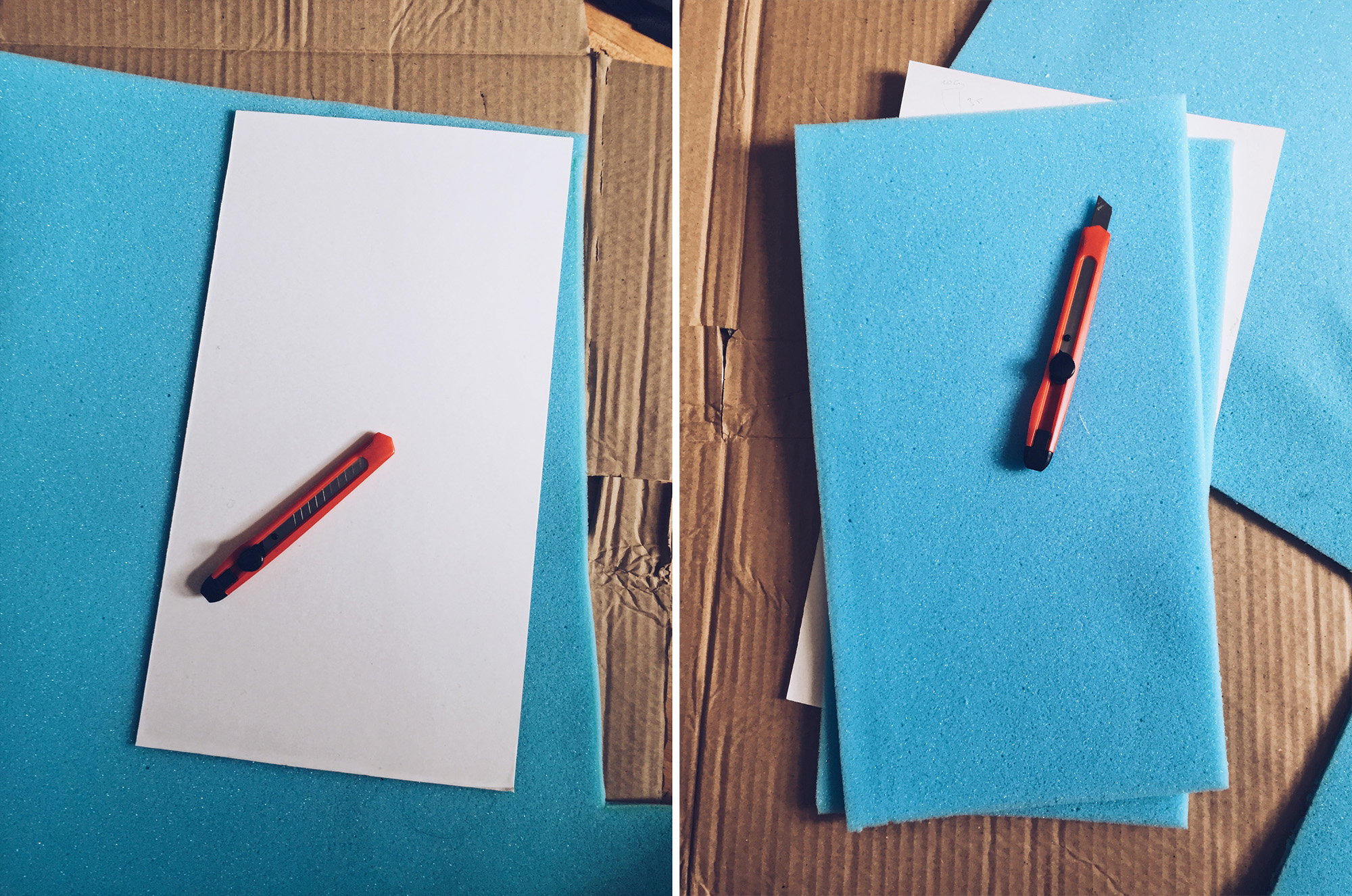
Now that you've got you cardboard cutout, place it on top of your foam and cut around it again. NOTE: You'll need two pieces of foam for each piece of cardboard as we'll actually be sandwiching the cardboard between the two.
 

Step 4

Next up we need to cut our fabric. To do this I placed my stack of two bits of foam and sheet of cardboard and allowed the fabric to hang over by about 1-2 inches all the way around.

NOTE: We need this extra width to allow for the Velcro flaps to extend beyond the width of the actual divider.

To reduce the amount of sewing I also just folded the fabric back on itself to sandwich the whole lot in the middle rather than cutting two pieces of fabric top and bottom.


Step 5

Once you have your fabric, remove the foam and cardboard and turn it inside-out and begin to sew around the outside of two sides. Once you've done that, turn the whole thing inside-out again to reveal the proper side which will in turn hide all of your horrendous sewing work....just speaking from experience :(

Start to sew up your divider pocket by sewing along two sides (middle pic) ensuring you have one open side. When you're done simply turn the pocket inside out to hide the 'handiwork' (right hand image).

Start to sew up your divider pocket by sewing along two sides (middle pic) ensuring you have one open side. When you're done simply turn the pocket inside out to hide the 'handiwork' (right hand image).

 
You can see in the right hand image that I've stapled all the way around where I need to sew. This makes life a LOT easier without the foam ad cardboard moving about inside when you're sewing.

You can see in the right hand image that I've stapled all the way around where I need to sew. This makes life a LOT easier without the foam ad cardboard moving about inside when you're sewing.

Step 6

Now place your sandwiched foam and cardboard inside the fabric pocket via the one open end. This next step is more personal preference than anything but apart from looking as ugly as all hell this is actually a great way to hold everything in place when you start to sew it up. With the foam and cardboard inside, I actually went around and stapled it all into place. Once you've finished sewing along the line of staples you simply remove the staples and you're done. Of course there is no shame in just stapling the whole thing in this very manly way and leaving it. It serves its purpose and nobody will see it in you bag ...... but I'll know ;)


Step 7

Once you've stapled it, proceed to sew around the line of staples. This will ensure everything stays where it's meant to and leaves you flaps on either side to attach the velcro.

Once you're done with the sewing you can remove the staples.

Above you can see this is the most time consuming step. Firstly staple everything in place (left hand shot), next sew along the staple line (middle image) and then finally remove the staples (right hand shot).

Above you can see this is the most time consuming step. Firstly staple everything in place (left hand shot), next sew along the staple line (middle image) and then finally remove the staples (right hand shot).


Step 8

Now all that's left to do is affix your Velcro strips down each of the sides and you're done.

In my case the 'loop' section of Velcro only extends two thirds of the way up the case so that's why I only put the 'hook' part of the Velcro two thirds of the way up the divider. I would recommend you put as much 'hook' as you have 'loop' in your c…

In my case the 'loop' section of Velcro only extends two thirds of the way up the case so that's why I only put the 'hook' part of the Velcro two thirds of the way up the divider. I would recommend you put as much 'hook' as you have 'loop' in your case.

 
The same principles learnt here can make dividers big or small to fit any bag :)

The same principles learnt here can make dividers big or small to fit any bag :)

Congratulations!

You did it, you made a whole bunch of camera case dividers for under a tenner! :D Plus I'm pretty sure you can now add seamstress to the C.V.

Remember: I know I've just shown you how to make these camera case dividers for my large case but all the same ideas and techniques are just as applicable for far smaller camera bags too.

Now that you have your camera case dividers all finished its time to insert them into your case and never speak about how horrendous your sewing skills are ever again.


As always if you have any questions or queries feel free to fire away in the comments below. Also if you know of anywhere or anybody who actually makes bespoke dividers for all shapes and sizes then let me know too.


:WARNING: I just saved you some money so feel free to be tempted to spend it below ;)


If you're interested in any of my work and would like to know more about how I created some of my shots then why not check out my workshops. Here you can find out everything there is to know about Gelled Lighting, Long Exposure Flash Photography and my entire Post-Pro Workflow. Jake Hicks Photography - Workshops


I have also just released a brand new 22 hour complete Gelled Lighting Tutorial video. I go over everything from studio lighting setups with gels to being on location with gels plus I also go through my complete retouching and post pro workflow. For more details and complete breakdown of everything that's include check out my Coloured Gel Portraits Tutorial


I also offer comprehensive coloured gel packs. These collections of gels are what I use day to day to create some of the most highly saturated colours around. If you're looking at getting into gelled lighting or need to get stronger and richer colours in your coloured gel work why not check out my Jake Hicks Photography Gel Packs

Tuesday 07.18.17
Posted by Jake Hicks
Comments: 6
 

RGG EDU Podcast with Jake Hicks Photography

In this episode Gary and Rob sit down with the king of gelled lighting to talk about his career as a portrait photographer.

Tuesday 07.04.17
Posted by Jake Hicks
 

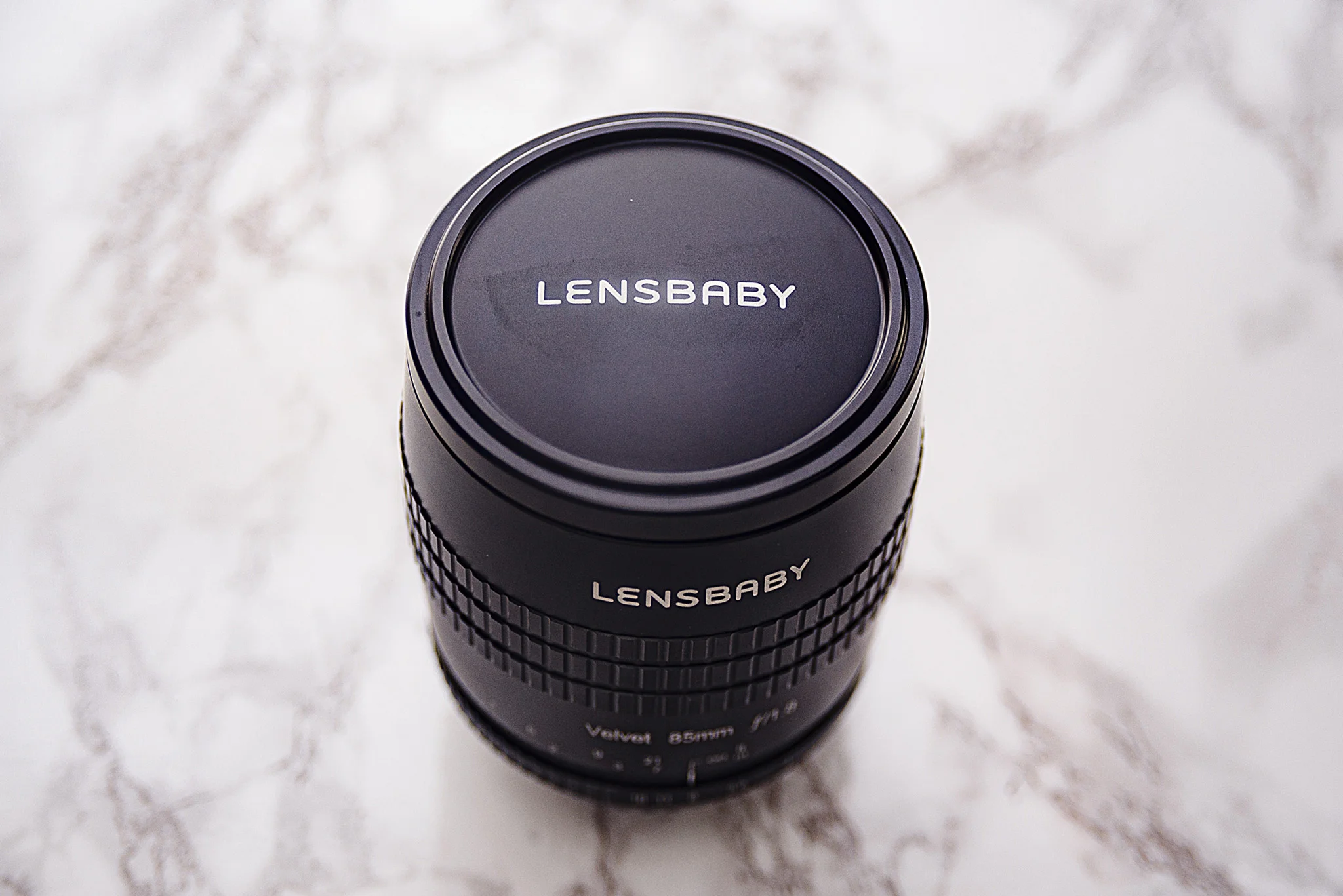
Lensbaby Velvet 85mm - Lens Review

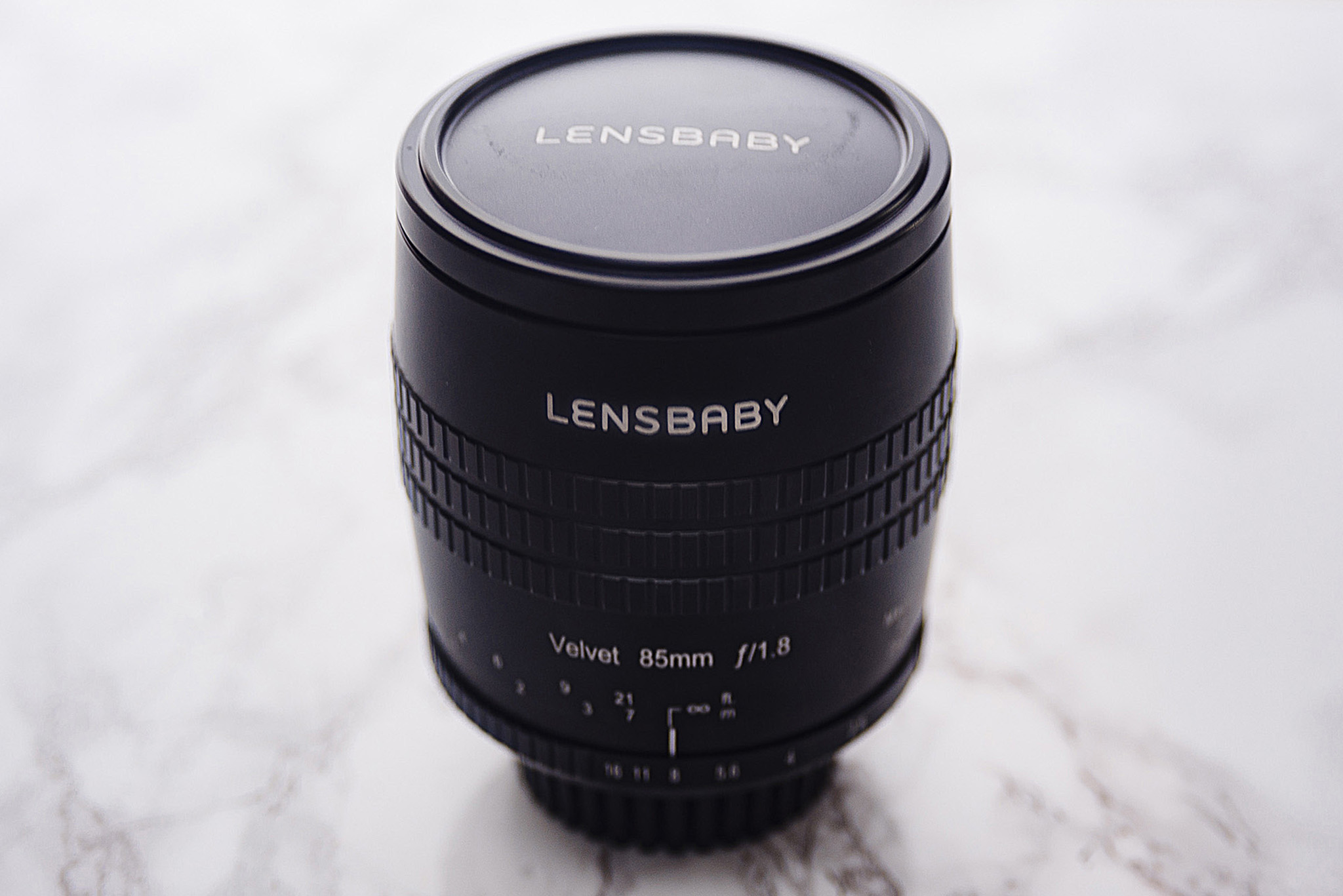
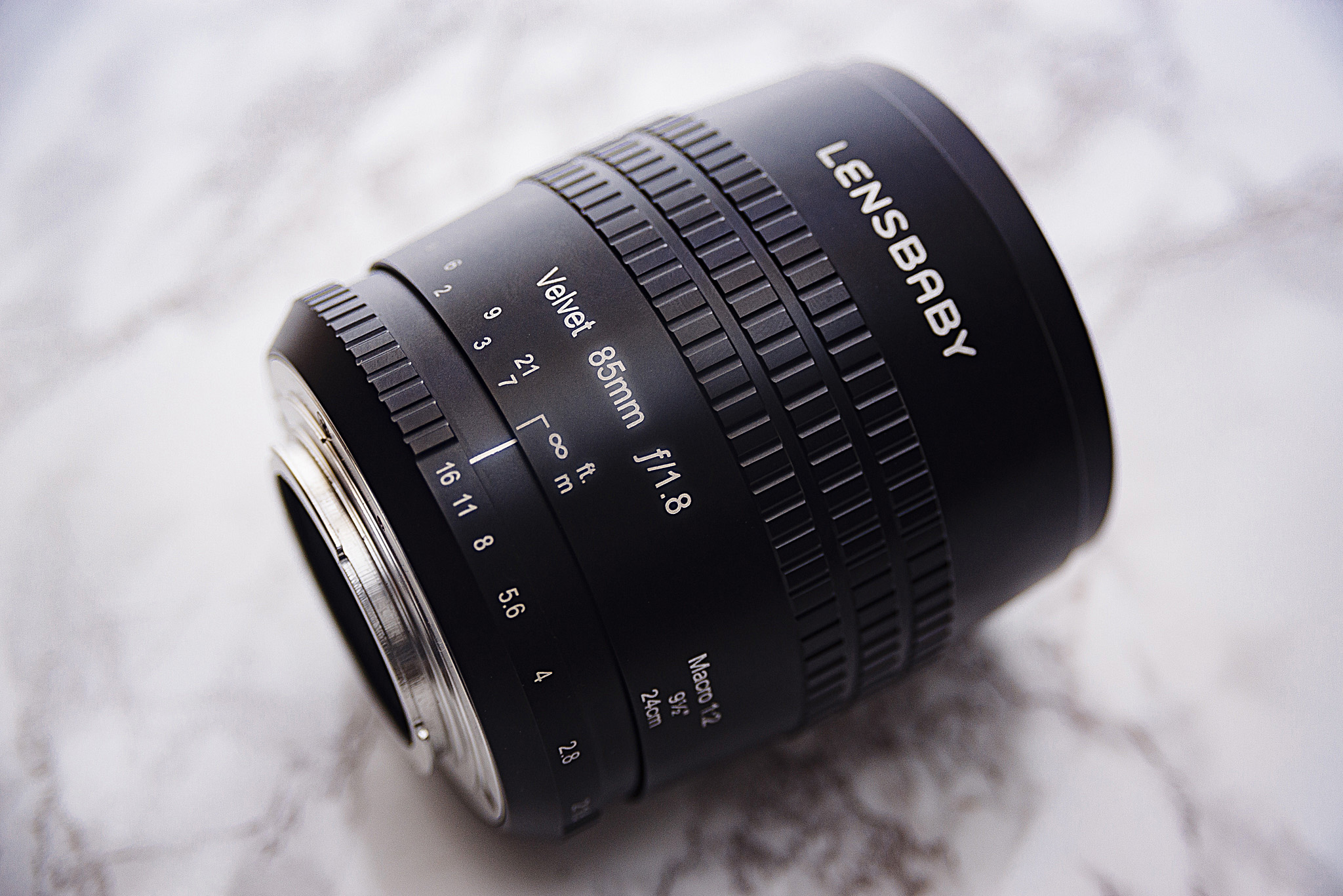
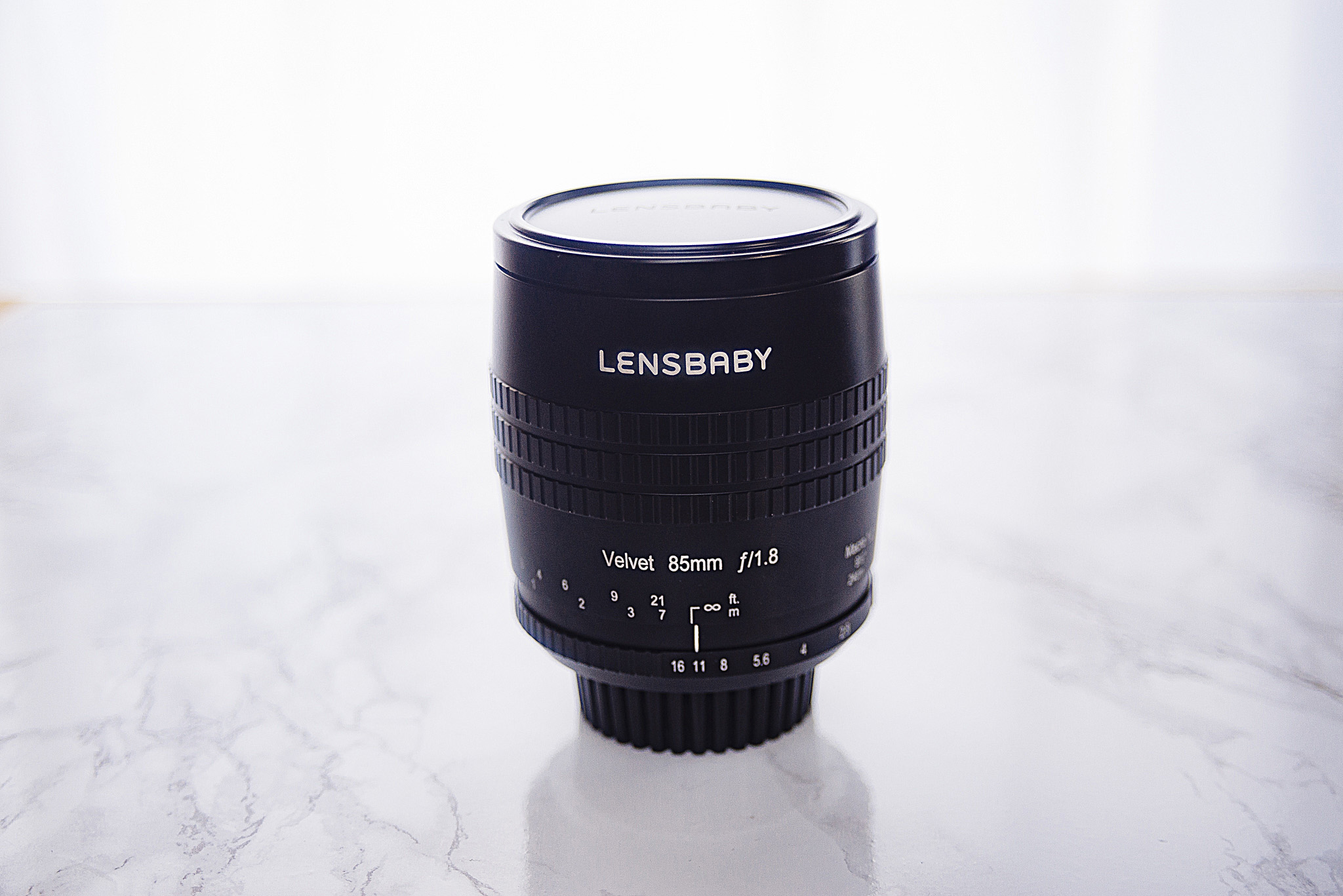
The new Lensbaby Velvet 85

The new Lensbaby Velvet 85

I've been using several of the Lensbaby products for many years and most people will have heard of the company and what they do by now. Lensbaby as a lens making company has a long line of lenses currently on the market and they are probably most well known for producing what we might call 'art' lenses.

These so-called art lenses are the lenses that in my opinion produce a very specific look and Lensbaby's most popular products tend to distort the scene in such a way as to create a very unique and attention grabbing look. Their most popular lenses for this effect being the Composer Pro Sweet 50 that creates a stunning 'in-camera' radial blur and the Composer Pro Edge 80 that creates that iconic toy-town (tilt-shift) look but at a tenth of the cost of the other branded tilt-shift lenses.

More recently Lensbaby have taken a small step back from the aggressively artistic lenses like the ones previously mentioned and started to explore a more subtle, yet refined look that their lenses produce. In 2015 Lensbaby brought the Velvet 56 to market and then last year in 2016 the Twist 60, both of which were very well received for their slightly more user-friendly look so it was only a matter of time before they really targeted a solid portrait lens like this new Velvet 85.

The original Velvet 56 lens (used to capture the image above)&nbsp;that was released in 2015 was very well received for its subtle yet effective optics.&nbsp;

The original Velvet 56 lens (used to capture the image above) that was released in 2015 was very well received for its subtle yet effective optics. 

I was very fortunate to be one of the first people to get the Velvet 56 lens a couple of years ago and I have to say I loved the images it created, if you're interested in reading my review on that then please check it out here The Lensbaby Velvet 56mm f1.6 Lens Review. Like I said, I loved the results the Velvet 56 produced and it's an incredibly clean and subtle effect that doesn't dominate and entire image. But the 56mm focal length has its limitations for certain portrait work and although it didn't particularly bother me, I know there was a lot of concern from other portrait shooters at the time that this 56mm couldn't be used for their day-to-day portrait work.

It was only a matter of time before Lensbaby took the beloved look of the Velvet 56 and implemented it into a more traditional portrait focal length and thus the Velvet 85 was born.


The Velvet 85 Effect

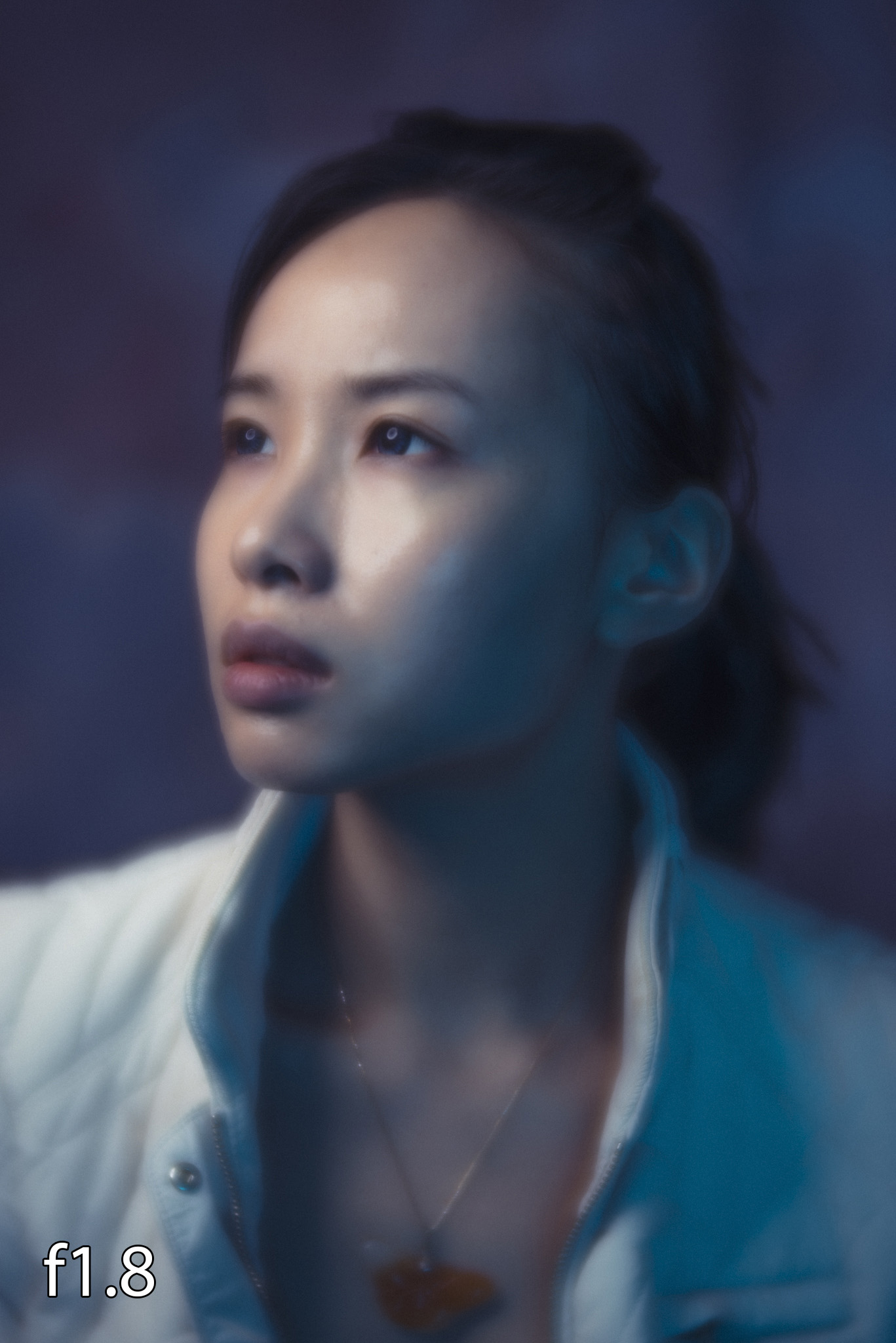
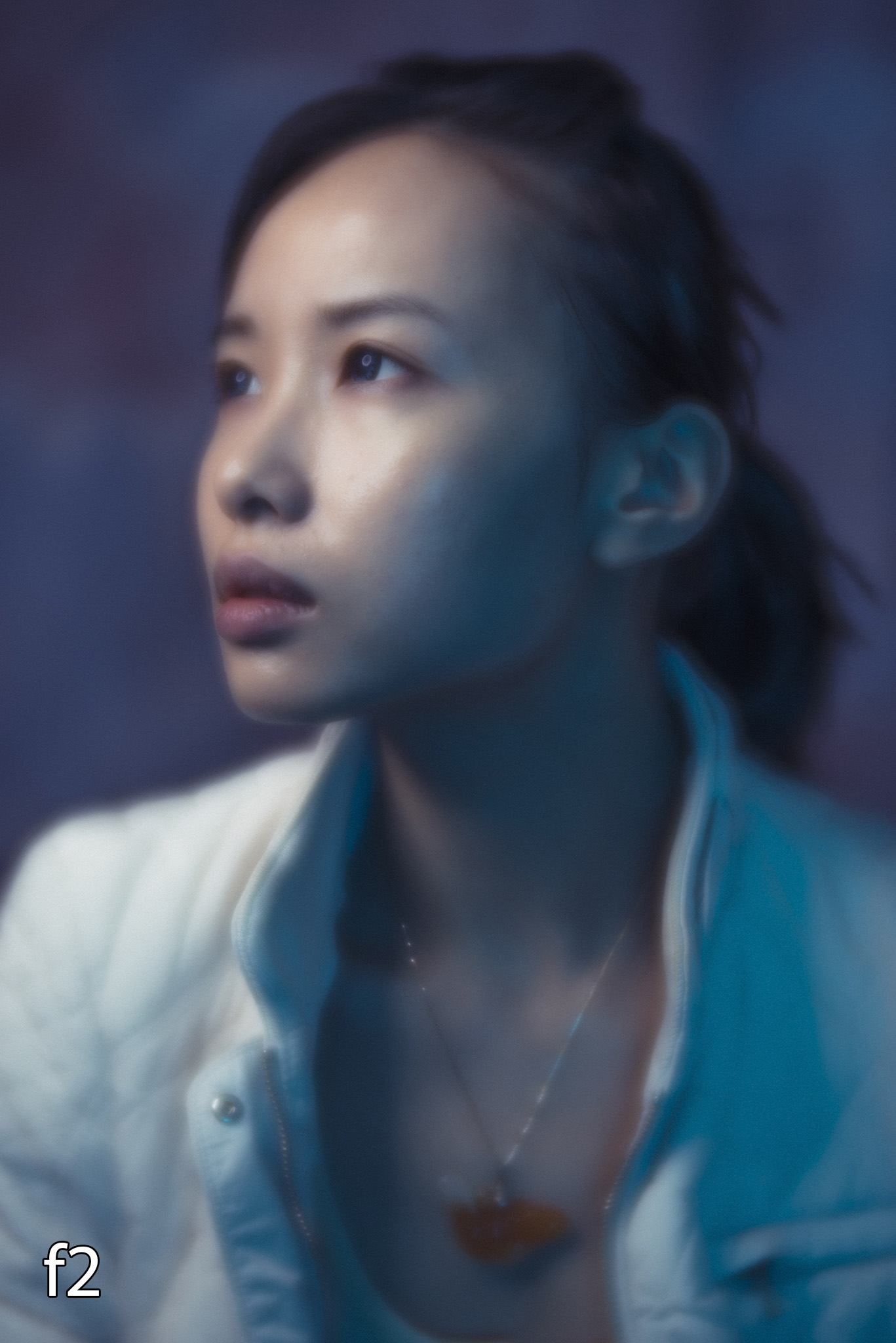
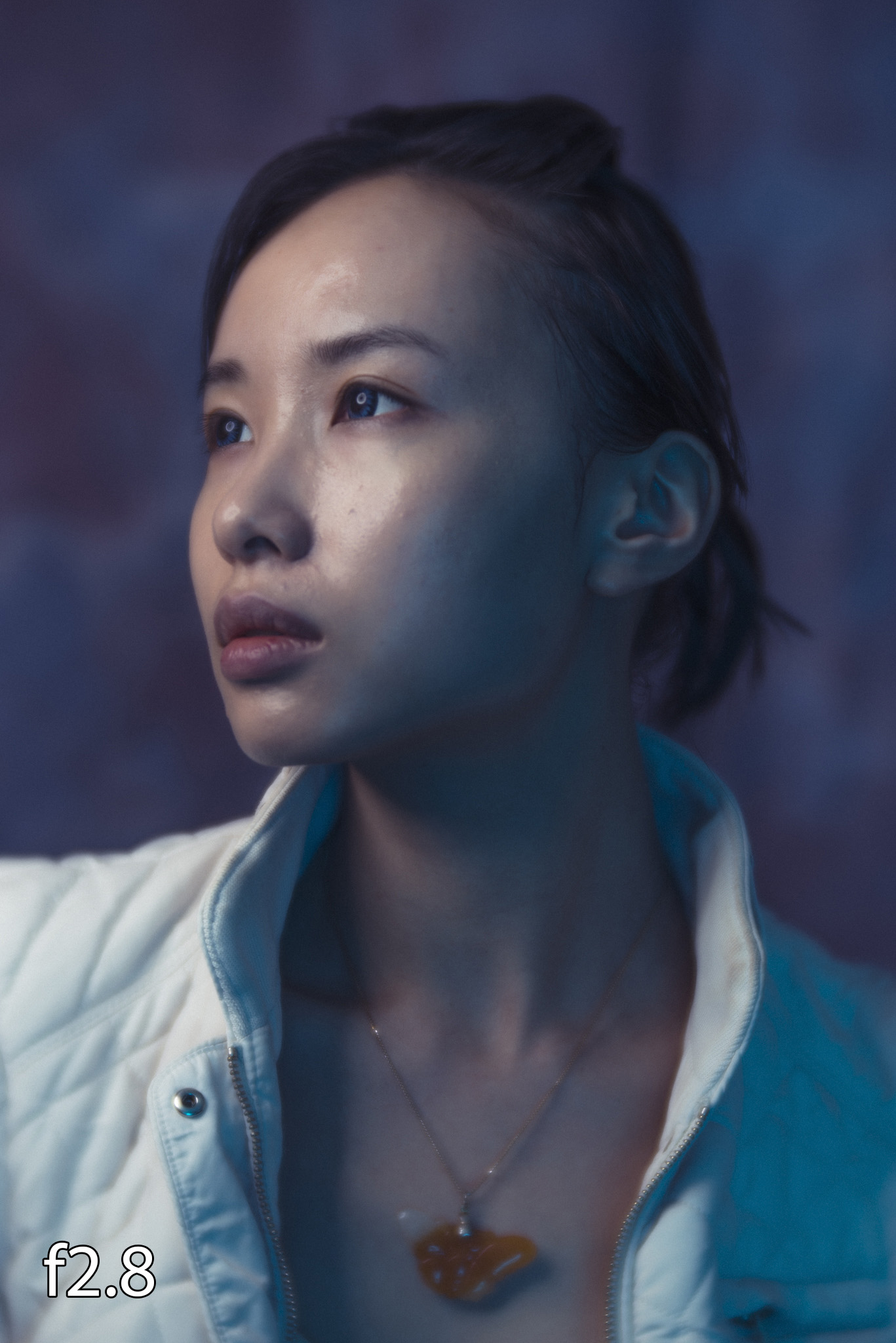
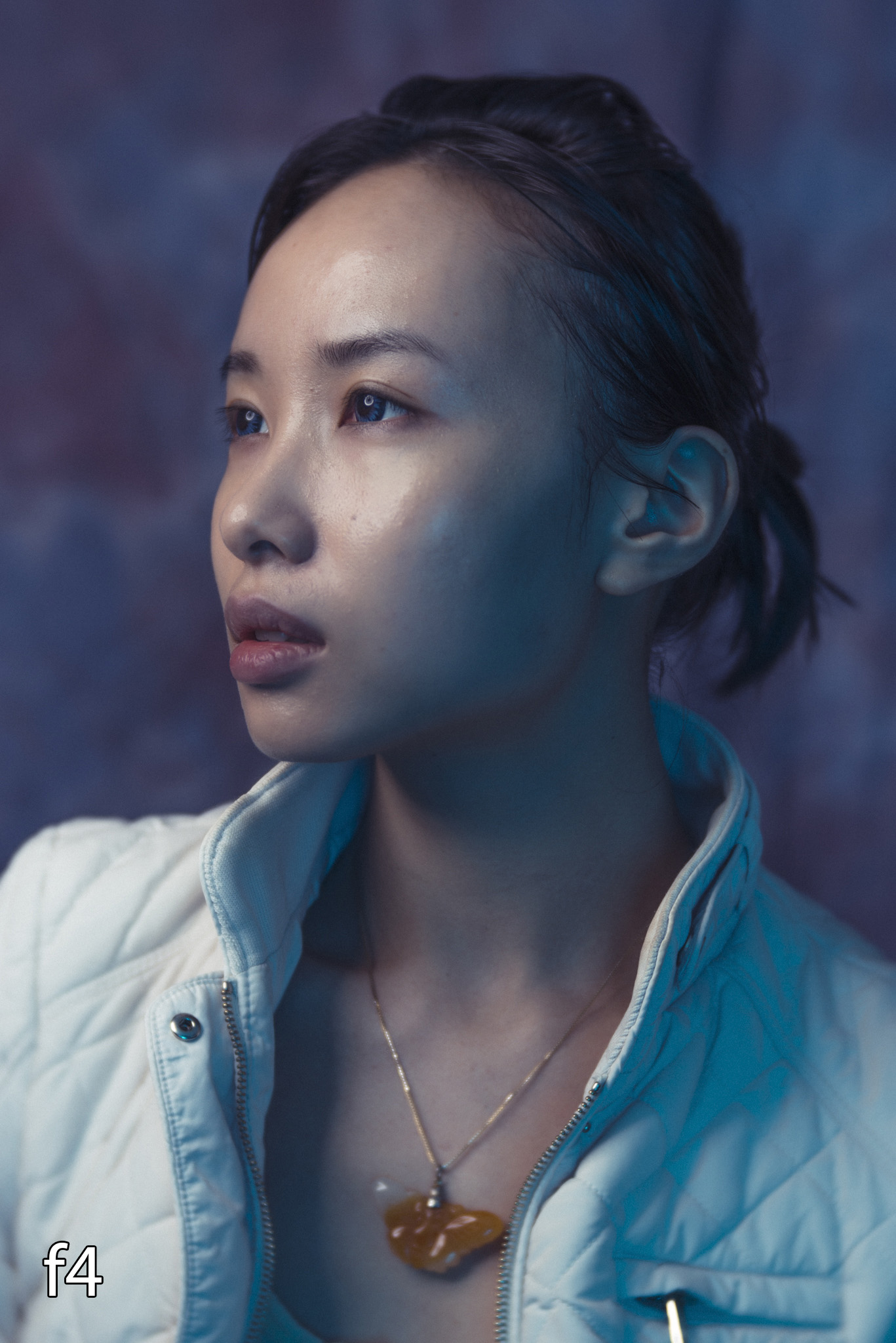
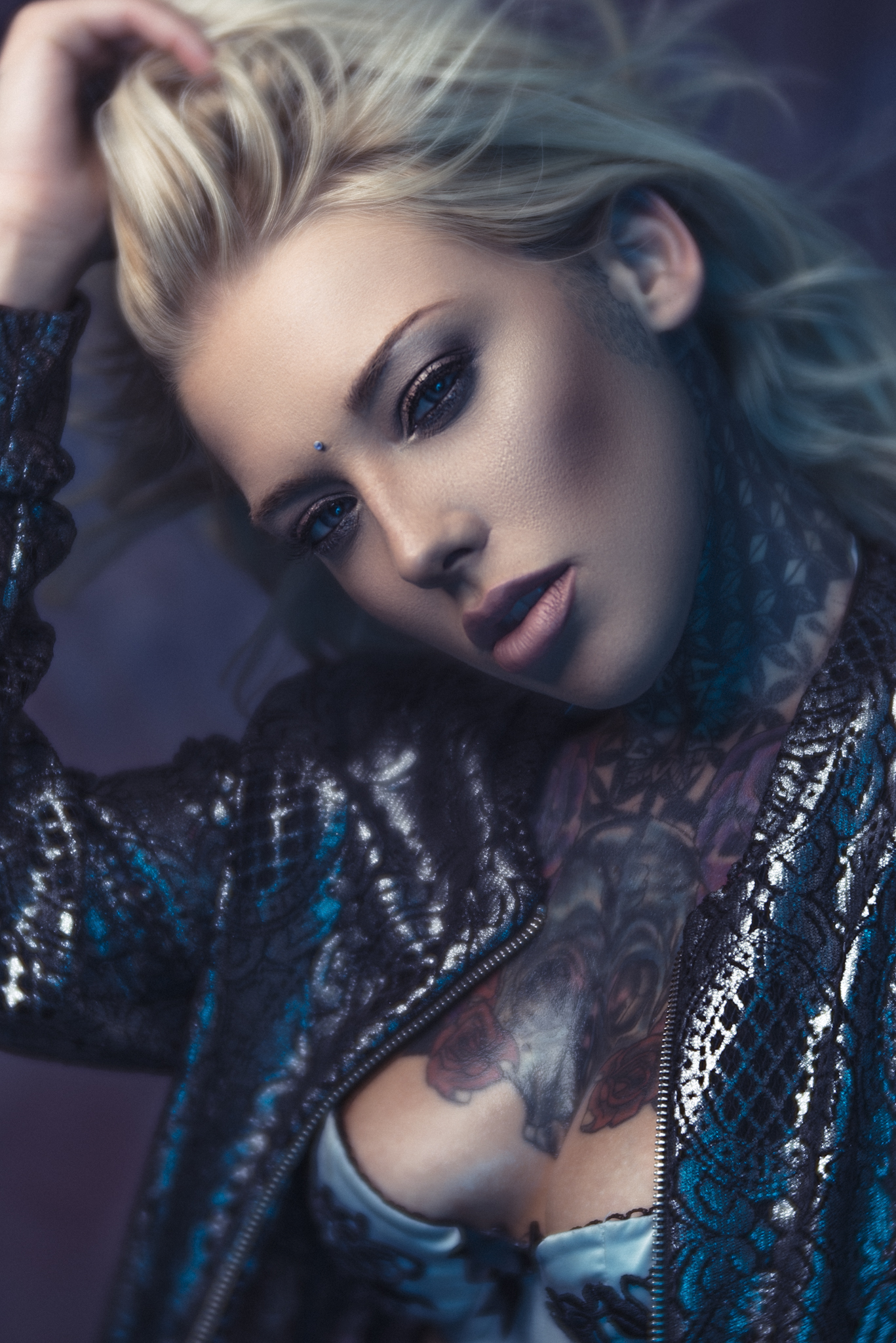
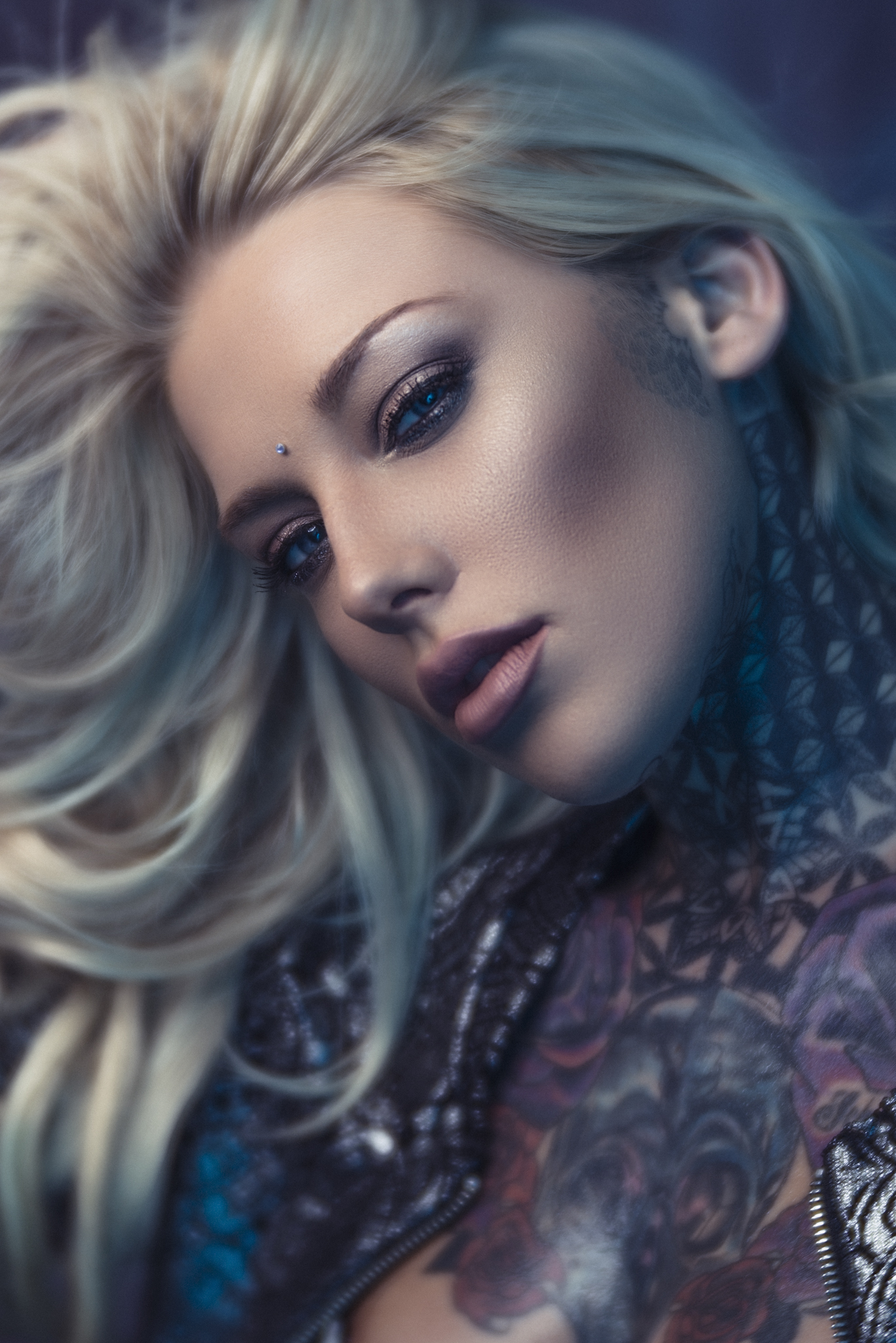
Let's cut to the most important factor first, what look does the Velvet 85 produce? What makes this 85mm lens different to every other 85mm lens? The short answer is that as far as I can tell the look is almost identical to the look that the Velvet 56 produces, so if you're familiar with that and all you were looking for is an 85mm version of it you're done, it's here. If on the other hand you're brand new to the Velvet look, let me try to explain it alongside some images. First and foremost I'll reiterate again, this is not a dramatic art lens like some of the other Lensbaby products, in fact at higher apertures like f8 and above the Velvet's effect is barely noticeable at all and it's simply just an incredibly sharp 85mm portrait lens. It is at the lower apertures where the Velvet 85 really starts to come to life. Put simply the Velvet produces an image that on first glance looks like a simple soft glow. Look a little closer and you'll actually see that the image is made up almost two image, one being a sharp image and then the other being a glowing version of it on top. This look is most apparent when the lens is wide open of course and then as you stop down to f5.6 - f8 it's almost entirely gone.

Take a look at the series of shots below taken at varying apertures to see what I mean regarding the Velvet effect at f1.8 compared to f8. Images below are un-retouched raws

JakeHicksPhotography (1 of 6)a.jpg
JakeHicksPhotography (2 of 6)a.jpg
JakeHicksPhotography (3 of 6)a.jpg
JakeHicksPhotography (4 of 6)a.jpg
JakeHicksPhotography (5 of 6)a.jpg
JakeHicksPhotography (6 of 6)a.jpg
JakeHicksPhotography (1 of 6)a.jpg JakeHicksPhotography (2 of 6)a.jpg JakeHicksPhotography (3 of 6)a.jpg JakeHicksPhotography (4 of 6)a.jpg JakeHicksPhotography (5 of 6)a.jpg JakeHicksPhotography (6 of 6)a.jpg
View fullsize JakeHicksPhotography (1 of 6)a.jpg
View fullsize JakeHicksPhotography (2 of 6)a.jpg
View fullsize JakeHicksPhotography (3 of 6)a.jpg
View fullsize JakeHicksPhotography (4 of 6)a.jpg
View fullsize JakeHicksPhotography (5 of 6)a.jpg
View fullsize JakeHicksPhotography (6 of 6)a.jpg

Clicking on the above images will enlarge them

Now let's take a closer look below at a couple of these shots to see what I mean regarding the glowing image on top of a sharp one when wide open.

These images are simply close-up crops of the full size images above. Again, these are un-retoucehd raws. Click to enlarge

You should now be able to see what I'm referring too when I say about the glowing effect and when it's wide open like this at f1.8 it certainly is pretty dramatic. It's also worth pointing out my shortcomings as a mere human in that I seemed to have focused on the models eye furthest from the camera so it's actually the far eye that's in focus not the closest one. I thought I better mention that because at f1.8 the closest eye now appears out of focus. That's me, not the lens.

Another key attribute to the Velvet 85 lens is the slightly dewy look that the outside edge of the lens produces. It's almost like a vignette but rather than a darker edge the effect is a softer more dreamy edge to the frame. It's pretty hard to explain with words but take a look at the images below to see what I mean.

View fullsize JakeHicksPhotography (2 of 6)-2.jpg
View fullsize JakeHicksPhotography (3 of 6)-2.jpg

Clicking on the above images will enlarge them

In the above shots you should see what I mean by that slightly softer edge. Look at the chest area and certain sections of hair and you'll see that although they're on the same focal plane as the eyes which are in focus they appear a little softer. This is clearly one of the factors that made the original Velvet 56 lens so beloved and now that we have the same effect in a 85mm portrait lens there is surely some fantastic images awaiting to be taken with this lens.

It's also worth mentioning that although I very rarely leave the studio to take pictures I can see that if this lens has a background or distant objects to get its creamy vignetting teeth into that the Velvet effect would really shine. As a result I don't feel that my studio images do that effect justice so I look forward to seeing some shots with this outside of the studio too.


The Velvet 85 Look & Feel

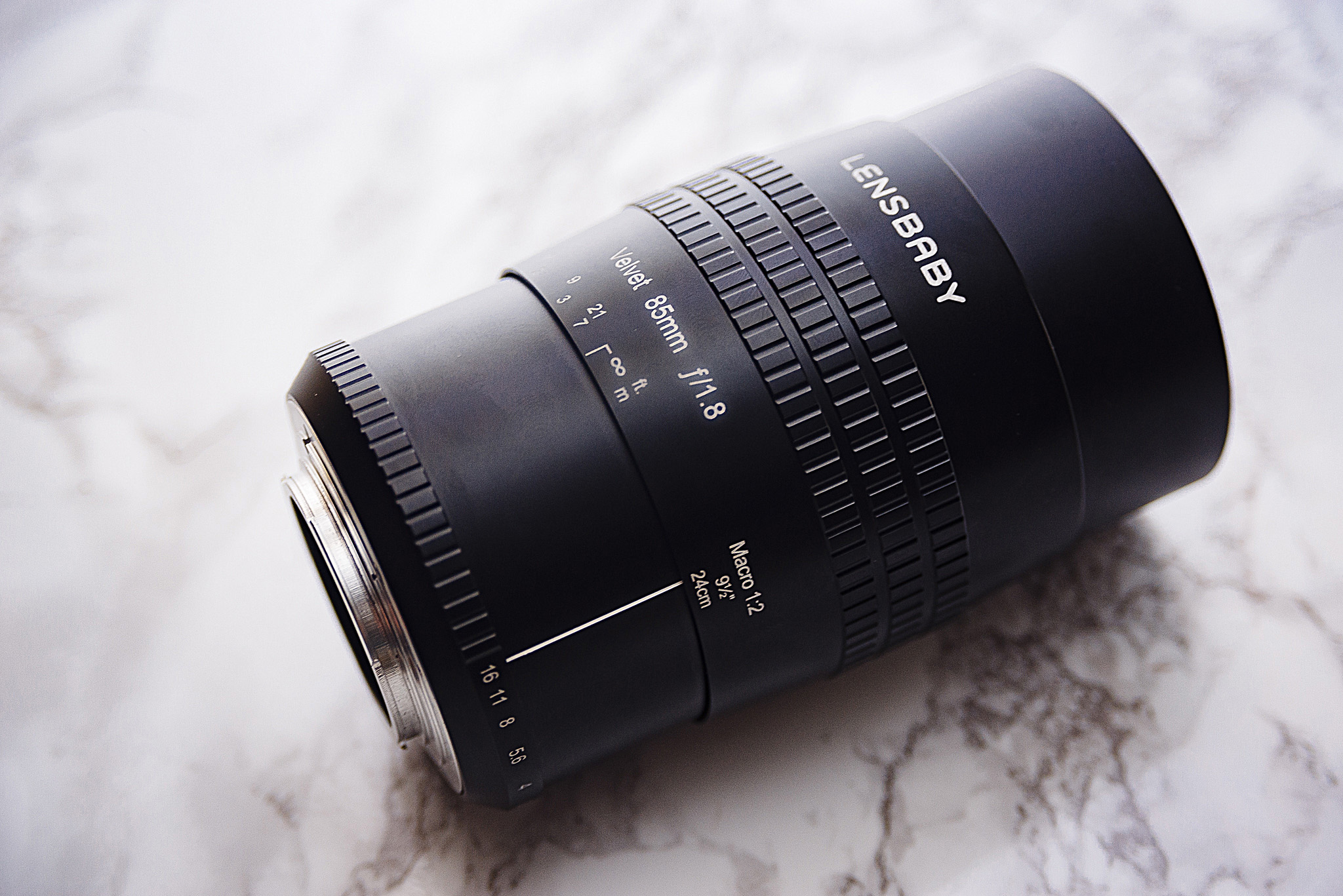
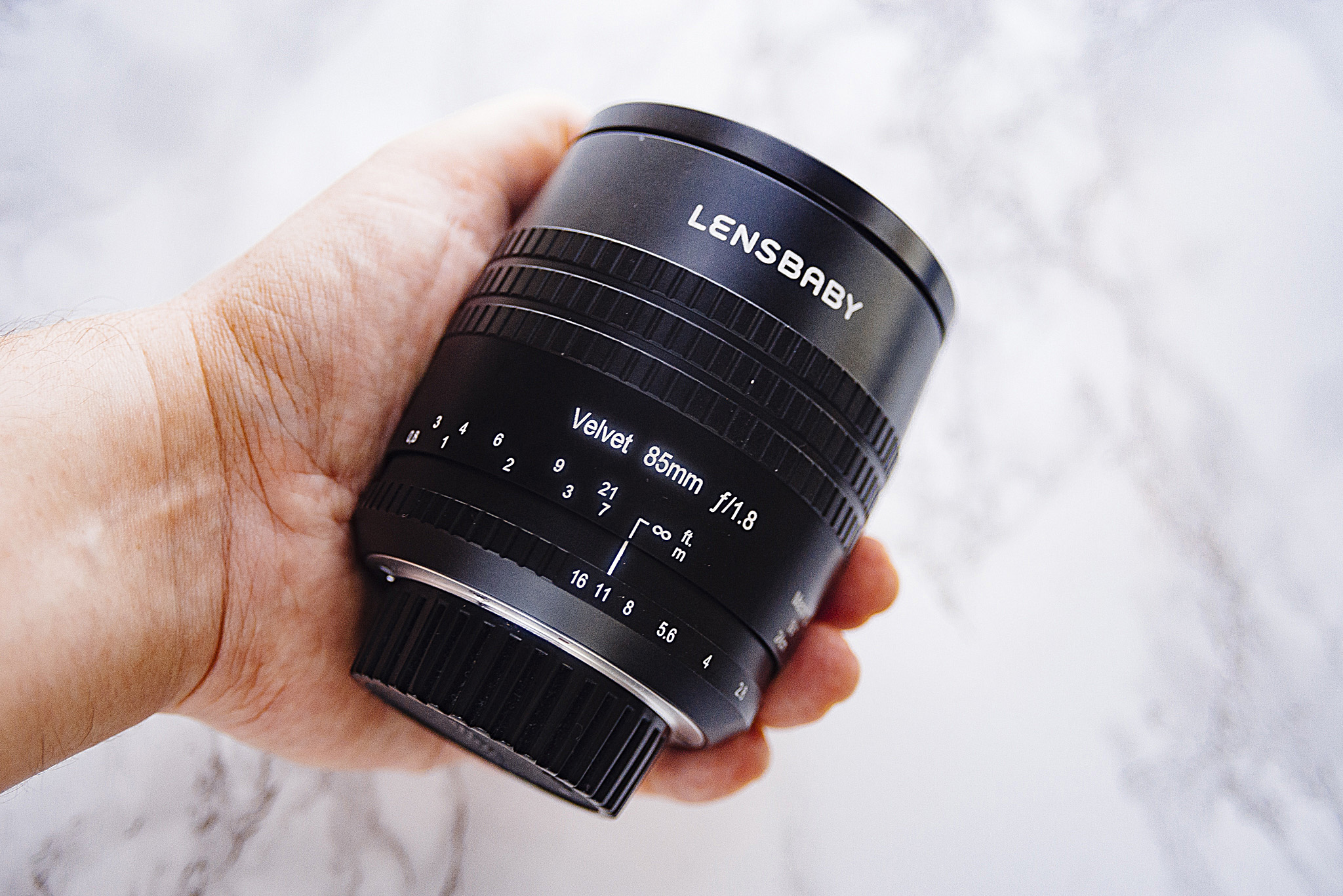
Build

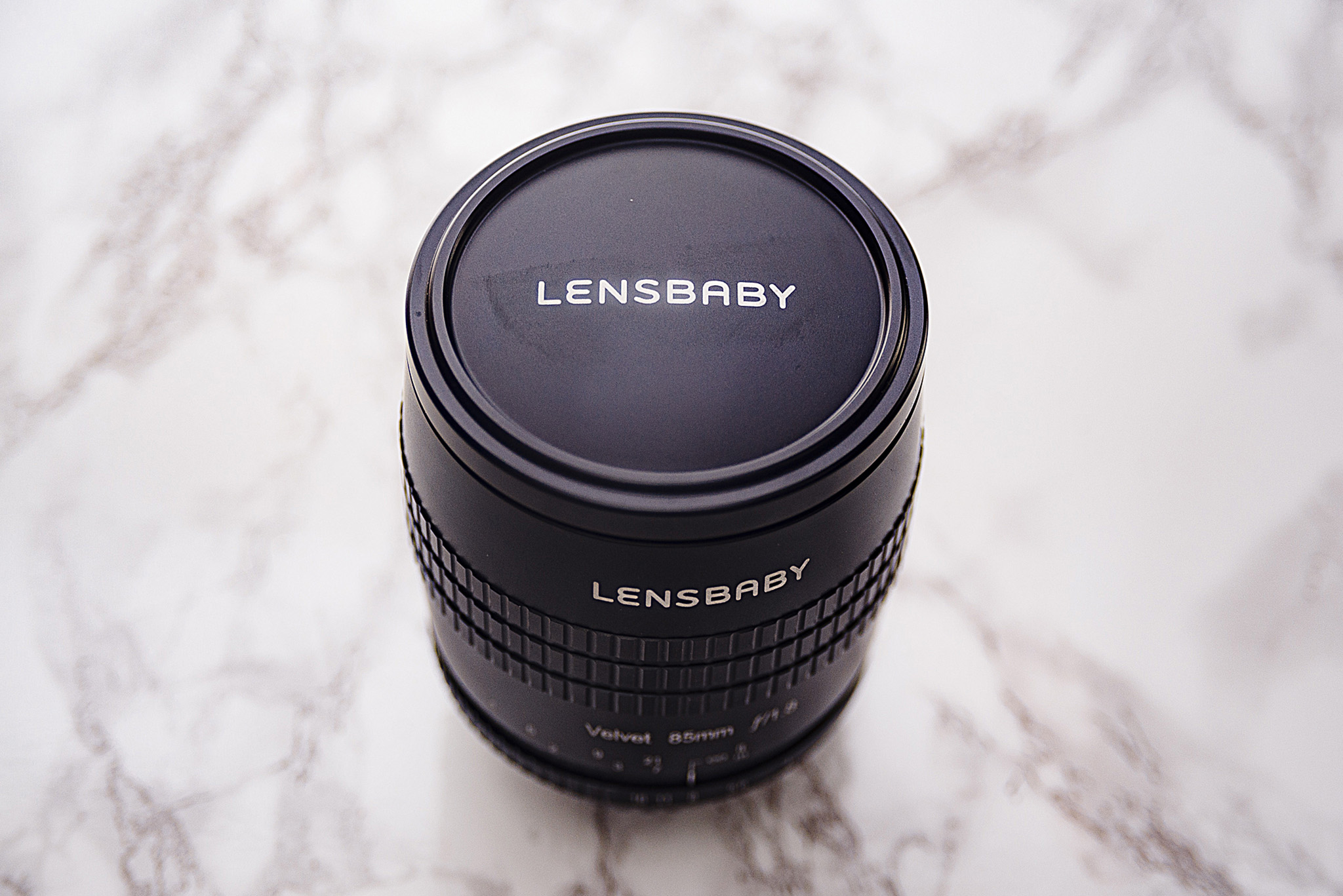
As with the previous Velvet 56 this Velvet 85 lens seems to be of an incredibly solid build. Its 530g weight does fill you with confidence regarding its build quality and you certainly feel like it's matte black metal casing will stand the test of time. The lens cap is also metal and sits snugly in place around the outside of the lens and finally for us Nikon shooters we have rear cap that stays on this time (haha just a personal minor gripe from previous lenses but I'm glad thats been sorted) :) ).

Focusing Ring

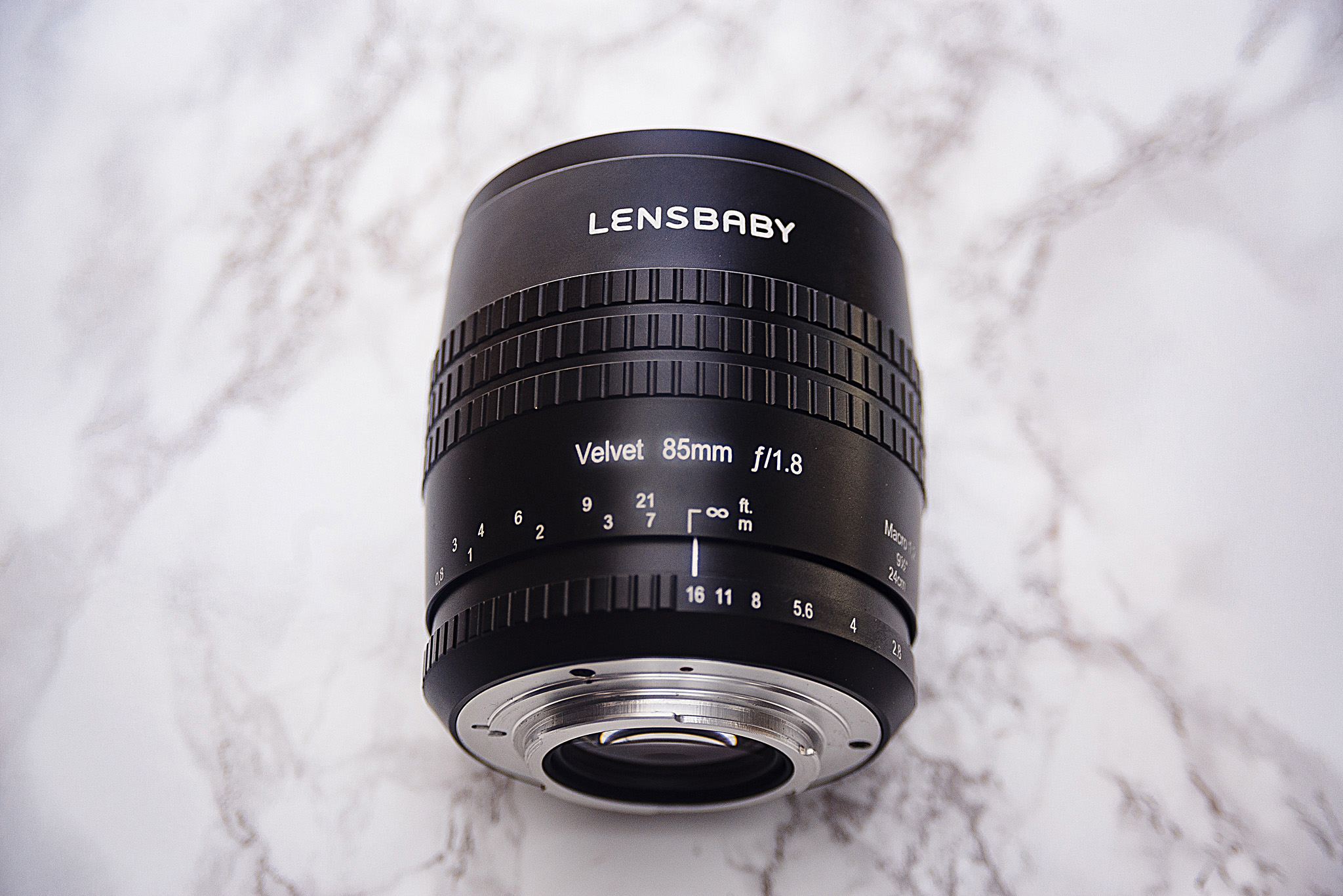
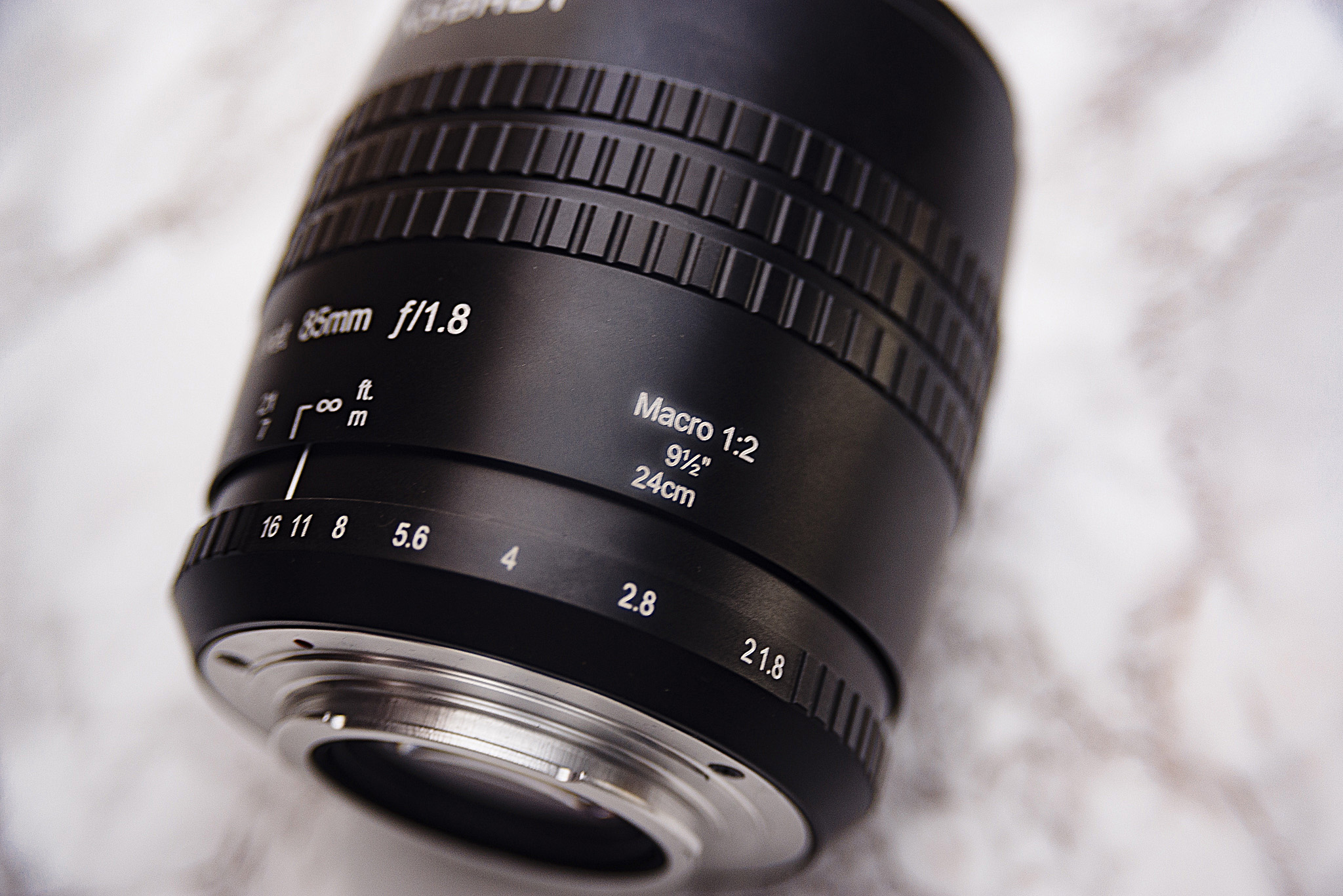
The lens has a very long travel distance for focusing that almost completely covers an entire 360 degree twist from minimum to maximum focal distance. That being said, this lens does have a much sought after 1:2 Macro functionality and the minimum focal distance on this 85mm lens is an impressive 24cm/9.5'. So once you remove that extreme in focusing the travel distance from 0.5m to infinity is a quarter turn. The focus ring itself is again reassuringly firm and just like the original Velvet 56 you have no fear of the lens focus slipping accidentally.

Aperture Ring

The aperture ring goes from f1.8 to f16 in whole stops and a quarter turn of the aperture ring would see you covering the entire range. It's important to note here that I actually have a beta model lens for the review. That being said, I have been assured that at this late stage the only differences between my model and the final production model is the distance between the numbers f2 and f1.8. On my version it looks like f21.8 is a thing but that wont be the case on yours. The aperture ring itself is firm but easy to move and the individual apertures aren't locked so if you wanted to have an aperture of f4 and a half you can adjust the aperture ring to do so.

Usability

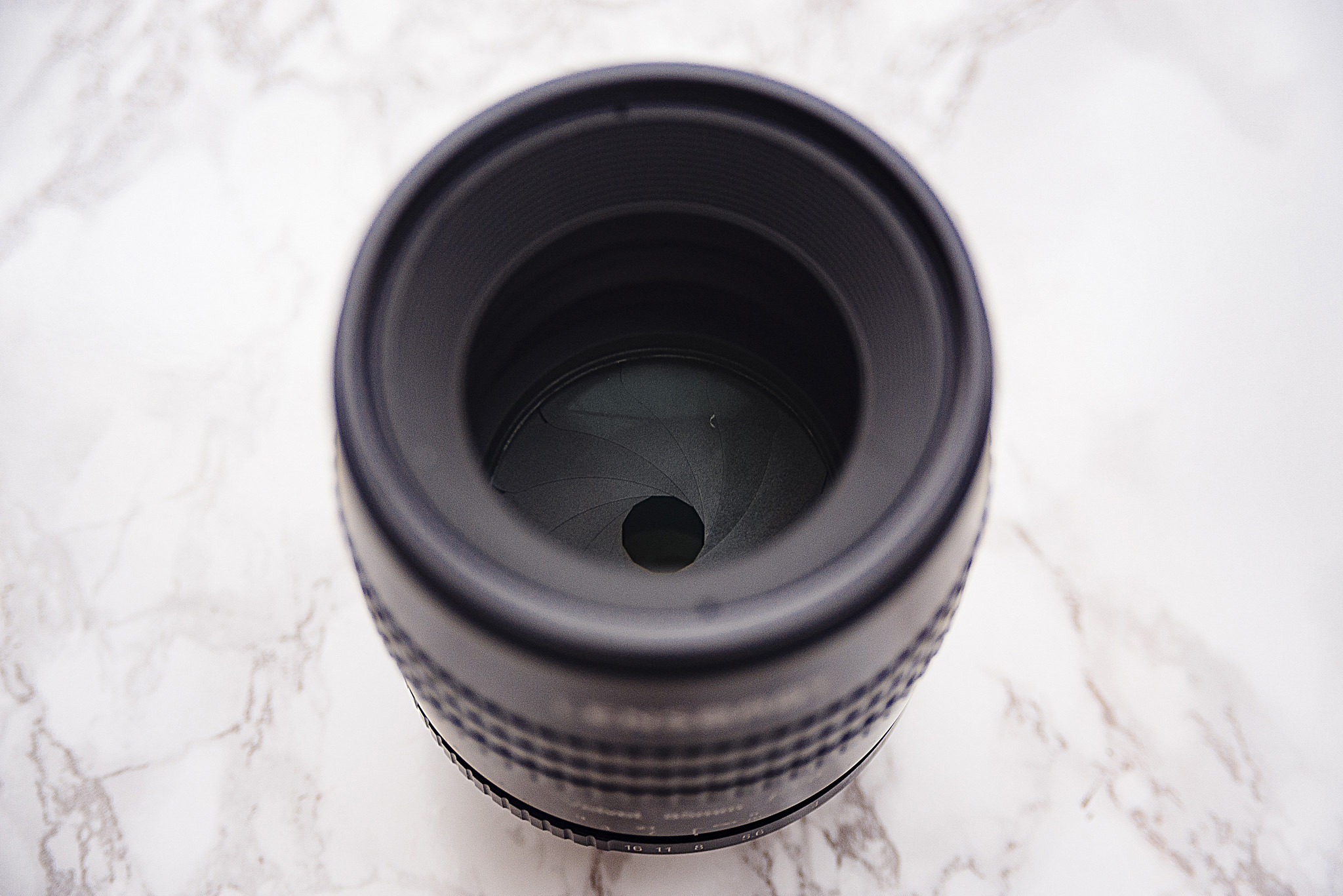
Using the Velvet 85 is fairly straight forward and there was certainly no surprises. First and foremost though you need to remember that this is a manual focus lens and getting good with any manual focus lens takes time. As a guide I tend to shoot far more images than I think I need to when focusing manually as I am aware that a lot of them will be out of focus or at the very least not tack-sharp. If you're after some pointers on best ways to manual focus then you can check my articles on it here Tips on Getting Sharper Images with Manual Focus Lenses - Part 1 and Hacks for Getting Sharper Focus Shots - Part 2. One other important thing to note is that the apertures are fixed in view once they're selected. For example if you're looking through this lens at f16 the aperture hole will be tiny through the lens resulting in a fairly dark image to manual focus with. Conversely, focusing at f1.8 will result in a very bright image to focus with. In the studio I had no issues focusing up to f8 though so I don't think this would be an issue but certainly worth mentioning.

JakeHicksPhotography (2 of 10).jpg
JakeHicksPhotography (3 of 10).jpg
JakeHicksPhotography (4 of 10).jpg
JakeHicksPhotography (5 of 10).jpg
JakeHicksPhotography (6 of 10).jpg
JakeHicksPhotography (7 of 10).jpg
JakeHicksPhotography (8 of 10).jpg
JakeHicksPhotography (9 of 10).jpg
JakeHicksPhotography (10 of 10).jpg
JakeHicksPhotography (2 of 10).jpg JakeHicksPhotography (3 of 10).jpg JakeHicksPhotography (4 of 10).jpg JakeHicksPhotography (5 of 10).jpg JakeHicksPhotography (6 of 10).jpg JakeHicksPhotography (7 of 10).jpg JakeHicksPhotography (8 of 10).jpg JakeHicksPhotography (9 of 10).jpg JakeHicksPhotography (10 of 10).jpg
View fullsize JakeHicksPhotography (2 of 10).jpg
View fullsize JakeHicksPhotography (3 of 10).jpg
View fullsize JakeHicksPhotography (4 of 10).jpg
View fullsize JakeHicksPhotography (5 of 10).jpg
View fullsize JakeHicksPhotography (6 of 10).jpg
View fullsize JakeHicksPhotography (7 of 10).jpg
View fullsize JakeHicksPhotography (8 of 10).jpg
View fullsize JakeHicksPhotography (9 of 10).jpg
View fullsize JakeHicksPhotography (10 of 10).jpg

Clicking on the above images will enlarge them


The results

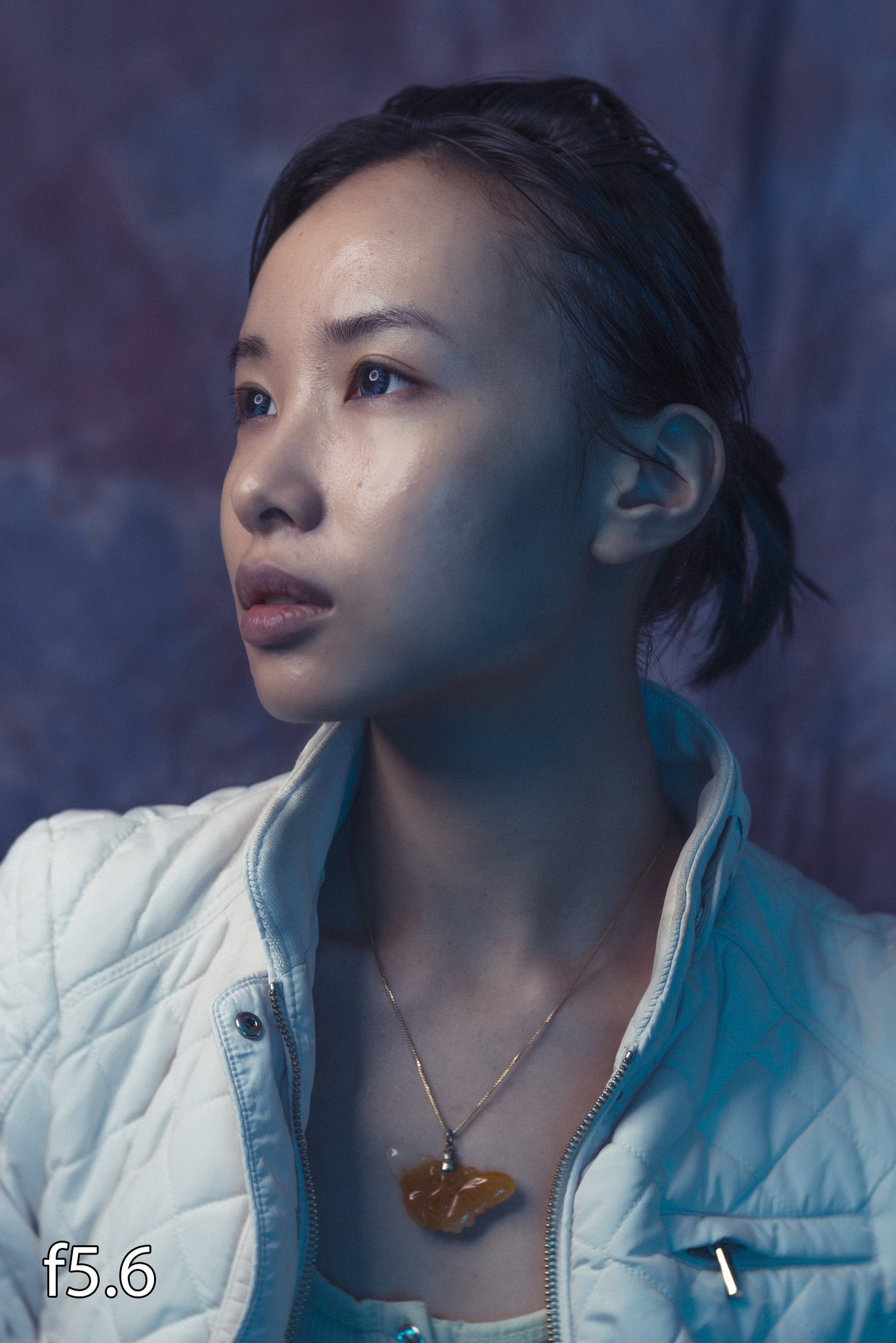
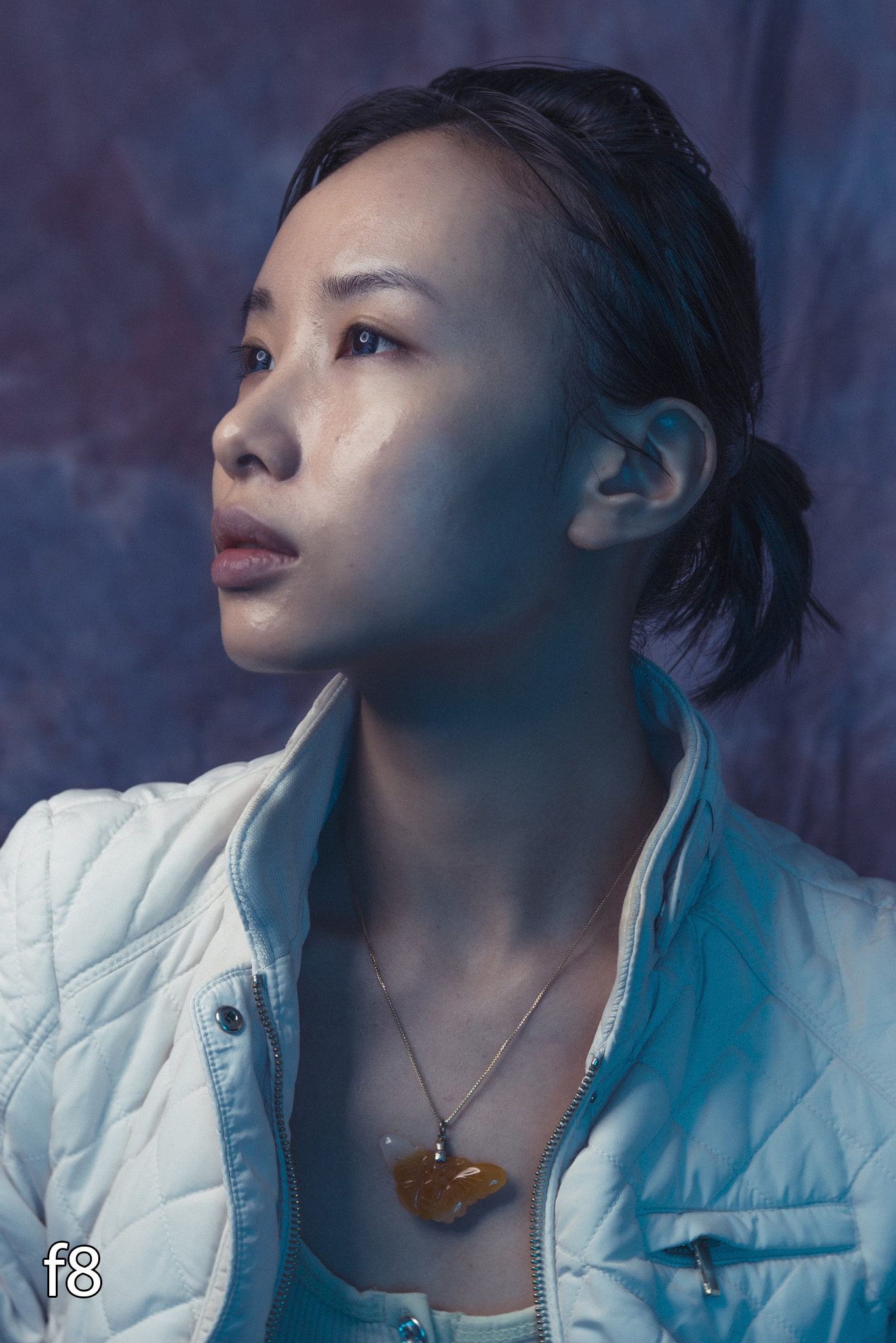
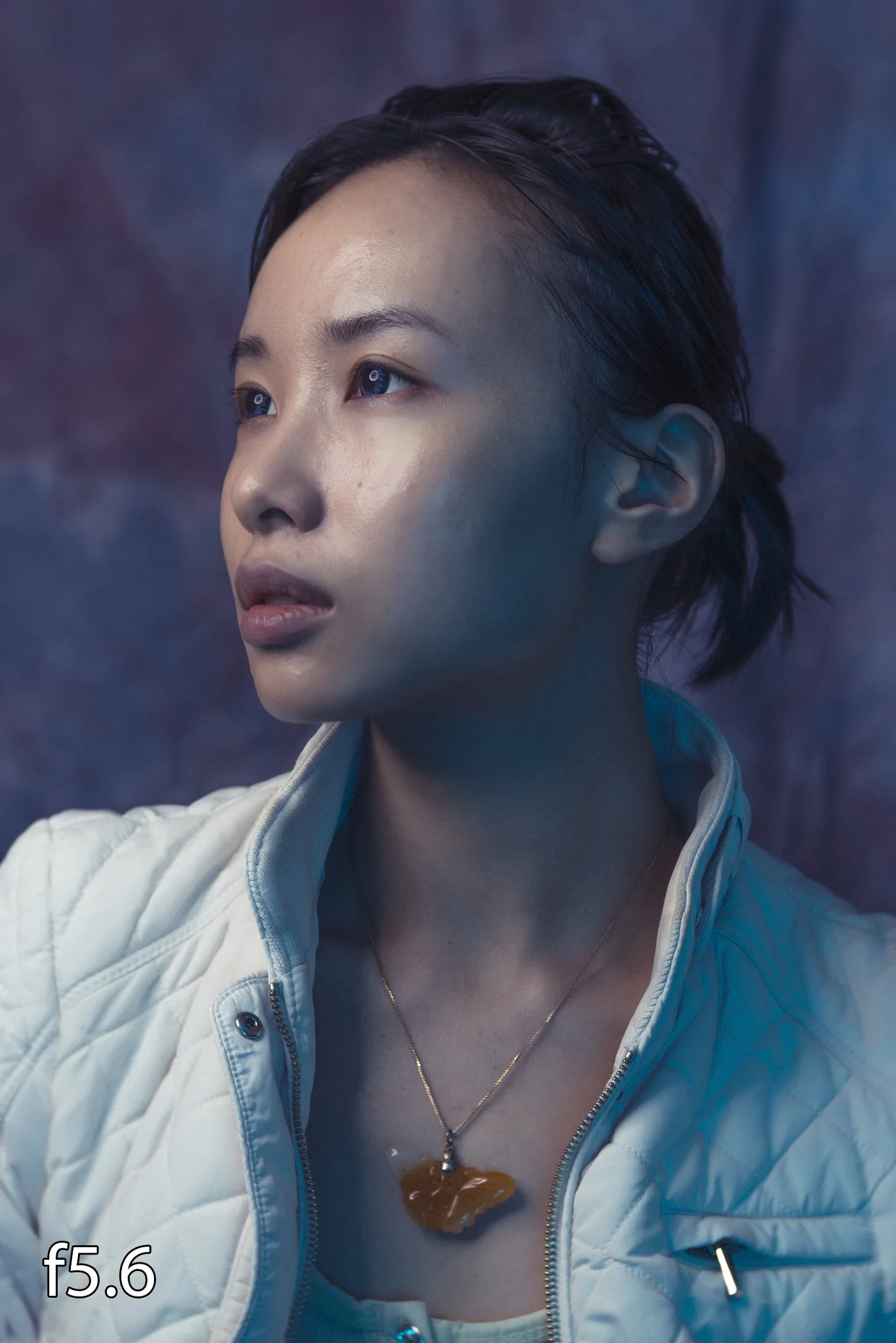
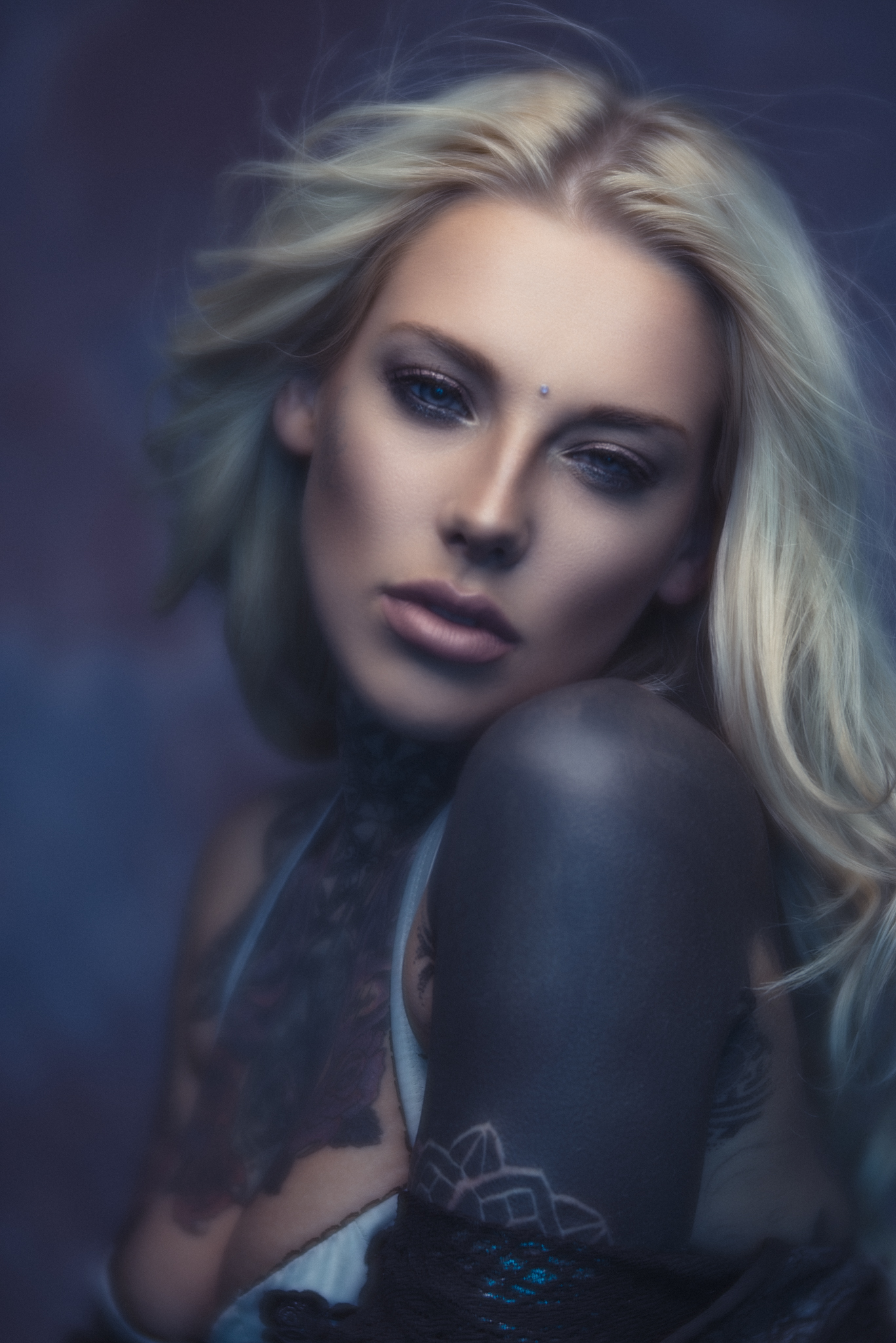
Now that we've got the stats out of the way we can take a closer look at what this lens produces in terms of image look and quality because to me personally that's what is most important. I will suffer almost anything in a lens if it gives me outstanding results so let's take a look at some shots from a simple portrait shoot I did last week when testing this lens for the first time.

JakeHicksPhotography (2 of 6)-2.jpg
JakeHicksPhotography (3 of 6)-2.jpg
JakeHicksPhotography (4 of 6)-2.jpg
JakeHicksPhotography (5 of 6)-2.jpg
JakeHicksPhotography (6 of 6)-2.jpg
JakeHicksPhotography (2 of 6)-2.jpg JakeHicksPhotography (3 of 6)-2.jpg JakeHicksPhotography (4 of 6)-2.jpg JakeHicksPhotography (5 of 6)-2.jpg JakeHicksPhotography (6 of 6)-2.jpg
View fullsize JakeHicksPhotography (2 of 6)-2.jpg
View fullsize JakeHicksPhotography (3 of 6)-2.jpg
View fullsize JakeHicksPhotography (4 of 6)-2.jpg
View fullsize JakeHicksPhotography (5 of 6)-2.jpg
View fullsize JakeHicksPhotography (6 of 6)-2.jpg

Clicking on the above images will enlarge them

For your reference the above image denotes the apertures used to take the corresponding images.

I tend to like the results speaking for themselves but in this instance I will just reiterate how varied a look this lens can produce almost immediately. From the incredibly soft and creamy f1.8 to the razor sharp portraits of f5.6 and all taken within moments of each other. In fact I simply adjust the aperture and simultaneously the ISO to compensate so all of those shots were literally taken moments apart. 


Final Thoughts

Frist and foremost, if you're a Velvet 56 owner and you're looking for the same gorgeous lens effects you're used to but just in a longer focal length, you're in luck. To my eyes Lensbaby has accurately transferred the results into the 85 fairly seamlessly and still maintained that incredibly fast aperture too.

If on the other hand you've never used the Velvet 56 and were perhaps hesitant of ever getting an 'art' lens but wanted something to give your images a little interest, this velvet 85 could be for you. The core reason I word it like that is because I think we're hesitant to get a creative lens like this because we can't use it all of the time, it's almost like a luxury that would be really nice to have but couldn't quite justify it. The thing that stood out to me most was how flexible this was at a range of apertures. Like I mentioned a moment ago, in a matter of seconds you have a dreamy, ethereal looking image and then a razor sharp portrait lens almost immediately. For me the f1.8 is just a step too far in terms of the effect. Yes it looks great and I'd definitely prefer to have that option than not but for me, just easing off to f2.8 creates a strong and very usable effect. On top of that I was also genuinely surprised at just how sharp this lens is at the f5.6 and beyond range. I've said it before and I'll say it again, if Lensbaby ever make a fully functional auto-focus range of lenses I'll be first in line because the image quality is outstanding from them.

So in short, if you're after adding a lens to your arsenal that creates a unique look without overpower the image I certainly recommend checking out the Velvet 85.

The Velvet 85 is available for the following mounts:

  • Lensbaby Velvet 85mm f1.8 Lens - Canon fit
  • Lensbaby Velvet 85mm f1.8 Lens - Nikon fit
  • Lensbaby Velvet 85mm f1.8 Lens - Sony A Mount
  • Lensbaby Velvet 85mm f1.8 Lens - Pentax K fit
  • Lensbaby Velvet 85mm f1.8 Lens - Sony E Mount
  • Lensbaby Velvet 85mm f1.8 Lens - Micro Four Thirds fit
  • Lensbaby Velvet 85mm f1.8 Lens - Fuji X fit

U.K. Price on 27/06/2017 release £499.00

U.S. Price on 27/06/2017 release $499.95


Stats

  • Focal length - 85mm
  • Focus modes - Manual Focus
  • Minium focal distance - 24cm/9.5in
  • Maximum focal distance - Infinity
  • Minimum aperture - f16
  • Maximum aperture - f1.8
  • Weight - 530g
  • Macro - 1:2
  • Aperture Blades - 12
  • Filter Size - 67mm
 

Velvet 85 Discount Code

I have been in a very fortunate position in recent years to have worked closely with Lensbaby to offer and provide feedback on their products. Occasionally they will send me a new lens of theirs to test and review and this Velvet 85 was one of those times. They have also provided me with a discount code for anybody to use that gets you 10% off any Lensbaby product via WEX Photographic here in the U.K. So if you're thinking of getting the Velvet 85 or any Lensbaby product and would like some money off your purchase simply enter JAKEHICKS10 at checkout :)


:WARNING: Yet more temptation lies below!


If you're interested in any of my work and would like to know more about how I created some of my shots then why not check out my workshops. Here you can find out everything there is to know about Gelled Lighting, Long Exposure Flash Photography and my entire Post-Pro Workflow. Jake Hicks Photography - Workshops


I have also just released a brand new 22 hour complete Gelled Lighting Tutorial video. I go over everything from studio lighting setups with gels to being on location with gels plus I also go through my complete retouching and post pro workflow. For more details and complete breakdown of everything that's include check out my Coloured Gel Portraits Tutorial


I also offer comprehensive coloured gel packs. These collections of gels are what I use day to day to create some of the most highly saturated colours around. If you're looking at getting into gelled lighting or need to get stronger and richer colours in your coloured gel work why not check out my Jake Hicks Photography Gel Packs

Tuesday 06.27.17
Posted by Jake Hicks
 

Video Interview with Steve Brown Creative

I sit down with London based advertising and portrait photographer Steve Brown.
In this interview Steve shares how sets up and shoots in the high pressure and fast paced world of T.V. Steve discusses how he copes when he only has as little as 45 seconds to get the shot of famous actors, singers and sports personalities.
Steve also explains how he sets up his complex and large scale composite shots where he has to combine 10-15 people in a single shot when they all have to be shot separately.
Steve has also recently come back from 6 weeks in Nepal after spending time out there working on a personal project. He explains why he thinks personal projects are the most important part of his business and shares how he gets funding and compensation to travel the world and shoot what he wants to shoot.

P.S. Please forgive the slightly odd video sound. This entire interview was recorded onboard Steve's boat on the river Thames so there is a little echo present below deck :)

Check out more of Steve's work here:
http://www.stevebrowncreative.com
https://www.instagram.com/stevebrowncreative/

I sit down with London based advertising and portrait photographer Steve Brown. In this interview Steve shares how sets up and shoots in the high pressure and fast paced world of T.V. Steve discusses how he copes when he only has as little as 45 seconds to get the shot of famous actors, singers and sports personalities.
Tuesday 06.13.17
Posted by Jake Hicks
 

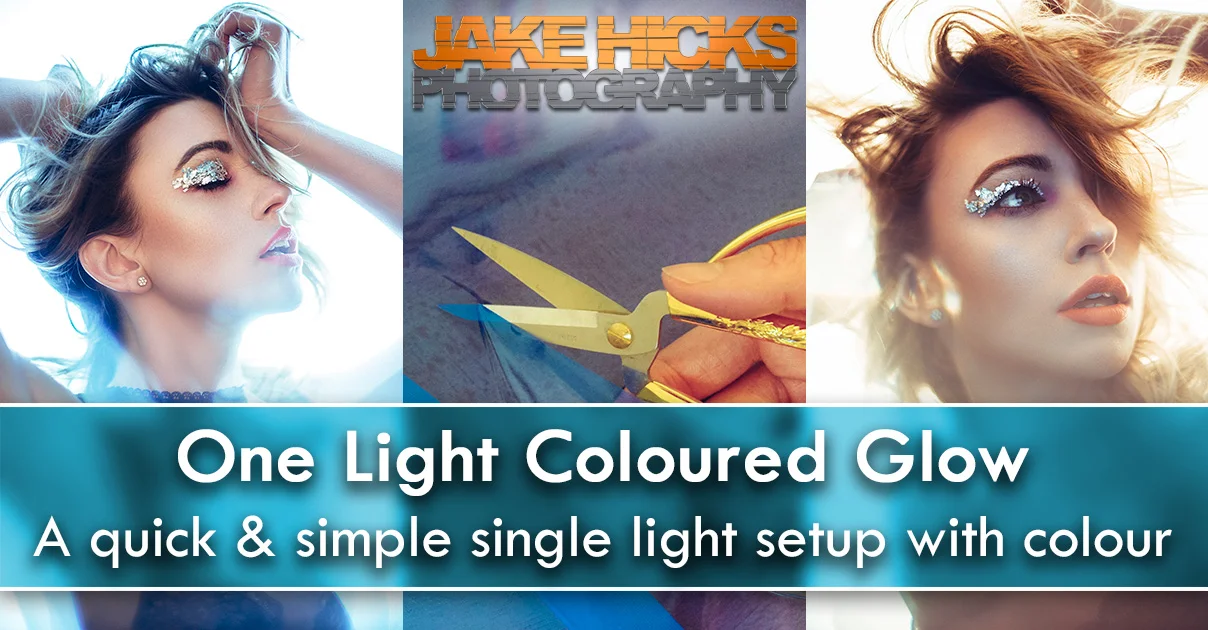
One Light Coloured Glow - A quick & simple single light setup with colour

It was a while ago now that I posted about using a single light to create a stunning beauty setup with only an additional reflector. At the time that article was shared and posted everywhere including all the big photo sites. In fact it seemed so popular at the time that the link I shared within the article that linked back to a cheap reflector sold nearly 60 of them in a couple of hours hahaha(if only I'd been selling reflectors that day ;) ). But if you missed it, here's the basics; the setup requires a medium sized silver reflector with a lens sized hole in the middle of it and a large softbox...that's it.

For the complete article and details please follow the link here, Simplest and most effective single single light setup I've ever used.

The original one-light and reflector article is still probably my most popular article to this day.

The original one-light and reflector article is still probably my most popular article to this day.

So now that you've read that and you now have your reflector with a hole in it, it's now time to take it to the next level. As those that have been following my work for a while will know, it was only a matter of time before I added some colour to this technique and although this won't blow you away with colour, it's a subtle look that can certainly add a little more interest to a currently simple looking shot.

 
At its core this is still a single light setup with a little trickery we can create a coloured glow around the model whilst keeping her the correct colour.

At its core this is still a single light setup with a little trickery we can create a coloured glow around the model whilst keeping her the correct colour.

What's the principles of the technique?

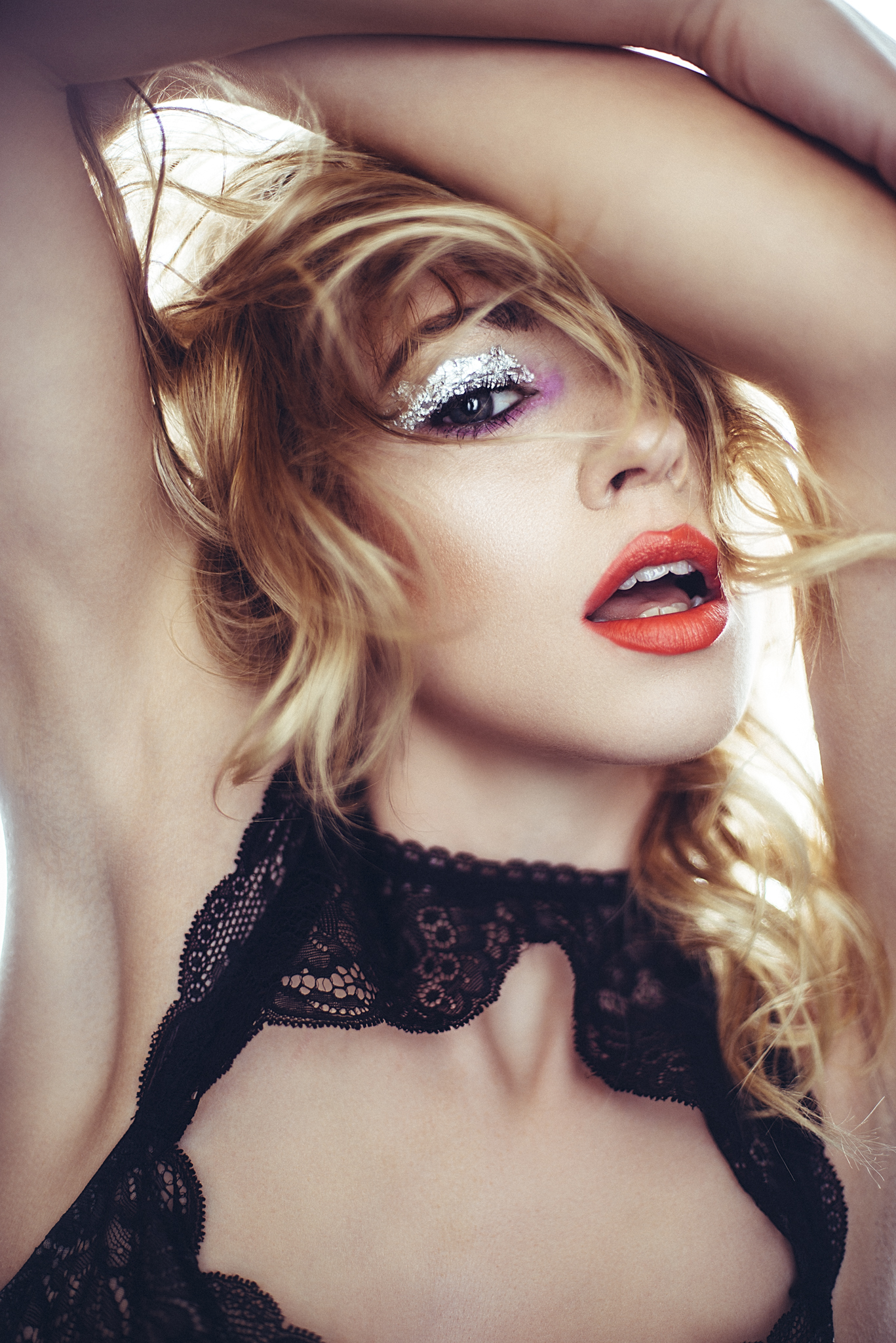
In the shot show here, the look appears to have a blue colour being shone from behind the subject with a separate colour on the actual subject themselves - this is because there is no blue colour on the subject so the light on the model is technically a different colour. This appearance gives a coloured glow from behind the model that warps around them and on first impressions you might not think this is anything extraordinary but remember this two-colour look is still coming from a single light.

What you will need:

  • Your medium sized reflector with a hole in the middle (mine is about 33" in diameter).
  • One light source (preferably a strobe but a speedlight should also have enough power with a higher camera ISO)
  • A large softbox
  • Coloured CTO and/or CTB gels (these are Colour Temperature Orange and Colour Temperature Blue colour correcting gels)
  • A camera with manual Kelvin control

With that list, there should be some of you with bells ringing in their heads who are now starting to put together how the technique works. Still not sure? Then read on.


The Prep

First and foremost you'll need to 'upgrade' your reflector with your coloured gels. My reflector is 33in/84cm in diameter so I just needed to get a sheet of CTO/CTB gel that was at least that in diameter. LEE Filters sells them on a roll so I had plenty of room either side for my reflector. The ones I used are the full CTO gel with a LEE filter number of 204 and a Full CTB gel which has a LEE filter number of 201.

Here are the rolls of gels I used. The LEE Filters 201 Full CT Blue and the 204 Full CT Orange.

Here are the rolls of gels I used. The LEE Filters 201 Full CT Blue and the 204 Full CT Orange.

Step 1

  • Cut a sheet of gel big enough to cover your reflector.

Step 2

  • Lay your sheet over your reflector so that it covers it completely and trace around the hole in the middle.

Step 3

  • Remove your gel from the reflector and place it on something you're happy cutting into. NOT your kitchen lino! Now simply cut the hole in the gel you previously traced.
 

The Setup

This setup is again, very simple. All you need to do is attach your gel to the front of your silver reflector. I usually hang my reflector from a stand rather than holding it so I used clips that meant I could remove the gel quickly and easily as required.

I just used clips to hold my gel in place in front of the reflector rather than fussing with loads of tape. It's also a lot quicker and easier to swop from the blue to orange when needed.

I just used clips to hold my gel in place in front of the reflector rather than fussing with loads of tape. It's also a lot quicker and easier to swop from the blue to orange when needed.

Next you just need to set up your softbox at the correct height behind the model and lastly you need to open up the Kelvin adjustment on your camera. It's slightly different for all cameras but here's what it looks like on the Nikon D610.

Here's how to adjust the Kelvin via the in camera menu on a Nikon D610

Here's how to adjust the Kelvin via the in camera menu on a Nikon D610

When choosing your Kelvin you first need to know which colour adjustment gel you will be using on your reflector as it's the Kelvin value in the camera that actually gives your subject that coloured glow not the actual softbox from behind them.

Here's the simple cheat-sheet for quick reference and then I'll go into this in more detail afterwards.*

No gel, just reflector - Set the camera to 4500-5500 Kelvin

Colour Temperature Orange gel on the reflector - Set the camera to 2500-3500 Kelvin

Colour Temperature Blue gel on the reflector - Set the camera to 9500-10500 Kelvin

*Kelvin varies from camera manufacturer to camera manufacturer and strobe to strobe so play around with what works best for yours

When you're ready to begin shooting, start off by positioning yourself fairly close to the model with your reflector (about two to three feet away). I tended to use wider lenses like a 50mm prime for these shots because I was so close to the model. The aperture you use is up to you but this setup does require a lot of power so start off with a wider aperture and adjust from there. All that's left to do now is start taking some shots and adjust the variables as required. In this instance that would be the power of the light or aperture and then playing with the Kelvin value until you got something you're happy with.

You should be able to see from the shot above just how close I tend to be when shooting this setup.

You should be able to see from the shot above just how close I tend to be when shooting this setup.


What is actually happening here?

Like I mentioned before, the coloured glow isn't coming from the light source it's actually coming from you balancing out the colour of the reflected coloured light from the reflector via your Kelvin. Take a look at the Kelvin values of the following images to see what I'm referring too.

This image has no colour correction gels on the reflector. Just a straight shot taken at around the 5000K mark which is a standard daylight/flash for my kit.

This image has no colour correction gels on the reflector. Just a straight shot taken at around the 5000K mark which is a standard daylight/flash for my kit.

Next up, I added a CTO gel to my reflector and adjusted the Kelvin on my camera to counteract it. Here I have a Kelvin 2500K which is adding a lot of blue into the shot to eliminate the orange light being bounded back onto the model.

Next up, I added a CTO gel to my reflector and adjusted the Kelvin on my camera to counteract it. Here I have a Kelvin 2500K which is adding a lot of blue into the shot to eliminate the orange light being bounded back onto the model.

Then I switch my gel to a CTB gel on the reflector. This time I countered the heavy blue light being bounce back onto the model by adjusting my Kelvin all the way up to nearly 10,000K. This is of course adding a lot of orange into the shot which res…

Then I switch my gel to a CTB gel on the reflector. This time I countered the heavy blue light being bounce back onto the model by adjusting my Kelvin all the way up to nearly 10,000K. This is of course adding a lot of orange into the shot which results in that warm glow around the model.

But just to show you how much I'm adjusting the Kelvin, let's take a look at what the shots would look like if we didn't adjust the Kelvin from daylight/flash (usually around 5000K).

This image has the CTO gel bounced onto the model but the Kevin value has been left on a standard 5000K for flash and daylight. It's very clear how much orange is actually bounced onto the model here.

This image has the CTO gel bounced onto the model but the Kevin value has been left on a standard 5000K for flash and daylight. It's very clear how much orange is actually bounced onto the model here.

Here we've left the Kelvin set to 5000K, a standard flash/daylight setting but you can see that the image is very blue because we're bouncing that light off of the CTB gel onto our subject.

Here we've left the Kelvin set to 5000K, a standard flash/daylight setting but you can see that the image is very blue because we're bouncing that light off of the CTB gel onto our subject.

I think one important point to note here is that with the CTB gel attached the effect isn't as dramatic as when you use the CTO. I think that is simply down to the fact that you are effectively firing blue light (it isn't really blue but for the sake of argument regarding Kelvin let's say it is) onto a blue gel. In effect the blue CTB isn't dramatically changing the colour of the source light by much which results in a less dramatic effect than the CTO which is making a significant colour correction to the source light.

In-Short: Using a blue gel (CTB gel) will produce an orange glow around the model and using an orange gel (CTO gel) will produce a blue glow around the model.
 

The Final Images

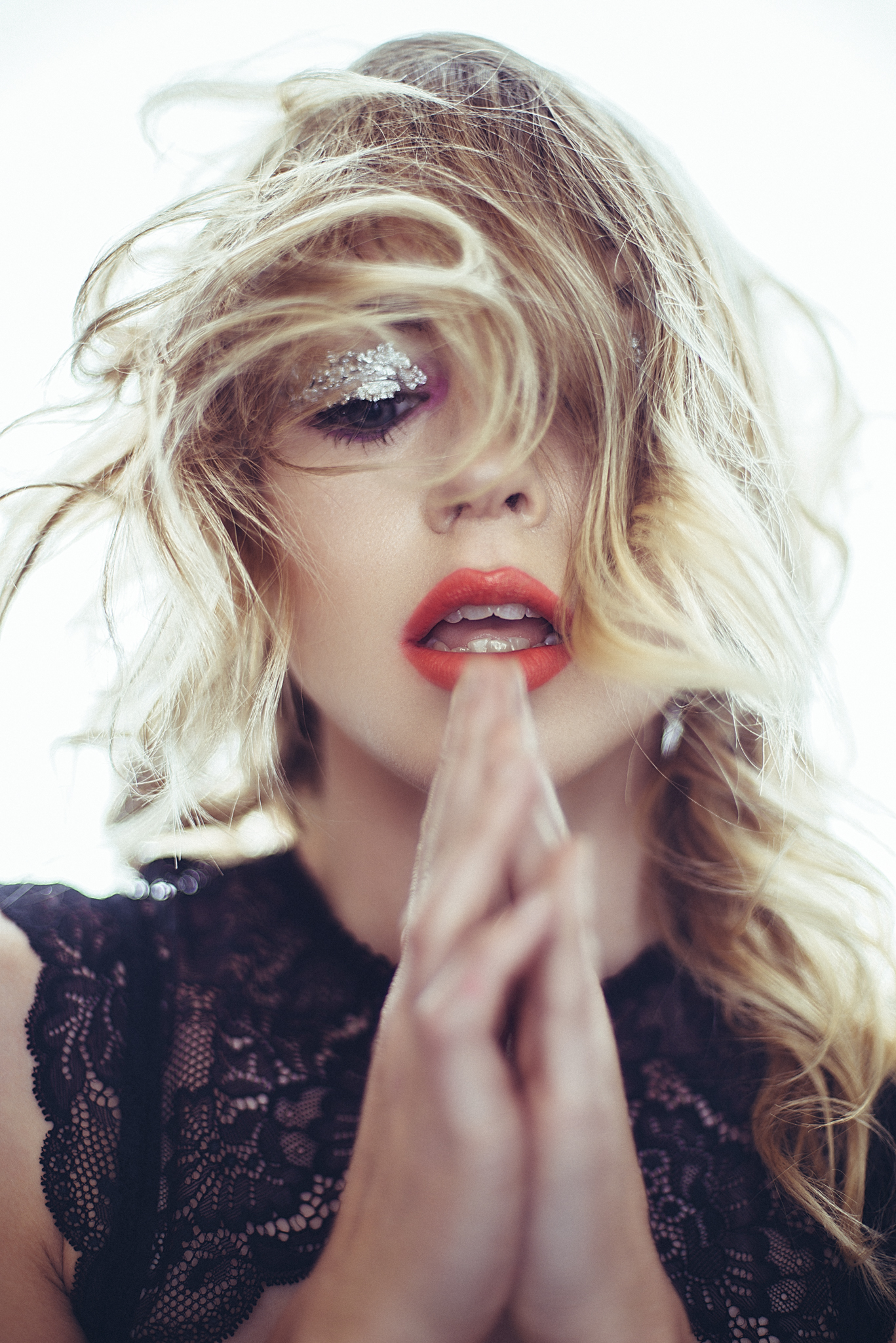
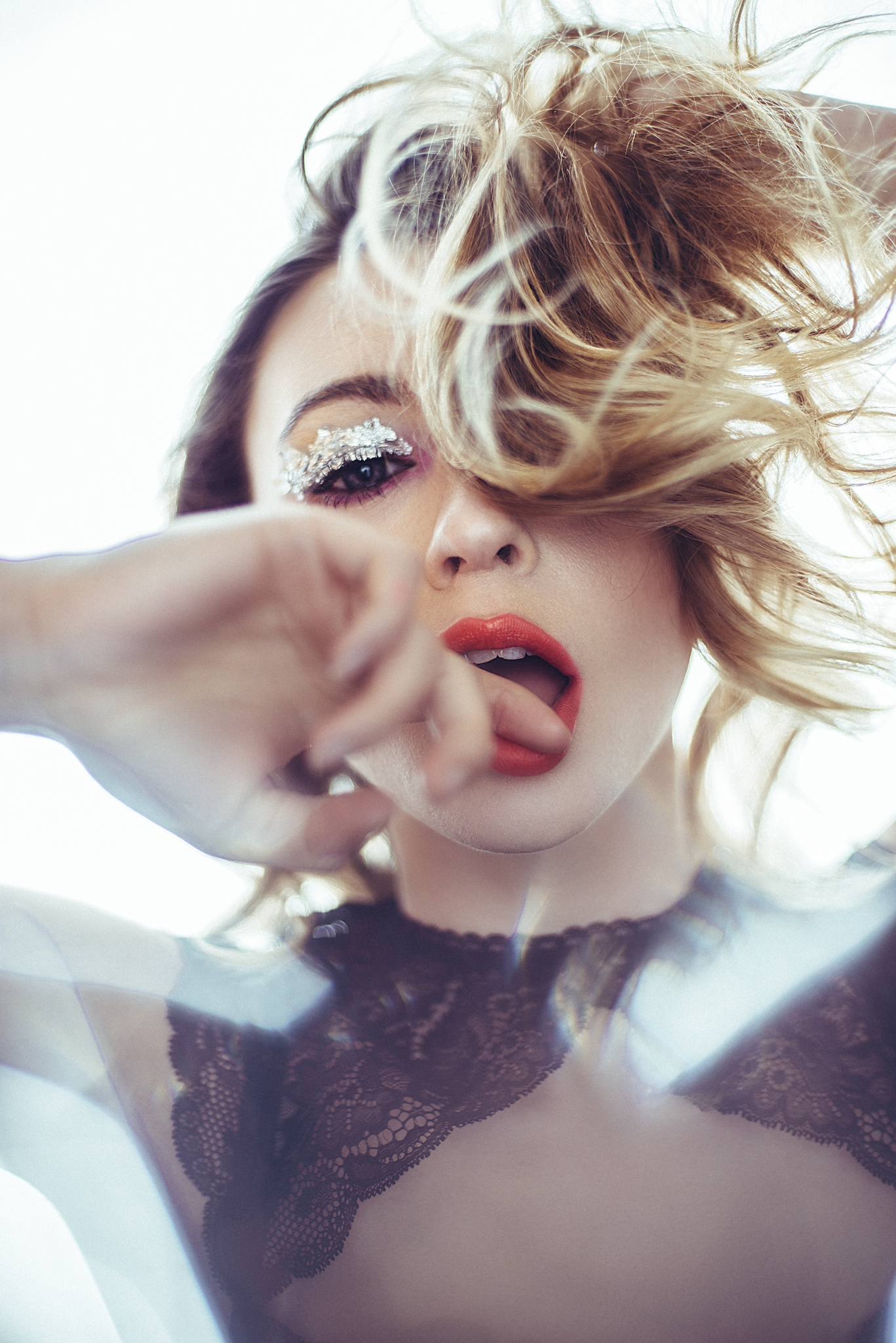
Below you can see the final images that I took from the shoot. I've included all three variations here as well; shots with no colour correction gel on the reflector, shots with the CTB gel attached plus shots with the CTO gel attached.

To recap, the shots with no coloured glow have no colour correction gel attached to the reflector. The shots with a warmer glow have the CTB gel attached to the reflector and the shots with a cooler blue glow around the model have the CTO gel attached to the reflector.

JakeHicksPhotography (1 of 10).jpg
JakeHicksPhotography (2 of 10).jpg
JakeHicksPhotography (3 of 10).jpg
JakeHicksPhotography (4 of 10).jpg
JakeHicksPhotography (5 of 10).jpg
JakeHicksPhotography (6 of 10).jpg
JakeHicksPhotography (7 of 10).jpg
JakeHicksPhotography (8 of 10).jpg
JakeHicksPhotography (9 of 10).jpg
JakeHicksPhotography (10 of 10).jpg
JakeHicksPhotography (1 of 10).jpg JakeHicksPhotography (2 of 10).jpg JakeHicksPhotography (3 of 10).jpg JakeHicksPhotography (4 of 10).jpg JakeHicksPhotography (5 of 10).jpg JakeHicksPhotography (6 of 10).jpg JakeHicksPhotography (7 of 10).jpg JakeHicksPhotography (8 of 10).jpg JakeHicksPhotography (9 of 10).jpg JakeHicksPhotography (10 of 10).jpg
View fullsize JakeHicksPhotography (1 of 10).jpg
View fullsize JakeHicksPhotography (2 of 10).jpg
View fullsize JakeHicksPhotography (3 of 10).jpg
View fullsize JakeHicksPhotography (4 of 10).jpg
View fullsize JakeHicksPhotography (5 of 10).jpg
View fullsize JakeHicksPhotography (6 of 10).jpg
View fullsize JakeHicksPhotography (7 of 10).jpg
View fullsize JakeHicksPhotography (8 of 10).jpg
View fullsize JakeHicksPhotography (9 of 10).jpg
View fullsize JakeHicksPhotography (10 of 10).jpg

Because I know some peoples screens can't accommodate the format of my website, clicking on the thumbnails above will automatically enlarge and resize the images to fit your window.

Featured Model: Colleen Deary

Makeup and Hair: Rose Forest Makeup

At first this seems like a tricky idea to get your mind around but trust me, once you set it up and start playing with it you'll see how it works very quickly. But don't stop with this simple setup, look at other ways you can employ the same principles in other ways. Try still-life setups with reflective surfaces, try adding more lights and gels and also replace your softbox for a window. Remember, it's the Kelvin adjustment that changes the colour not the light source.


Questions

As always, I'd love to hear your questions and comments. If there's something that doesn't make sense or needs further explanation, just let me know below and I will answer them as quickly as I can :) Also if you give this technique a go, don't hesitate to let me know and share the results my way as I'd love to see what you come up with.

If you're interested in getting some coloured gels of your own and would like to take a look at the ones I sell then please feel free to take at my 'Coloured Gels' page for more info :)


:WARNING: Potential sales opportunity ahead.....for me :D


If you're interested in any of my work and would like to know more about how I created some of my shots then why not check out my workshops. Here you can find out everything there is to know about Gelled Lighting, Long Exposure Flash Photography and my entire Post-Pro Workflow. Jake Hicks Photography - Workshops


I've also just released a brand new 22 hour complete Gelled Lighting Tutorial video. I go over everything from studio lighting setups with gels to being on location with gels plus I also go through my complete retouching and post pro workflow. For more details and complete breakdown of everything that's include check out my Coloured Gel Portraits Tutorial


I also offer comprehensive coloured gel packs. These collections of gels are what I use day to day to create some of the most highly saturated colours around. If you're looking at getting into gelled lighting or need to get stronger and richer colours in your coloured gel work why not check out my Jake Hicks Photography Gel Packs

Tuesday 06.06.17
Posted by Jake Hicks
 
Newer / Older