• >>>NEW Colour 2.0 Workshop<<<
  • Technique
    • Latest Techniques
    • FREE TIPS
    • Quick Tips
    • Video
    • Site Search
    • Blog
    • Archives
  • Mentoring
  • 2026 Workshops
  • >Online Workshops<
  • Studio Lighting Books
  • Contact
    • Newsletter
    • Contact
    • Statement
Jake Hicks Photography
  • >>>NEW Colour 2.0 Workshop<<<
  • Technique
    • Latest Techniques
    • FREE TIPS
    • Quick Tips
    • Video
    • Site Search
    • Blog
    • Archives
  • Mentoring
  • 2026 Workshops
  • >Online Workshops<
  • Studio Lighting Books
  • Contact
    • Newsletter
    • Contact
    • Statement

Adding Analogue Grain to a Digital Image to Reduce Colour Banding

We've spent the last ten years of our digital revolution trying to eliminate grain and noise from our photographs but as with anything that falls out of favour, a new generation comes along to make it cool again.

I'm sure we've all experienced that sinking feeling after uploading a shot to an online service like Facebook. It looked great a moment ago now it looks like somebody just kicked 50 points of saturation out of it and then re-saved it at JPEG quality level 3 for good measure. Not cool. Click to Enlarge Image so that you can see that it doesn't just happen to you. Image on the left pre-Facebook, image on the right post-Facebook.

The film era of photography has given us a lot and we've certainly spent a long time with digital photography where we've strived for sharper lenses, smaller pixels and a lot less noise in our shots. But that couldn't carry on forever and over time we've fallen back in love with the nostalgia of imperfections. Lomography and its army of film shooters is more popular now than it ever was back when film was the only choice and more and more of us are shooting with vintage lenses that introduce a more 'artistic' and creative look back into our shots. In fact even the top-end New York fashion photographers who shoot on £30,000, 100 mega pixel cameras are adding noise back into their fashion shots and more and more of us are following the trend as I see more and more grainy shots being uploaded than ever before.

So is it just another retro-revolutoin or is there a reason that digital noise is becoming more prevalent in our images? Firstly I think there's a couple of reasons, on one hand I think it's nostalgic to see noise and grain in a shot and a photographer may want to convey that feeling in their image. Secondly and perhaps more importantly there's a couple of technical reasons why noise is being used. I'm sure most of us shoot on a modern digital camera that has around a 24 mega pixel sensor onboard. These cameras have the ability to shoot pin sharp images fully printable up to A3 or suitable for billboard ads but how many of us actually print anything at all any more? Even if you do print some shots the reality is that the vast majority of our images go online and are viewed  at a mere fraction of the size we actually shot them at. So most of our images are being viewed at a very small comparative pixel size and also in a smaller colour depth to what we shot them at (this is a whole other article but essentially most online viewing platforms like Facebook strip colour detail from our shots to reduce file sizes). We spend ages making our shots 'print-ready' but don't actually print them, when in reality we should be making them 'screen-ready' and there's a couple of things we can do to make that happen.

A small part of me dies each time I upload a gelled lighting shot to Facebook.The top three shots are as they appear currently on my Facebook page, the bottom three are as I saved them &nbsp;at 851 x 315 pixels in Photoshop. I think its pretty fair …

A small part of me dies each time I upload a gelled lighting shot to Facebook.

The top three shots are as they appear currently on my Facebook page, the bottom three are as I saved them  at 851 x 315 pixels in Photoshop. I think its pretty fair to say that Facebook had its wicked way with most of the colour in those shots and spat back out the horrendously  degraded version you see here.

We've all had that sinking feeling when we upload our shot and it looks like somebody just kicked 50 points of saturation out of it and then re-saved it at JPEG quality level 3 for good measure. Not cool.

On the left is how you and I see colour - on the right is how online services like Facebook see colour. The left hand shot has 9 colour tones whereas the right hand shot has only one after Facebook has compressed it. This is how Facebook compresses …

On the left is how you and I see colour - on the right is how online services like Facebook see colour. The left hand shot has 9 colour tones whereas the right hand shot has only one after Facebook has compressed it. This is how Facebook compresses file sizes, by seeing 'similar' colours as the same colour.

This image degradation is especially noticeable on saturated images like mine with gels. There's a couple of reasons for this but basically most online services are desperately trying to save file size so they compress the shots we upload and in the process colour gradients can suffer greatly.  In 2013 Facebook reported that its users were uploading 350 million photos a day! Thats insane and remember its a free service and those 349 million baby pictures have to be saved somewhere so I get why they compress the hell out of our shots, but it's still depressing to see one of your shots get taken 'roughly from behind' by the big bad Facebook compressor.

Is there anything we can do?

Well there's no magic bullet but we can give ourselves the best possible chance of defending ourselves when the compressor comes a calling. Enter the digital noise.

Digital noise is a way of adding detail back into a shot so that Facebook has a tougher time degrading it. For example a landscape shot with a lot of leaves and maybe some stormy seas is going to retain a lot of its file size after Facebook has compressed it because Facebook struggles merging colours and details when theres a lot going on. Conversely a studio shot like mine with a plain background gets destroyed because it has a lot of blank areas to merge into one. To combat this I add some noise across the image to make it tougher for Facebook to compress it. The noise isn't enough to visually alter the shot when viewed normally but it adds enough for Facebook to struggle with it and limit the degradation and colour banding that we often see.

It's easy to do and once you've done it a few times you can even setup a quick Photoshop action to run once you're happy. Yes I know there's a great grain filter in Lightroom but I wanted to go over the Photoshop alternative so you smart-arses that didn't read the whole article and have just galloped to the comments section to point that out can go back under the bridge from whence you came ;)

1. Get your finished shot, do not apply any noise at any point apart from at the very, very end. Don't even apply this before sharpening.

Take your shot and add a new layer. Layer -> New -> Layer. In the Layer properties box that follows, change the layer mode to 'Soft Light' and click the box below that marked 'Fill with Soft-Light-Neautral Color (50% Gray)'. You can rename this layer Coarse Noise as we are going to use an additional layer later on as well. Hit OK.


2. With the Coarse Noise layer selected go to Filter -> Noise -> Add Noise. In the Noise options set the amount to around 15 (this is pixel based so it will be based on the pixel size of your file) It should look a bit heavy right now but we're going to do a few more steps yet.

Make sure Gaussian button is checked to keep the grain from looking too structured. Also make sure that the Monochromatic box is checked, we don't want to add any additional colour. Hit OK.


3. Next we want to soften that noise a little. Go to Filter -> Blur -> Gaussian Blur.

In here we just to soften the noise, not completely destroy it so a Radius of about of 1 should be fine. Hit OK.


4. So now that we've created our coarse noise layer we want to add a little more depth and a more realistic analogue look and feel to the effect. We are going to do this by adding a fine layer on top so go to Layer -> New -> Layer.

In the proceeding layer properties box rename the layer 'Fine Noise' and then change the layer mode to 'Soft Light' and click the box below that marked 'Fill with Soft-Light-Neautral Color (50% Gray)'. Hit OK.


5. We now want to add our noise to this layer, go to Filter -> Noise -> Add Noise. In here we want to add a little less this time so set the amount to around 5%. Keep it set to Gaussian and Monochromatic. Hit OK.


6. Again we want to soften this a little so go to Filter -> Blur -> Gaussian Blur and set the radius to even less this time. Around 0.5 Pixels should be a good place to start. Hit OK.


7. You should now have 2 separate layers of grain. One Coarse and one Fine, its up to you as to how much grain you have in your final version but I tend to lower the opacity of my Coarse layer to around 50%. This usually gives me a subtle but effective look.


Click on the image to enlarge it. The left hand shots have no noise applied but on the right hand shots it has. When zoomed out you can hardly tell its there so it shouldn't effect the look of your shots too much but it should help online compressors to limit the amount they crush our studio shots.

That's pretty much it, you're done. Now the effect should be subtle and to be fair once it's uploaded to the likes of Facebook you probably won't even notice it but it will help to reduce some of the colour banding that we all have to deal with by giving the image compressors something to fight with. Like I say this technique is no 'magic bullet' to better looking Facebook shots and there's a couple of other things you can do as well but this will definitely help. Try some varying amounts to see what works for you and I wish you luck and I hope it helps :)

If you'd like to learn more about some of my Photoshop tips and techniques then you can alway come along to one of my full day workshops where I go through absolutely everything in my Post-Pro workflow from Raw to Lightroom to Photoshop. To find out more and to sign up please head on over to my Training page jakehicksphotography.com/post-production-workshop/

You may also like another of my Photoshop techniques articles, this one is about 'How to Quickly Remove Dust and Hairs from Clothing'


:WARNING: Yup, you guessed it, self betterment opportunities lie just ahead :D


Jake Hicks Photography Workshops

If you're interested in learning more about my professional workflow then why not check out my Post-Production Workflow Workshop. On this full day of hands-on learning I walk you through everything from Lightroom to Photoshop including correct import and export, an in-depth look at the powerful colour correction tools of Lightroom, fast and effective studio proofing tools as well as an extensive step-by-step walkthrough of my editorial retouching techniques in Photoshop. Plus everybody on the day will walk away with an in-depth PDF of everything taught on the day PLUS over 15 of my Photoshop Actions and 30 of my Lightroom presets! Find out more here Jake Hicks Photography - Post Production Workflow Workshop


Jake Hicks Photography Video Tutorial

I have also just released a brand new 22 hour complete Gelled Lighting Tutorial video. I go over everything from studio lighting setups with gels to being on location with gels plus I also go through my complete retouching and post pro workflow. For more details and complete breakdown of everything that's include check out my Coloured Gel Portraits Tutorial


Jake Hicks Photography Gel Packs

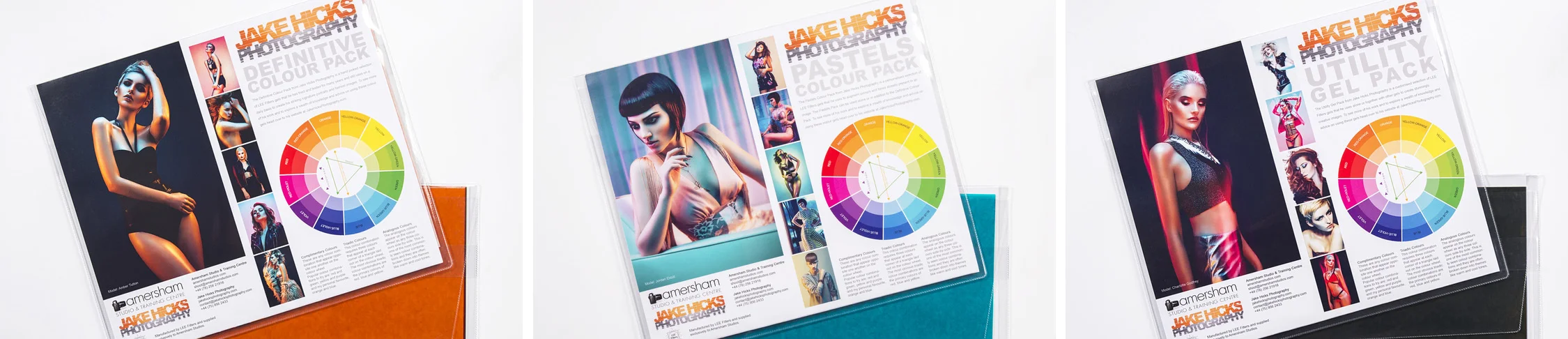
I also offer comprehensive coloured gel packs. These collections of gels are what I use day to day to create some of the most highly saturated colours around. If you're looking at getting into gelled lighting or need to get stronger and richer colours in your coloured gel work why not check out my Jake Hicks Photography Gel Packs
Tuesday 05.03.16
Posted by Jake Hicks
Comments: 7
 

First Look at the Lensbaby Twist 60

I was super excited to hear a few weeks back that Lensbaby had a new lens in the works and even more excited when I heard it was going to be a lens with the swirly bokeh effect.
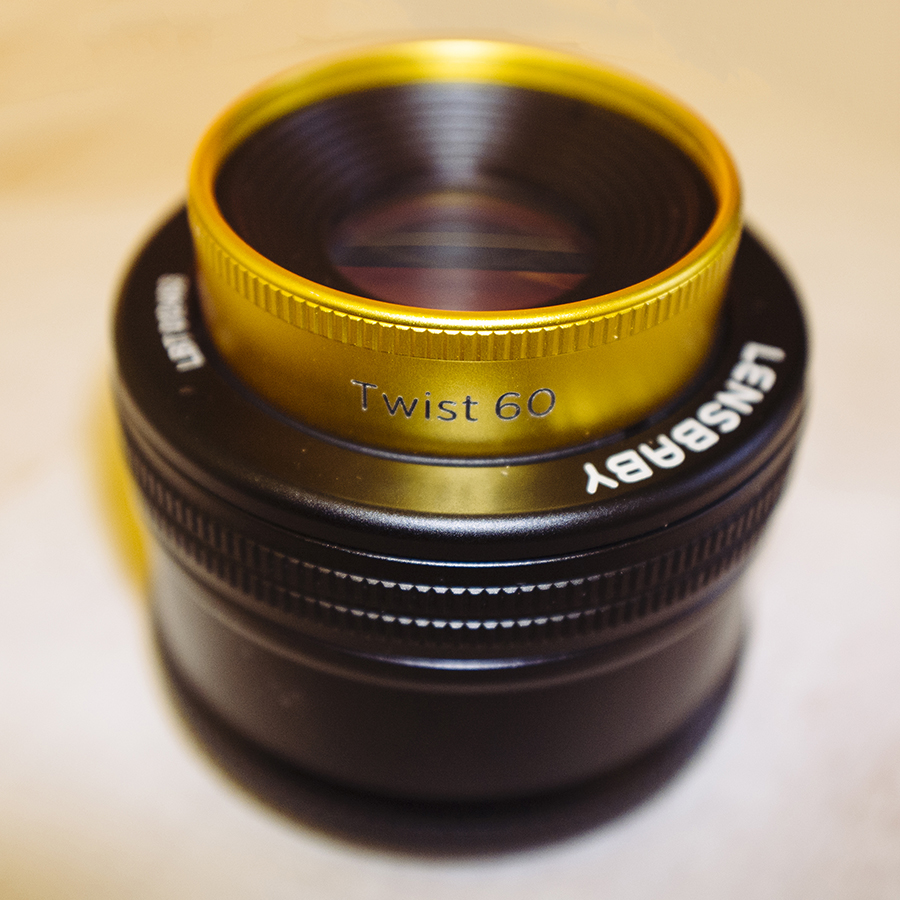
The new Lensbaby Twist 60

The new Lensbaby Twist 60

In the past this swirly visual effect had been the money-train for Lomo and their Petzval lenses in the form of the 85mm and the soon to be publicly available 58mm. I own a lot of the Lensbaby lenses and I've been very pleased with the resulting optical effects from their previous products so I was certainly pleased to hear Lensbaby were taking a crack at the swirly bokeh effect now too. This time around lensbaby introduces the same Petzval optics but in a modern lens, and the reason I say modern lens is because the Lomo Petzval lenses were always 'remakes' of the old classics. Don't get me wrong they were gorgeous looking lenses and very well made but they also had all of the trappings of the original classic lenses. They weighed a ton with awkward focus controls and they had drop-in drop-out aperture plates to change the aperture. So as gorgeous and fun as they were, they were always a trade-off over practicality.

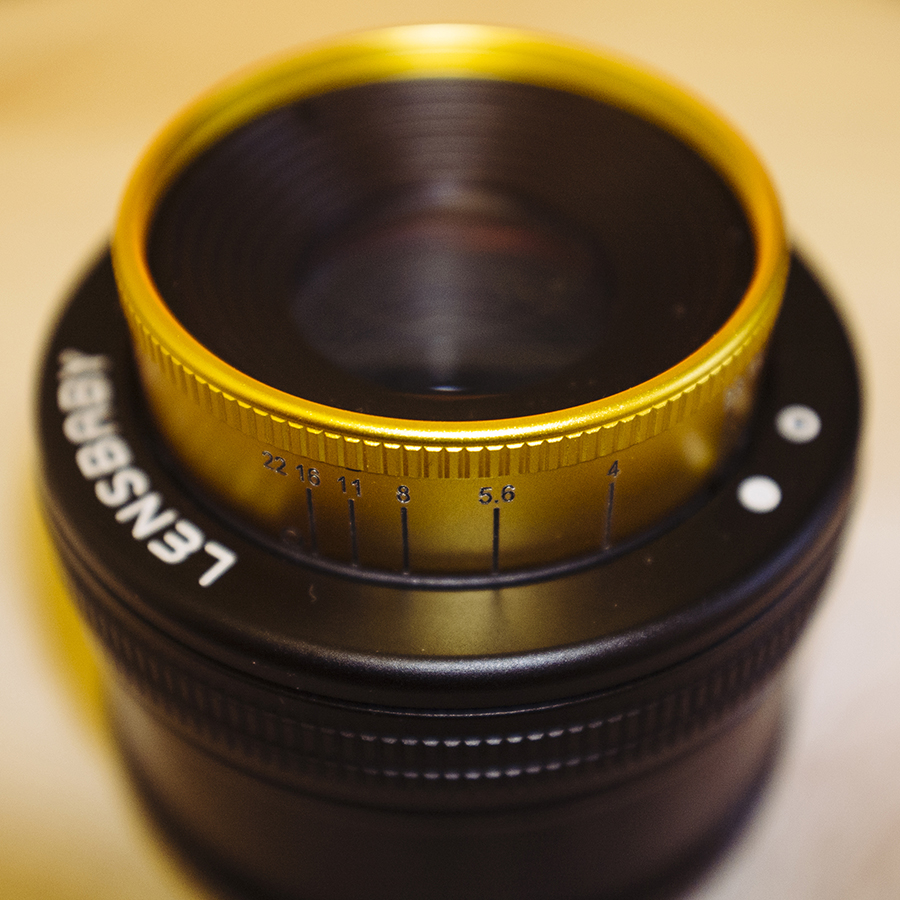
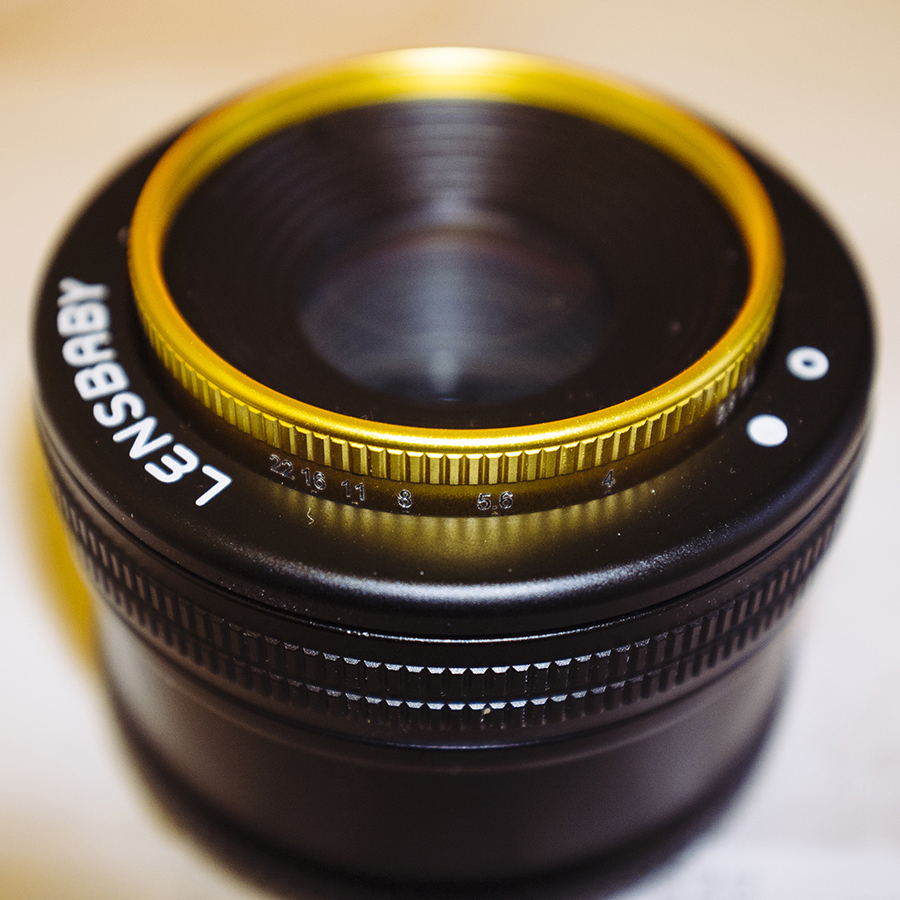
Cue the Lensbaby Twist 60. First impressions of the Lensbaby Twist 60 is lightweight, well made and simple to use. That may seem an obvious statement but I will come onto why that's of particular relevance later on. The lens is matt black metal with an inner gold metal collar section that holds the optics. You don't need to be a genius to figure out that the inner gold section is referencing the famous brass colouring of the Petzval lenses of old. The first thing I notice is how lightweight it is and at under 200grams this is definitely not going to be a burden in your camera bag. It has a focal length of 60mm which is a really great portrait length in my opinion (50mm vs 85mm: Which is the Best Focal Length for Portraiture?) with minimal perspective distortion. Granted it's not going to be your go-to focal length for those corporate headshots but 60mm gives you a huge range in terms of singles shots and group shots over the longer lenses. It has an f stop range of f2.5 - f22 and those apertures are adjusted via the gold metal collar in the centre. One thing to note on this is that the apertures are changed via this gold collar but this is also how the lens focuses in and out. So for example when youre focused on objects far away that gold collar disappears into that black lens housing making it tricky to change the apertures. Not a big deal really and although you can still physically change the aperture you just can't see the numbers you're changing them to.

Lensbaby Twist 60 - Nikon Mount
The Twist 60 focused at minimum distance
Twist 60 focused at maximum distance
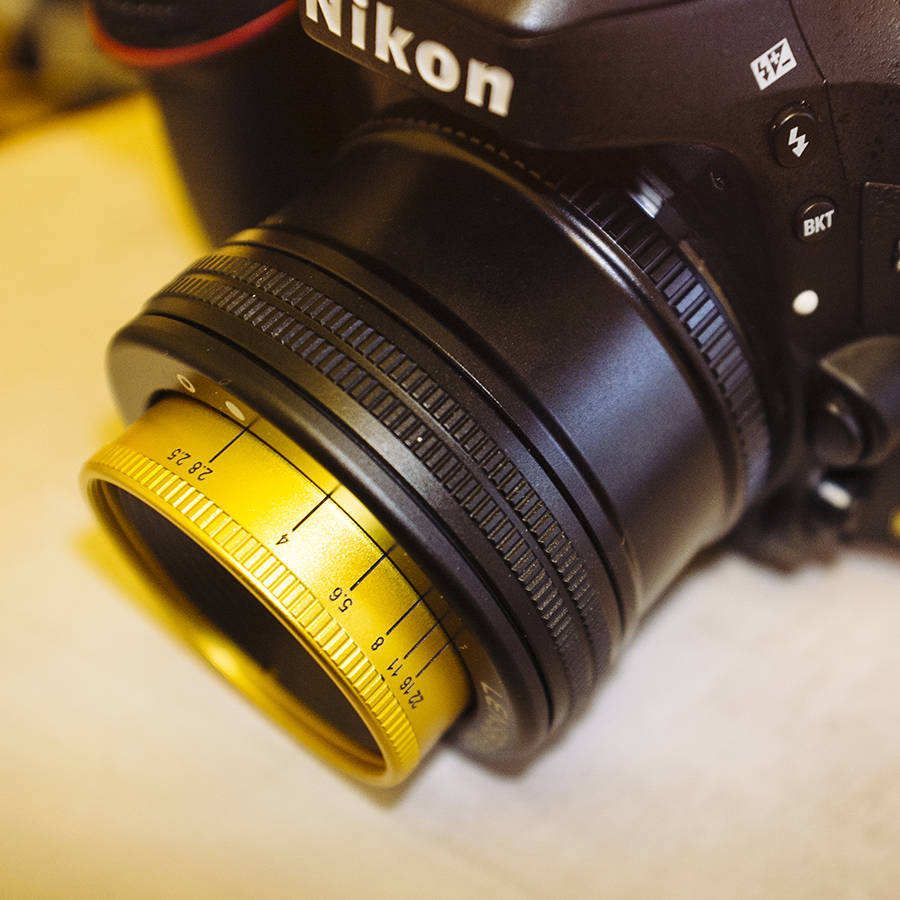
Twist 60 on my Nikon d600
Lensbaby Twist 60 - Nikon Mount The Twist 60 focused at minimum distance Twist 60 focused at maximum distance Twist 60 on my Nikon d600

This like all other Lensbaby lenses is a manual focus lens so remember this isn't 'talking' to your camera directly so you can't adjust the apertures etc via the camera body itself. Anybody who has already purchased a Lensbaby or any other art lens in the past will be familiar with this anyway. The focusing ring is grippy and firm so you'll not be nudging it about all the time plus its not a huge thread so from maximum focus to minimum focus its only a quarter turn on the focusing ring so you have plenty of accurate control. That's pretty much all you really need to know for now, I'll post the manufacturing stats a the bottom if you're interested but for now lets take a look at some photos through it.

I just want to state that I don't pretend that this is a full review at all. I've only used this lens on one shoot so far and that was at the end of another shoot I was doing. I Just wanted to get some shots with it to see what it was like and get some first impression. I will obviously need to use it a lot more to get a firmer idea.


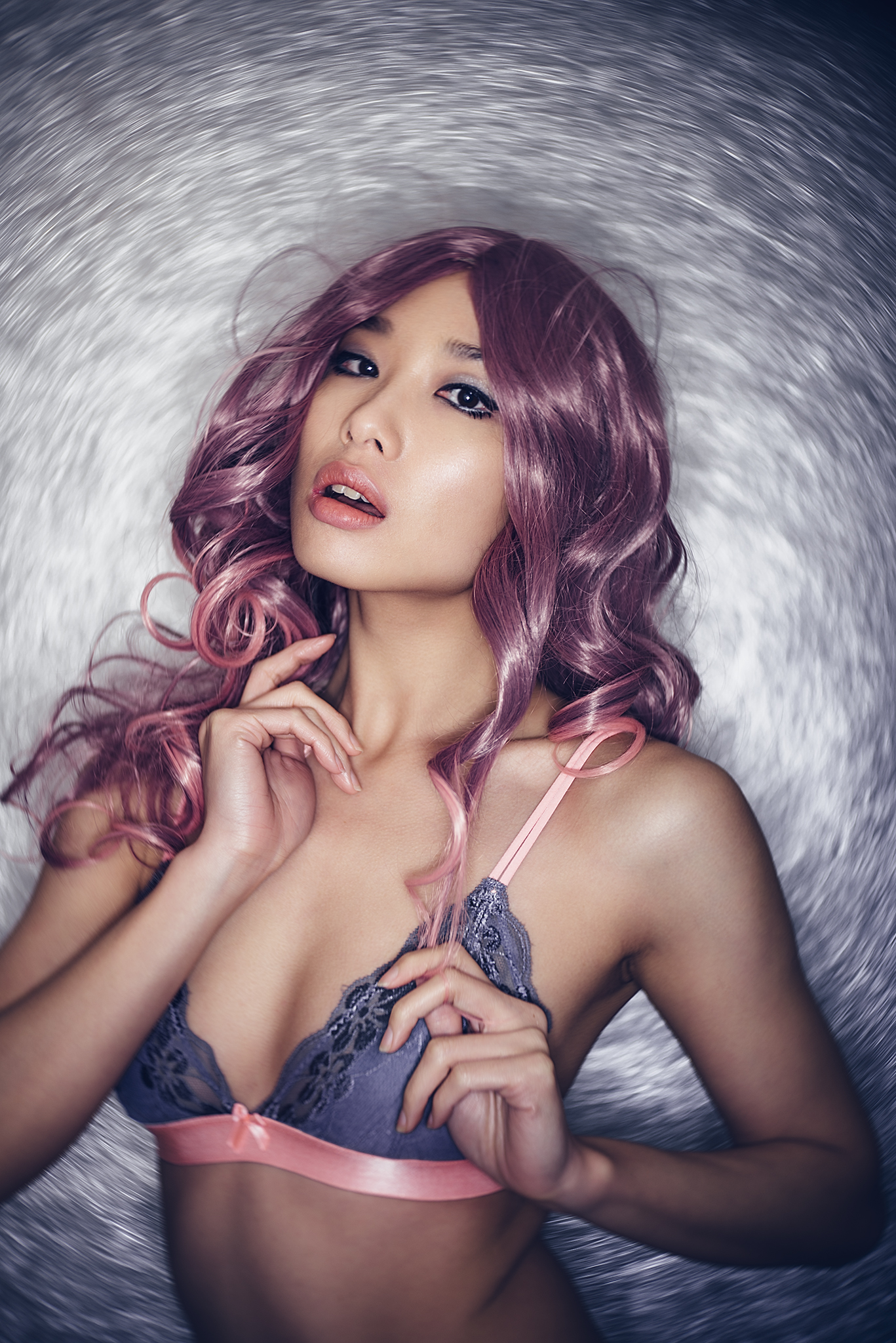
First shot taken with the new Lensbaby Twist 60. F2.8. Click on the image to enlarge it.

So first impressions are that it does exactly what it's designed to do. Its adding a huge amount of swirl (twist) to the background here. But what was the background and did it already have that swirl in there somewhere? No it definitely didn't in fact this is just a simple one light shot against a silver window blind, hardly anything overly exotic but to prove my point I also took the same exact shot with a standard 50mm lens to show you.

Image taken on standard 50mm Nikon prime lens. Image also taken at f2.8. Click on the image to enlarge it.

You can see in the image here how the effect is markedly different to when you're using the Twist 60 and not using it. So what do you need to do to get the effect working at its best? Well not much really, I literally just attached the lens and focused the shot and I was done there's no secret to getting it to work as the effect is all created in the optics. It's not like some of the other Lensbaby lenses that needs a bit of practice or skill to use like the Edge or the Composer Pro, the Twist does it all internally.


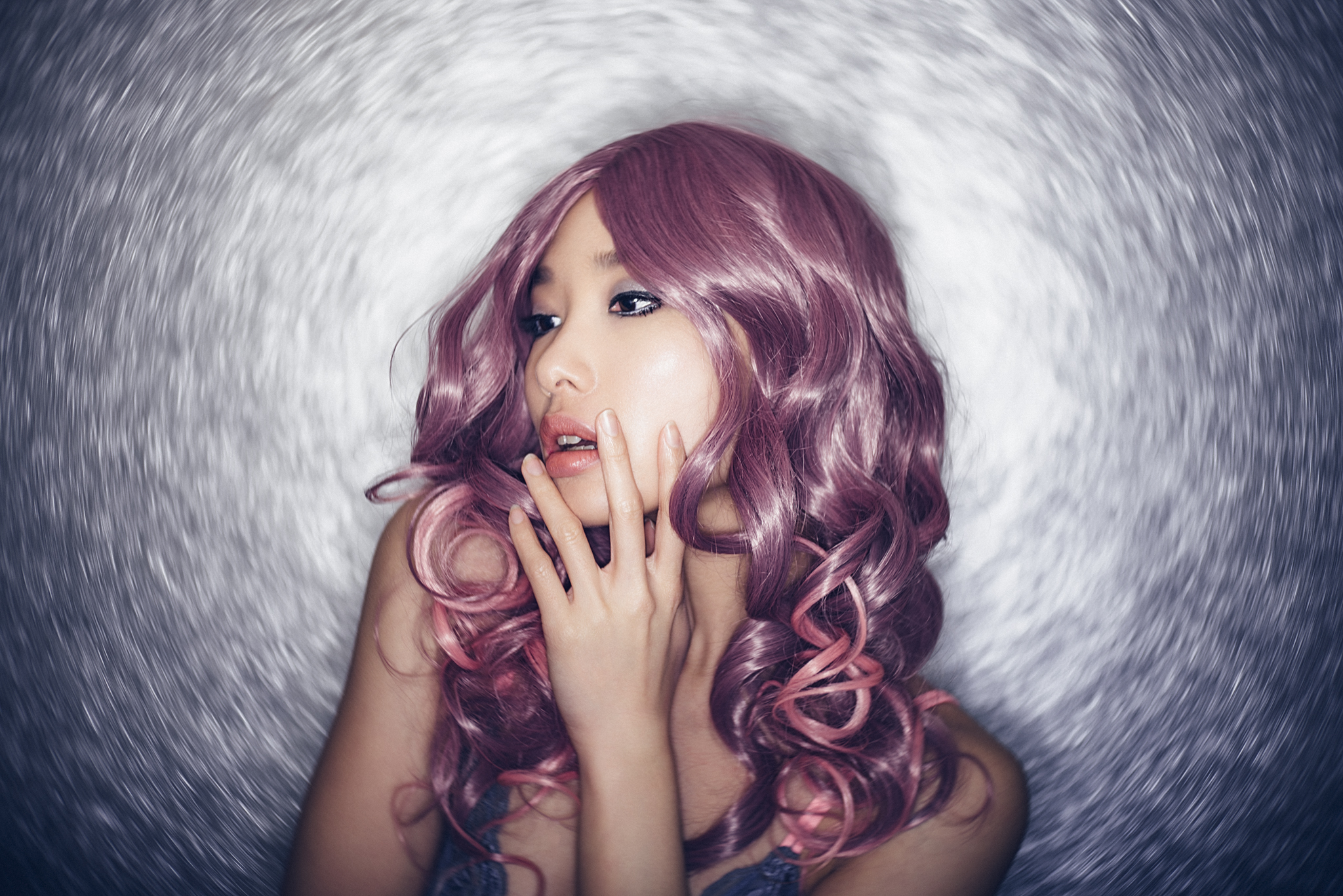
So what's the limitations of the lenses effects then? Thats a simple one to explain, but you have to think about this lens doing two separate things. Firstly its focusing on your subject and keeping them nice and sharp like any lens does, secondly its partitioning the outer edges of the lens to do the 'twisting'. Those two roles are fixed in the lens and you can't change them, what I mean by that is that you can't make the outer edges of the lens tack-sharp and you can't get objects in the centre of the lens to start twisting. As soon as you understand that you can stop fighting it and shoot accordingly. For example your subject is always going to be best placed in the middle of the shot and because of this the landscape format crop is going to lend itself to this composition.

For those that are interested, this was the simple one light setup. A ring flash and model against silver backdrop

For those that are interested, this was the simple one light setup. A ring flash and model against silver backdrop

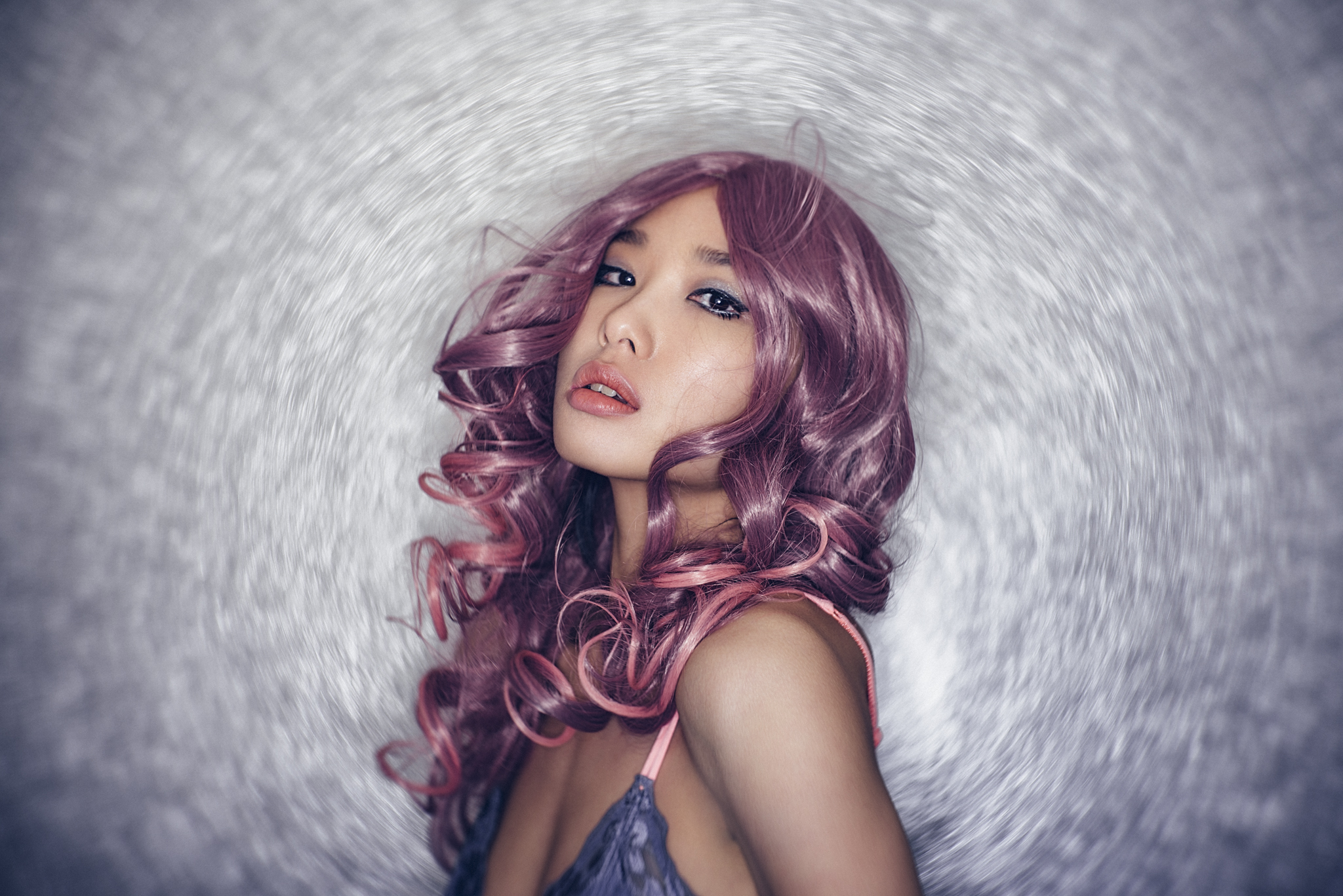
A portrait version of the same shot. The eyes here are a little higher up than centre so they are starting to feel the effect of the 'twist' leaving them a little blurred but not drastically so. Click on the image to enlarge it.


The Elephant in the room

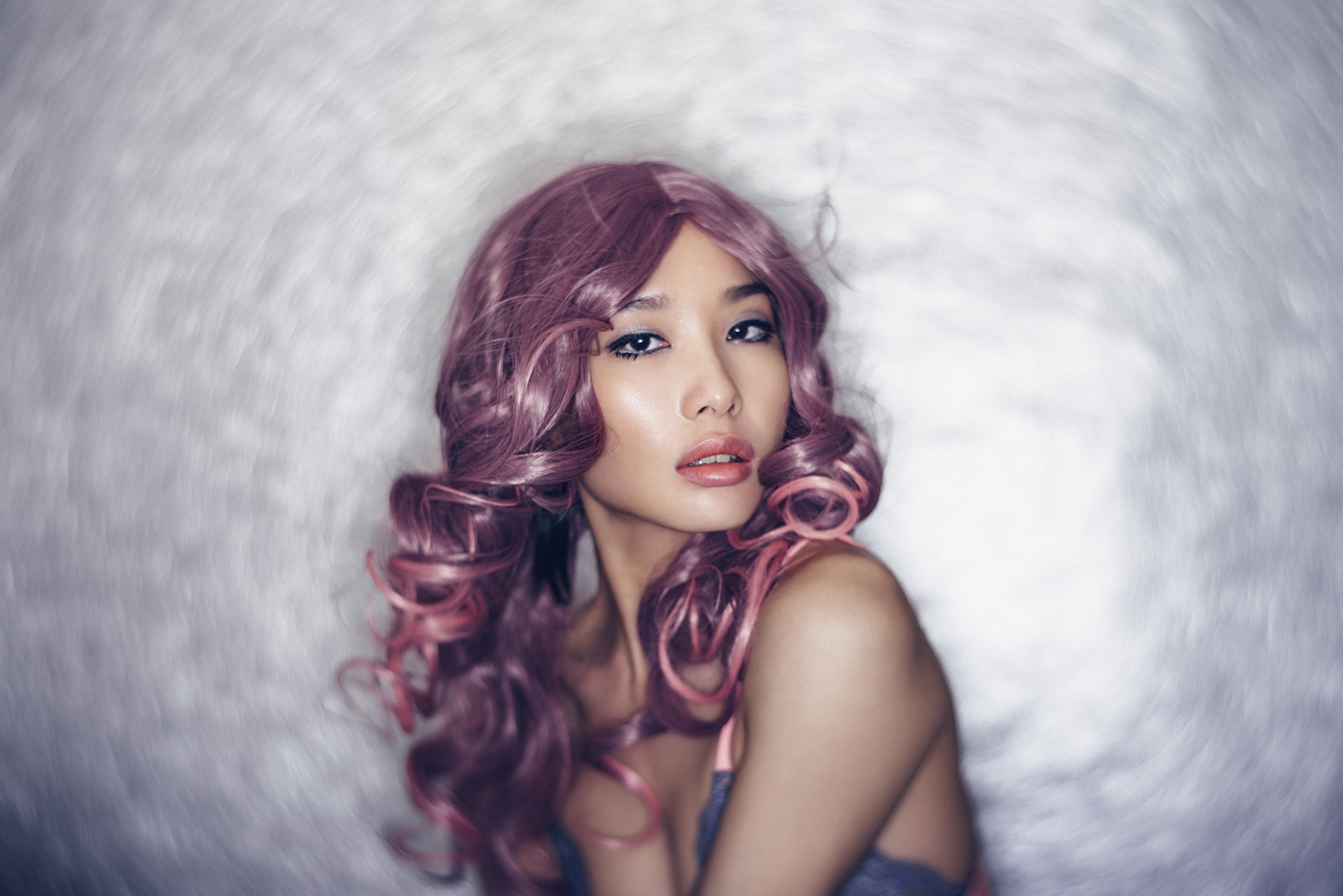
So lets not put this off any longer, I know the first thing I wanted to know and I'm sure the question you've been wondering is 'How does the Twist 60 compare to the Petzval 58?' Yes I know Petzval has an 85mm lens as well but it's a different focal length to the Twist 60 so I'll be comparing it to the Petzval 58 plus I have the 58 so I am able to directly compare the two. Fortunately I was able to take shots using the Petzval 58 alongside the Twist 60 at exactly the same time so lets take a look at the results. The images below show the different shots and the image descriptions appear at the bottom of each of them.

Portrait orientation of Twist 60
Landscape Orientation Twist 60
Petzval 58 - Bokeh Control Level 5
Petzval 58 Bokeh Control Level 7
Petzval Bokeh Control Level 1
Nikon 50mm
Nikon 50mm
Portrait orientation of Twist 60 Landscape Orientation Twist 60 Petzval 58 - Bokeh Control Level 5 Petzval 58 Bokeh Control Level 7 Petzval Bokeh Control Level 1 Nikon 50mm

From the resulting images I'll let you draw your own conclusions of what you prefer or don't prefer. To those that don't know the Petzval 58 has the option to manually dial in a varying amount of bokeh/swirl and you can see the varying amounts on the shots above. To find out more I did a full review here where you can see more examples of the Petzval bokeh control feature Petzval 58 Bokeh Control Lens Review - March 2016

In my opinion though I really like the clean look to the swirl effect on the Twist 60 over the Petzval 58, at any bokeh control value. This is probably because its a modern lens though, its taken the swirling aspect of the older Petzval lenses and applied it to a modern chassis if you will but as a result its a little more defined. There's no right or wrong here but I do think the Twist 60 might be more practical for me day-to-day whereas the Petzval does have that more vintage traditional look but you'd expect that as its a remake of a vintage lens.

Ok so the Twist 60 creates a great effect and its comparable to the Petzval, I own a Petzval 58 and I love the shots it takes but I also have an issue with the practicality of this vintage style lens in a commercial setting. I think the Petzval 58 could take some truly stunning wedding shots for example but would I recommend lugging around a lens equivalent to the weight of a bag of sugar and a wallet full of loose aperture plates to faff about with whilst the bride patiently waits? No, of course not. The Petzval has its place and that's perhaps not in a high pressure setting, it's a vintage experience and as such you'll definitely get those unique vintage style shots. The Twist 60 however creates lovely swirly looking shots and it's in a modern, easy to use housing that weights practically nothing. I know which lens I'll be throwing in my camera bag the next time I have a commercial shoot and I want to quickly grab a few 'art shots'.

The Twist 60 comes out here in the UK on May 5th 2016. The Petzval 58 has a planned shipping date of May 2016 (they are still fulfilling kick-starter backer orders until then) so both of these lenses are coming out in the same month. The current price of the Twist 60 is £249/$279 and the current price for the Petzval 58 is £549/$749. It's also worth mentioning that for the current Lensbaby owners of the 'optic-swap-system' the Composer Pro, Edge lenses etc can actually swop out your other optic and insert this new Twist 60 optic inside instead. The price of an Twist 60 insert is £159/$179!

*I also have a discount code for you guys where you can get a further 10% off of these Lensbaby prices at WEX JAKEHICKS10 meaning you can get the Twist 60 for as little as £143

Now I don't mean to start riding around on the elephant in the room wearing a clown suit and sining the Hokey Cokey here but I think this Mays lens purchase might have just gotten a LOT more economically viable.

Additional Info and Links

The new Twist 60 comes in (the following links take you to WEX UK) Nikon, Canon and Sony mounts. The Sony mount is actually a completely redesigned lens, not just a different mount screwed on the bottom. Plus you can always simply get the Optic on its own.

Remember that if you're buying any Lensbaby lens from WEX you get an additional 10% off with my discount code JAKEHICKS10 simply enter it in the 'Any Vouchers' box at checkout.

US Links at B&H Nikon, Canon and Sony. Twist 60 Optic

The Nikon Twist 60 Specs

  • Focal length - wide (mm)60
  • Max aperture - wide2.5
  • Max aperture - tele22
  • Minimum aperture22
  • Minimum focus distance (m)0.45
  • Lens elements4
  • Lens groups3
  • Aperture blades12
  • Filter thread (mm)46
  • Size6.35 x 6.35 x 5.7 cm
  • Weight (g)198.45

Again my apologies for not having more shots for you guys but I wanted to get this 'quick look' out there as soon as possible and I am certainly looking forward to using the Twist 60 on some more upcoming shoots real soon which I will obviously share as and when I do. So what do you guys think? Will you be getting a Twist 60 in May? Feel free to let me now your thoughts and if you have any questions about the lens feel free to fire away and I'll do my best to answer them :)

You may also be interested in my past art lens reviews, the Lensbaby Velvet 56 and also my Petzval 58 lens review.

Also if you're interested in learning more about my work then why not check out some of my workshops. I run workshops on Gelled Lighting and also my entire Post Production Workflow

Tuesday 04.26.16
Posted by Jake Hicks
Comments: 2
 

Finding the People Who've Stolen Your Photographs

It would seem that night clubs are the worst offenders for image theft. They use your shot for a club night and then move onto the next. It's a very high turnover of shots as they have several club nights every week.

It would seem that night clubs are the worst offenders for image theft. They use your shot for a club night and then move onto the next. It's a very high turnover of shots as they have several club nights every week.

The digital age has brought us as photographers many benefits, unfortunately is has also brought us a few headaches as well, not least of which is the constant issue of copyright infringement.

Nearly all of us upload our photographs to the world wide web to reach a larger audience, to not do so now is damn near commercial suicide. But uploading all of our latest and greatest works puts us at the mercy of the nefarious types who believe the internet is the wild west. You take what you want, when you want it. It's on the internet so it must be free right? The polite and more diplomatic term for this theft is 'copyright infringement' but essentially it is stealing and it's where other people and companies actually profit from your hard work for free. But how do we find these people? How do we stop them from doing it and how do we get compensated for what they've profited from?

Last week a very kind member of my community got in touch to say that they had seen my work being used by a nightclub and asked if I was aware of it or was the night club using my work without consent. They were right, the nightclub had/was using my work without consent. Just a side note here but I have never worked with nightclubs on creating imagery for them and I do not know of any other photographer ever working for for a nightclub for money either. In my experience nightclubs are the biggest offenders of copyright infringement, they use a shot for a club night that has a specific date in the near future and after that club night has passed they don't need that image anymore and move onto the next one. It's a very quick turnover of images and it makes it very tricky to catch them out. The opposite of this infringement is on a more permanent basis, for example if somebody has used a photograph on a book cover, that has an indefinite lifespan. That book cover image will be used for years not weeks and is far easier to catch and to demand compensation from the infringers.

So how do we find these common thieves? Franky I take a fairly pathetic stance on this copyright infringement as a whole, I'll be honest and say that up until now I've never bothered looking for people who've stolen my shots. My argument has been 'time taken to find image thieves to bill vs. time spent creating new images that will make me money'. I've always just written copyright infringement off as the cost of doing business in the digital age and that my time is better spent creating new content not chasing around after my old work. That may well have been true up until now but thankfully there's now more and more technology on our side to do the work for us. Essentially we now get the best of both worlds, I can spend my time taking new pictures whilst technology hunts down my old pictures and fines the people using them.


Say hello to a little company called Pixsy. www.pixsy.com

Pixsy is an online service that you direct to all of your images on the web and then it searches everywhere else on the web to see where those shots are being used without you knowledge and consent.

Upon launch I directed it to my Flickr, Instagram, Tumblr, 500px and my website. But it does also give you a few other options too including Photoshelter and SmugMug for example.

It's probably not a bad idea to also use the 'Add another website' button feature too. The more places you know of that are hosting your images legitimately the less amount of work you're going to have to do in crossing off matches you were already aware of. For example if you have shots on your Model Mayhem, BeHance, PurplePort, all these places are going to pop up in the 'matches' so best to rule them out now.

 In about 30 seconds it had scanned through my 1441 shots and spat back out 4801 matches over 193 pages. I had a lot of work to do.

 
Literally my first page of searches found a book cover using my shot.

Literally my first page of searches found a book cover using my shot.

Ok so Pixsy finds all of these matches elsewhere on the web, now what? Well essentially you now have to go through these matches and spot which ones are legit re-posts of your shot or unauthorised ones. for example your images may appear in a news article or blog posts about you or you've personally uploaded those shots to another online service like Model Mayhem for example. Those matches are legit, you know about them or they're legally allowed to be there. The other matches are the ones you have to keep an eye out for. This is actually a lot easier than you think as you simply go to the 'Matches' tab at the top of the site and then scroll down the thumbnails until you spot something you don't recognise. In fact on my very first page I had nice little book cover I wasn't even aware of! Just another 192 pages to go!

All of these images are legit but the search functionality of Pixsy is pretty impressive. It can dig out your image from some fairly complex surrounding shots. All the images on the left-hand side of each of these 5 pairs is the image I gave to Pixs…

All of these images are legit but the search functionality of Pixsy is pretty impressive. It can dig out your image from some fairly complex surrounding shots. All the images on the left-hand side of each of these 5 pairs is the image I gave to Pixsy. The images on the right-hand side of the pairs is the shots Pixsy found elsewhere on the web. 1. A magazine cover with text from a shot with no text. 2. A thumbnail of a shot surrounded by other thumbnails. 3. A heavily cropped magazine cover with a ton of surrounding text. A phone pic of a shot on funny angle with a different tone surrounded by other shots and text. 5. A clean image found from a double page spread in a different crop and surrounded by text.

So you've found the 'infringer' now what? Once you've spotted somebody using your shot in a context you're not familiar with you can follow the link provided by Pixsy to go see what page it's appearing on. If after you follow the link and you're still convinced that this is an unauthorised use of your shot and you should be compensated for it you simply go back to the Pixsy page and hit the '$ Submit Case' button.

From there, and I quote from their page 'Once you submit a case to us, our licensing team will thoroughly document the unauthorized use. Depending on the severity of the matter and the type of use, we will either contact the image user on your behalf and request a license fee payment or forward the matter to one of our attorneys.'

If they find that the case is worth tackling they'll pretty much take it from there. If you win they take 50% of the fee. That may seem like a lot but you aren't wasting any time or stressing over it, they're doing all of that and they're far better qualified to do so.

Once you've found a shot of yours that you think is being used for nefarious reasons (to be fair I don't even know what this guy is using my shot for to sell. I think its a book. Maybe.) then you can hit the 'Submit Case' button on the right hand si…

Once you've found a shot of yours that you think is being used for nefarious reasons (to be fair I don't even know what this guy is using my shot for to sell. I think its a book. Maybe.) then you can hit the 'Submit Case' button on the right hand side and Pixsy will look into whether there's a win to be had.

It seems like 'no-brainer' to me as I don't waste any of my time chasing the image parasites around the internet and I get some money in the end if they come through. I only signed up last week and I haven't had any results back as of yet but looking around the web I've found some photographers that I respect and trust to have had a few wins through Pixsy and who speak very highly of them.

So should I sell my gear and sit back and wait for the money to roll in from the infringement cases? No definitely not. I've certainly found a few of the vermin online who are happy to use my work for free but I won't be holding my breath on getting any money from them just yet. Night clubs and online book covers aren't going to get you much if anything at all but the infringers you're looking for are the big companies who still make mistakes time and time and time again. Next clothing and Top Shop have both been caught for just grabbing shots off the web and printing them on T-shirts, they were fined an 'undisclosed' amount but it's safe to say that was hefty sum. It's these cases that are worth keeping an eye out for but apart from the money side of things there's also another reason to check your images aren't being used for the wrong reasons.

A got a lot of hits for my images under the name 'JHicksStudios'. It turns out I had a copycat using my images and name to set up shoots with models on Model Mayhem.&nbsp;

A got a lot of hits for my images under the name 'JHicksStudios'. It turns out I had a copycat using my images and name to set up shoots with models on Model Mayhem. 

Whilst using Pixsy I came across around 20 re-uses of my image on Model Mayhem. Upon closer inspection I actually found that somebody had set up an account under the name 'JHicksStudios' and was posing as me online with my images in their port. Now using my images is obviously bad enough but if this guy was setting up shoots with models under my name with work that wasn't his I don't think its a stretch to say that he didn't have the best intentions towards the people involved. As a photographer who works very closely with my team I can think of nothing more damaging to my company and my brand than somebody else pretending to be me and destroying my reputation. It's bad enough that a copycat is running around producing sub-par work under my name but my industry reputation is far more important to me than a few hundred quid for a stolen book cover.

So Pixsy may find some people stealing your images and maybe even get you some money for it. At the very least you can simply keep an eye out for the big name companies who might slip up and get yourself a nice little payout but for me the biggest piece of mind is that I can keep an eye out for the 'JHicks Studios' out there and crush them before they do any real damage. Regarding that I got in touch with Model Mayhem and his account has now been deactivated.

Check out Pixsy for yourself, at present they're inundated with applicants so it took me about 24 hours after applying before I received an activation 'invite' code. All they needed was an email address and they don't take any money from you unless they win one of your cases. It's definitely worth a look and I'll keep you posted if I actually win any cases but please comment below if you've used this service or a different one to win any copyright infringement cases. For that matter just feel free to share your strangest infringement story. Whilst researching this article I actually found a guy whose shot had been used by ISIS for an 'ad campaign/propaganda'. Apparently Pixsy wasn't confident on winning that particular case but they did state 'we sent a number of take down requests for him (Brian McCarty the Photographer) and the picture was removed from the internet. We haven't received any threats yet, so that's good'. Fair play to Pixsy.

Thanks for reading guys, you may also like my articles on 'Adding Copyright Metadata in Lightroom' or 'The Reality of Actually Getting Published by Humans'

Alternatively if you'd like to learn more about how I setup my photographs, the finer details of implementing gelled lighting like I do or how I retouch my photos, why not come along to one of my workshops. http://jakehicksphotography.com/training/

Tuesday 04.19.16
Posted by Jake Hicks
Comments: 9
 

Quickly Remove Dust and Hairs from Clothing in Photoshop

There are always going to be times no matter how much care is taken by the stylist when you're going to have your models clothes littered in fluff, dust and hairs.

It may not seem like much and maybe you overlook this as something that can't really be fixed because the time it takes to do so doesn't appear to out way the finished look. Basically you just assume that nobody will notice. It's a fair assessment but as with nearly all post-pro techniques, they seem minor on their own but when they're all combined in a single image they have a significant effect.

The other problem with not removing stray hairs and fluff like this is that most of us (and those that aren't doing this need to question why they aren't) will sharpen our image as one of the very final stages of our post-pro workflow. When we are first working on tidying up blemishes and stray hairs early on in the process we may think that the dust and fluff on the clothing isn't that noticeable but when we sharpen our image later on those little white specks of dust will brighten up like glitter giving the shot a visually 'noisy' effect. This is never a desirable look.

So removing the stray dust and fluff really needs to be done and although on first impressions this can look like a real pain because it's so time-consuming there is a super quick and easy technique that is a great way to eradicate it all under two minutes.

The circled area here highlights a common problem when photographing dark coloured clothing;&nbsp;the omnipresent dust, fluff and hairs that plague the finer details of our fashion and portrait shots.

The circled area here highlights a common problem when photographing dark coloured clothing; the omnipresent dust, fluff and hairs that plague the finer details of our fashion and portrait shots.

First you want to Merge all layers into a new layer on top CMD+ALT+SHIFT+E (essentially you want to create a duplicate layer of everything below)

Rename this layer DeFluff

Then go to Filter -> Noise -> Dust & Scratches…

In this next window we want to choose to remove the fluff and dust on the clothing but not remove the texture of the clothing its on.

Remember that the Dust and Scratches filter will require different input values based on the pixel size of the image. Unfortunately it won't be the same for every shot.

Remember that the Dust and Scratches filter will require different input values based on the pixel size of the image. Unfortunately it won't be the same for every shot.

A good place to start is Radius 1 Pixel and Threshold 0 Levels

This will be the lowest setting you can have and you shouldn't see any real noticeable effect taking place on the image.

Gradually increase the Radius until you see the dust disappear.

Now increase the Threshold until you see the clothing texture start to reappear.

Hit OK


The Dust and Scratches filter is pixel-fed meaning that the inputs are tied to the pixel dimensions of your file.

As a very rough guide though the Radius is usually around 3-6 pixels and the threshold is usually around 5-10 levels.

At this stage you may well have noticed that the rest of the image is really blurry too. This is because we've globally applied effect, we now need to mask back in our details but leave the clothing de-fluffed.

Your DeFluff layer should be above your original layer so you can locally mask the effect back in.

Your DeFluff layer should be above your original layer so you can locally mask the effect back in.

Add a layer mask to this layer Layer -> Layer Mask -> Hide All (you should now see that the blurred image is completely hidden)

Select the Brush tool (B) (a soft edged brush is the way to go here)

Hit D to default the palettes (when you have the mask selected defaulting the palettes will select pure white automatically)

Start to paint with white back onto the image where the clothes are to reveal the dust and fluff free outfit below. Make sure to paint onto the mask with 100% opacity selected. If you make a mistake you can always fix it by selecting pure black and paining back onto the mask again to hide it. It's worth remembering that the Dust and Scratches filter doesn't do a great job of avoiding corners and angles in a shot so take care not to reveal them when painting white onto the mask.

 
Once you've done this a few times you'll be able to remove dust, hair and fluff from your shots in no time at all.

Once you've done this a few times you'll be able to remove dust, hair and fluff from your shots in no time at all.

That is pretty much it and once you're happy with this and you've done it a few times and are used to how the Dust and Scratches filter reacts in different situations you'll be able to utilise this technique no time at all. In fact you'll honestly be amazed as to how the filter can remove all traces of dust and still maintain perfect clothing texture.

Let me know your thoughts in the comment below and if you have anything to add or if you do anything different then I'd love to hear it.

Also don't forget that I run face-to-face full day workshops detailing absolutely everything I do in my Post Production workflows including Lightroom and Photoshop techniques. If you'd like to know more and check availability then please follow the link provided Jake Hicks Photography Complete Post-Pro Workflow

Tuesday 04.05.16
Posted by Jake Hicks
Comments: 3
 

Petzval 58 Bokeh Control Lens Review - March 2016

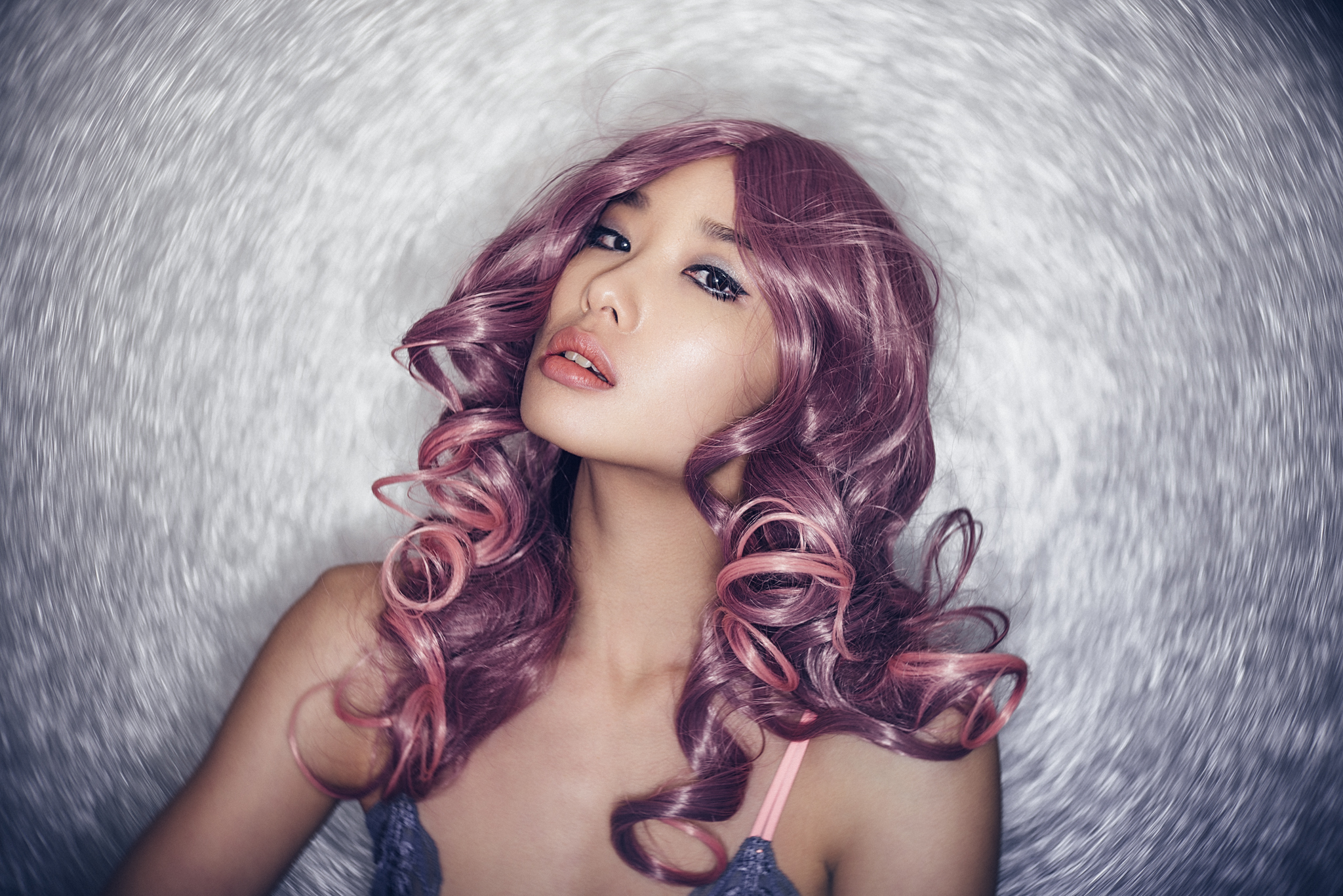
Single light portrait taken at f2 - Bokeh control 4

Single light portrait taken at f2 - Bokeh control 4

For those of us that have been shooting for a while it's pretty easy to argue the importance of lenses even to the point that they are the most important part in the photographic system.

I've had lenses that have outlived 3 or 4 camera bodies and they continue to produce results that signify my personal stye far more than flash heads or cameras. Those tools pride themselves on being devoid of individual looks and effects but lenses on the other hand sing their quirks, personalities and arguable flaws from the roof-tops. That's why when we find a lens we love we never let it go because it defines our work far more than we would like to admit.

So now that I've outlined my opinion on the importance of finding the right lens for you I have also stated that all lenses were not designed to be equal and as such certain aspects in one lens that some photographers worship other photographers will also hold with little importance. It's a personal preference and not simply a binary decision of good and bad, otherwise we'd all own the same lens and the world of photography would be a far duller place to be.

You may have noticed that this isn't the traditional route a lens review usually takes and that's because I've never done one before and the reason for that is for the statements I've already preached up until this point. Lenses are an incredibly personal choice, a lens review of diffraction indexes, anamorphic graphs and chromatic fringe outlines are purely focused on the perceived flaws in the lens and the fewer of these 'flaws' in a lens review usually interprets into the lenses being rated as 'better'. I for one have little time for that philosophy and graph disciples and spreadsheet zealots tend to make awful photographers. I've shot ad campaigns and album covers and fashion editorials on kit lenses, cheap third party lenses and 60 year old lenses, not to prove a point or because I didn't care but because they produced great images via a look and style that no lens review can quantify.

I promise I'll get down from my soap-box now but to sum up; a lens is a very personal decision, some will hate the shots a certain lens takes and some will love them and my review just like anybody else's will not answer that for you, you simply have to try the lens out for yourselves to really grasp whether it will be a permanent fixture in your camera bag or not. With all that being said though, here's my 'hands-on' findings, take a look and if it peeks your interest I recommend you try one out yourself as soon as you can.

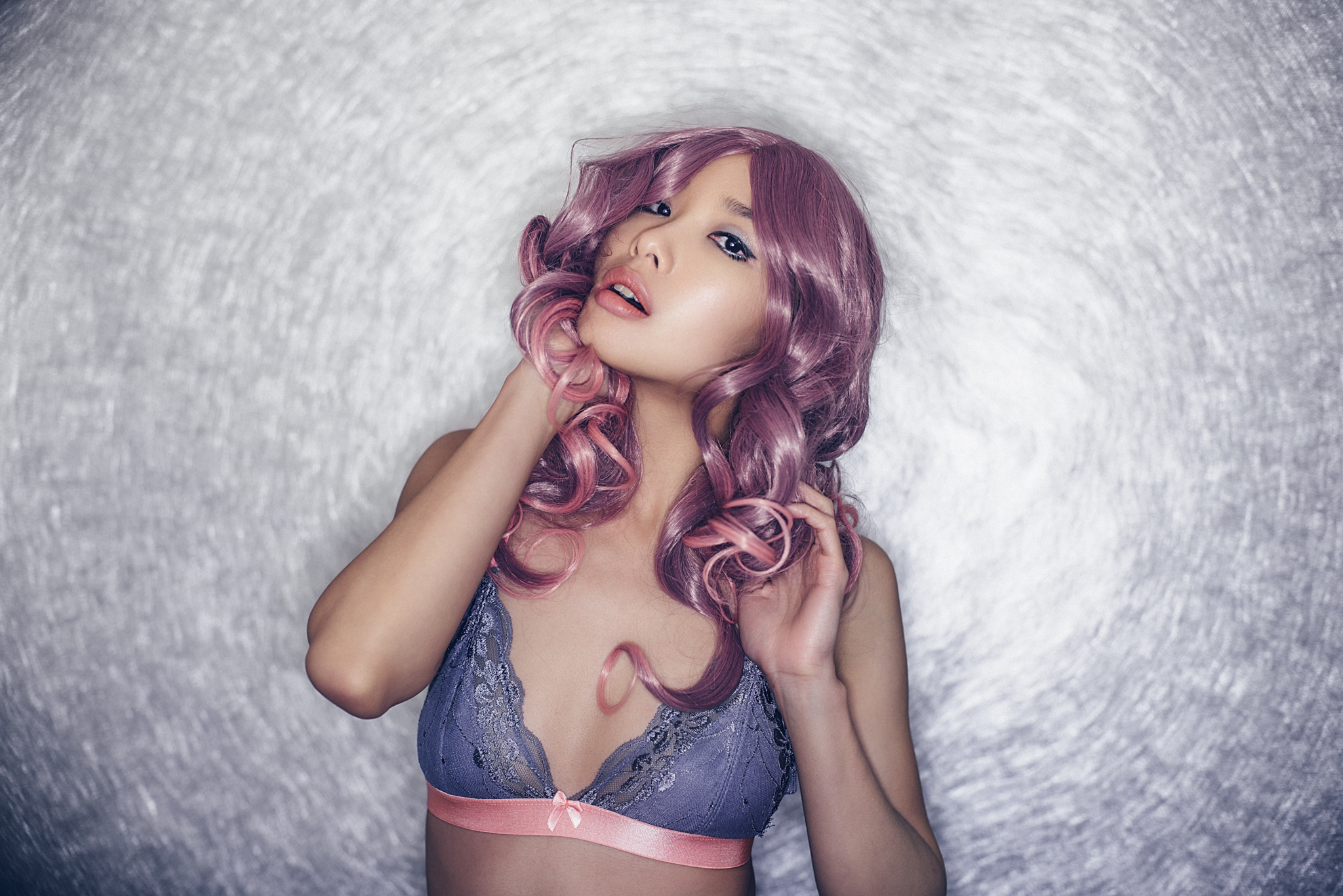
Single light portrait taken at f2 - Bokeh control 7

Single light portrait taken at f2 - Bokeh control 7

I will preface the following 'review' by stating that as much as I'd love to be, I am not sponsored or supported in any way by Petzval. I purchased this lens like every other person so the following opinions are my own.

About a year ago in the summer of 2015 I decided to join the Kickstarter phenomena and back the new Petzval 58 Bokeh control lens. In March of 2016 I finally received my lens and eagerly set up a test shoot to try out the new addition to my lens family.

 
'So what is this Petzval lens? I've never heard of this lens company before.'

Joseph Petzval made his first lens in Vienna, Austria in 1840 and it quickly became famous simply because it was the fastest lens ever made at the time with a staggering aperture of f3.6. This breakthrough brought down painfully long shutter speeds and portrait photography flourished from there. The new Petzval 58 lens is based on his designs and specifically the bokeh that his signature lenses produced.

Fast forward 176 years and we have the crowd-funded bokeh control version of a 58mm prime lens based on those original designs.

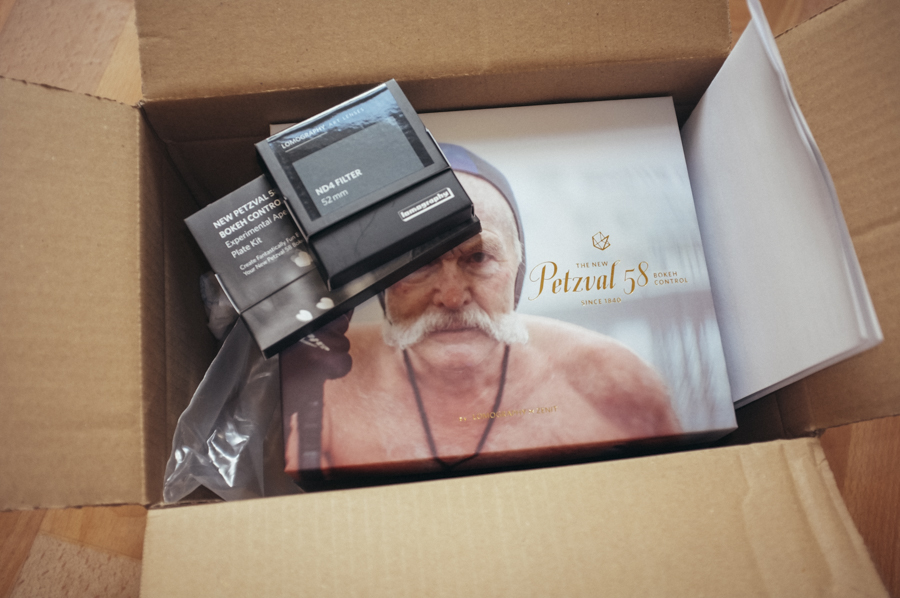
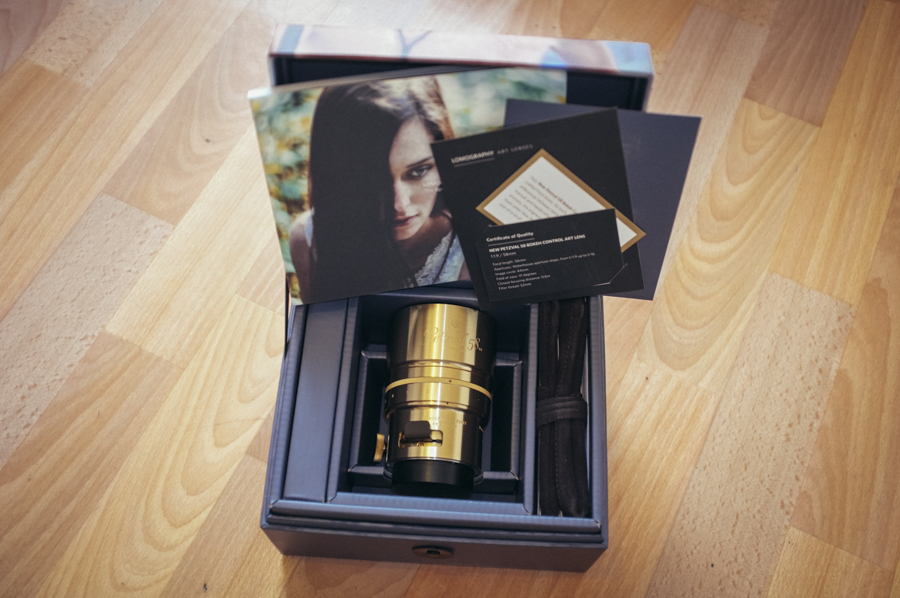
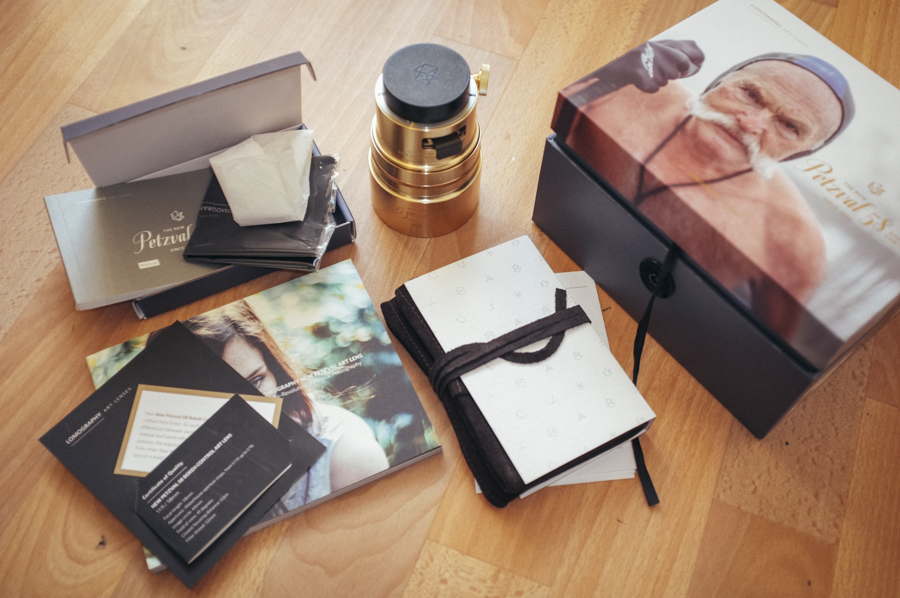
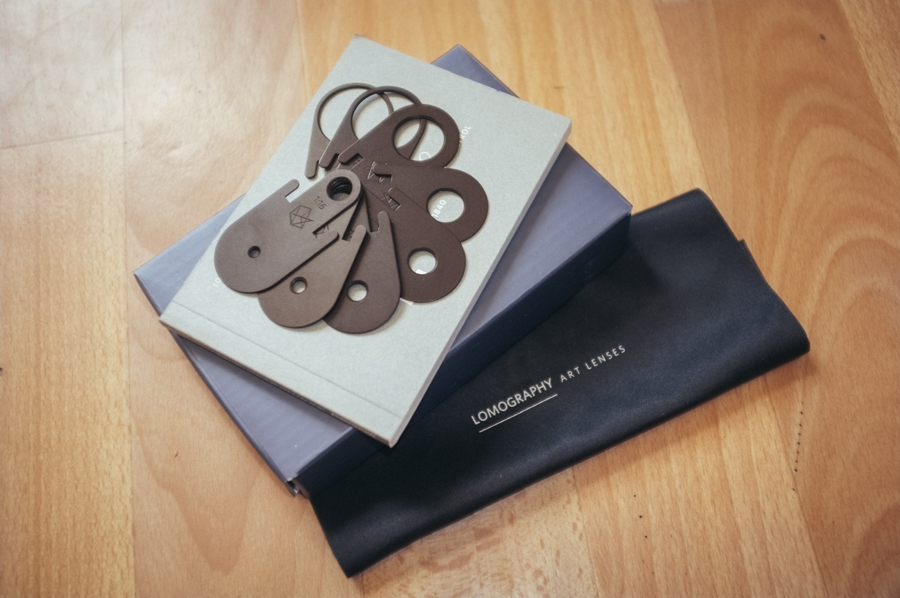
Here's what I got as part of my Kickstarter pack. Bear in mind that if you order this lens now that you wont get all of this but to be fair all you really need is the lens anyway the rest is just a nice bonus but certainly not fundamental in the results achieved.

 The box-opening :D

The box-opening :D

The lens box
The lens box
Everything included as part of the Kickstarter package
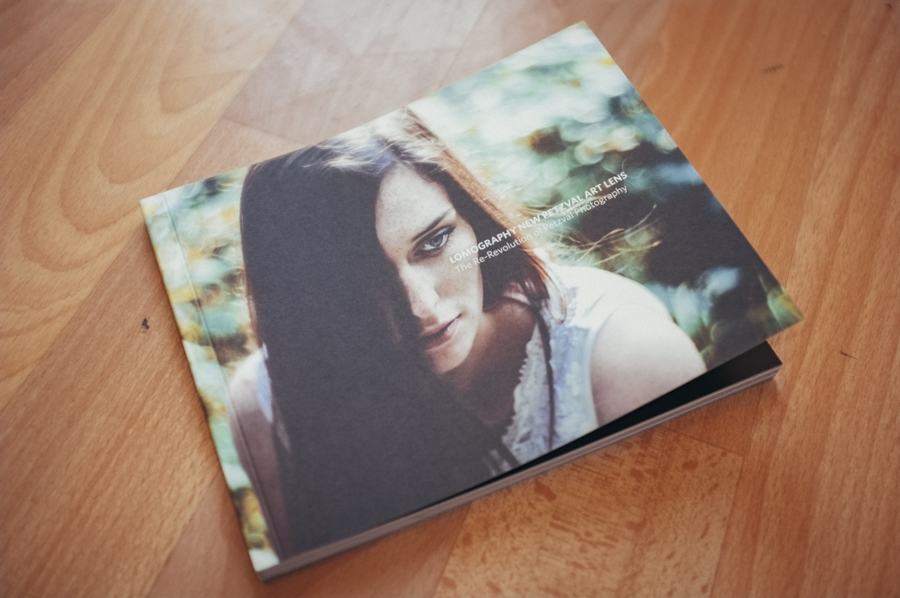
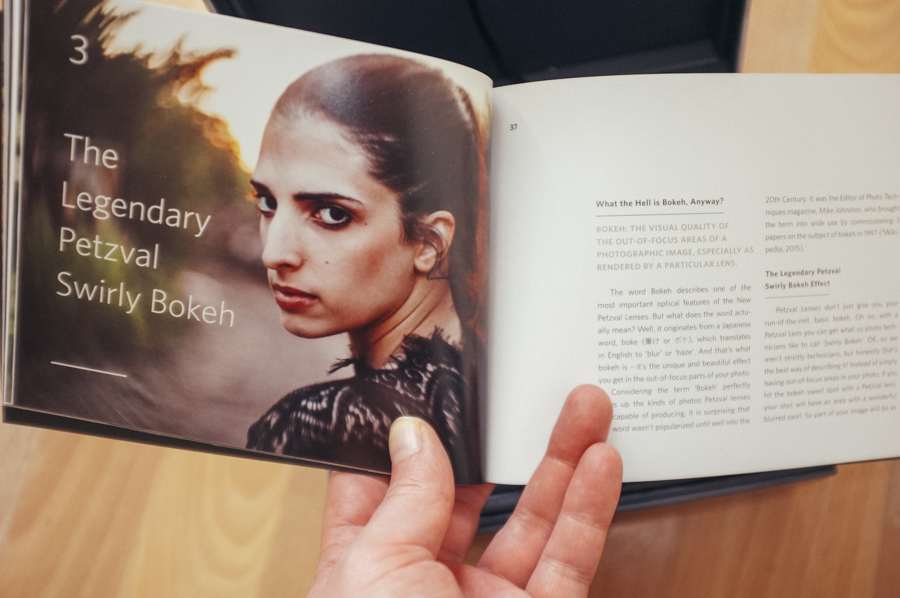
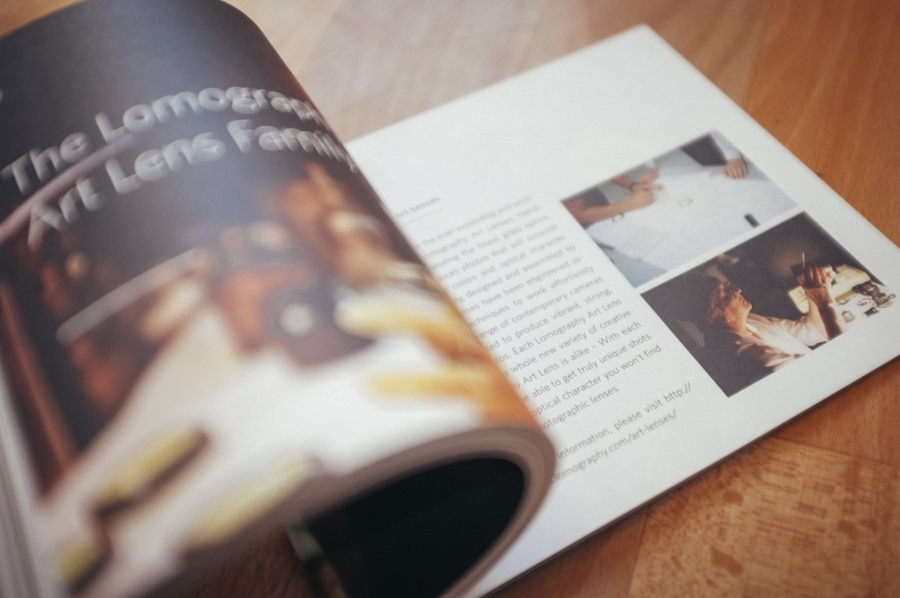
You get a lovely softcover book too
The book shows all the test images taken prior to release...
as well as the build process
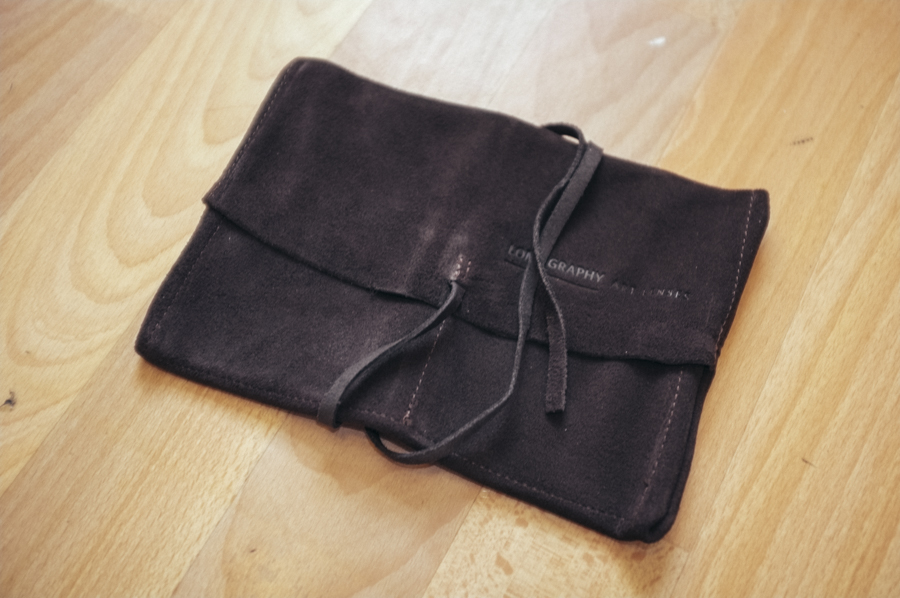
A leather lens pouch that anybody who's spent this much on a lens would never use….ever
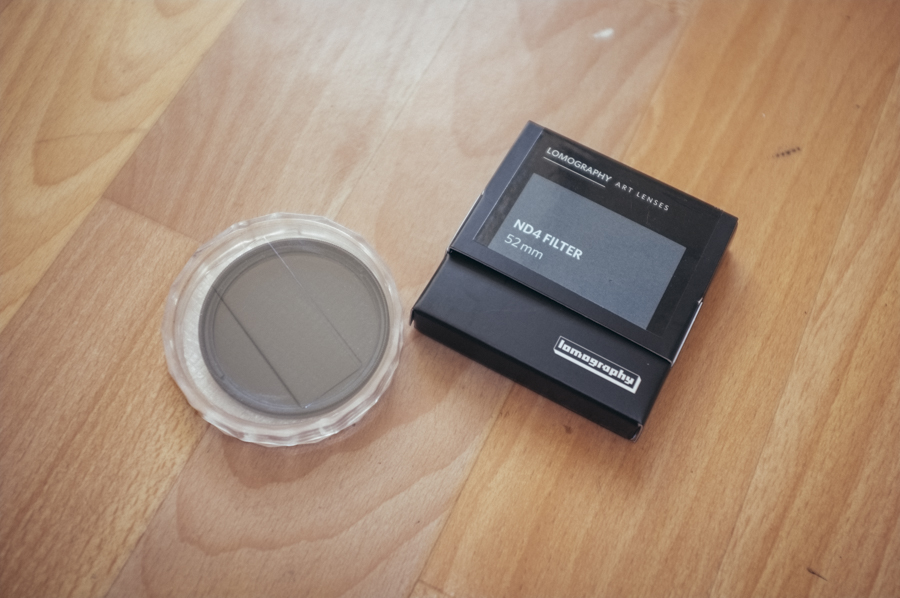
An ND x4 filter for the lens. Quarters the amount of light entering the lens (2 stops)
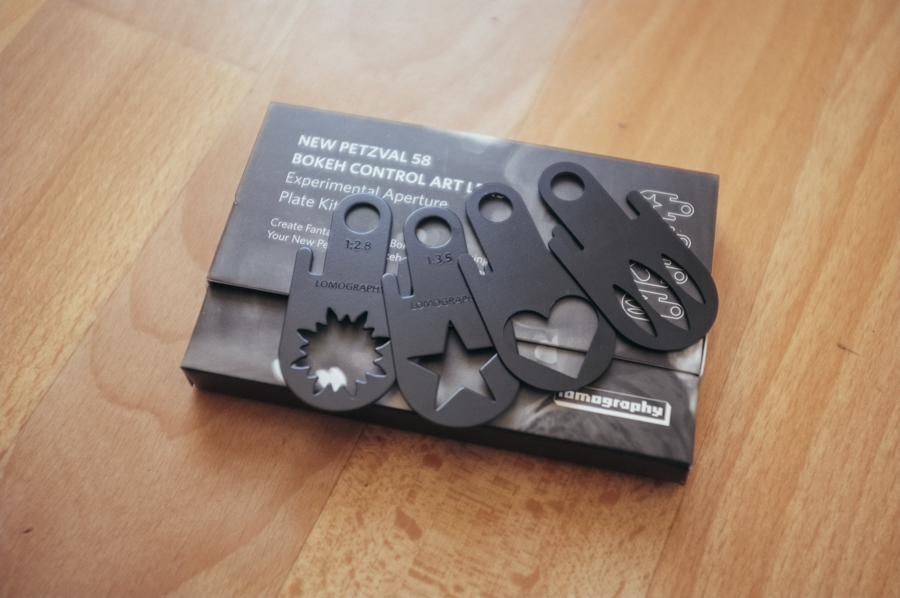
Bokeh changing inserts. I assume great for kids parties and…..well thats about it
The apertures. The lens requires manual drop in aperture plates like these
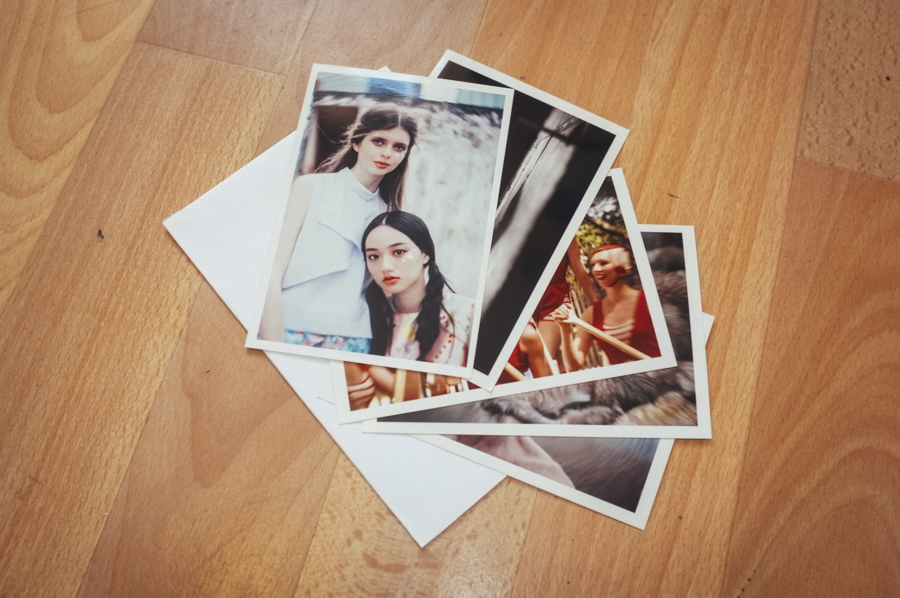
A pack of actual photos on photographic paper. Random but they're in there
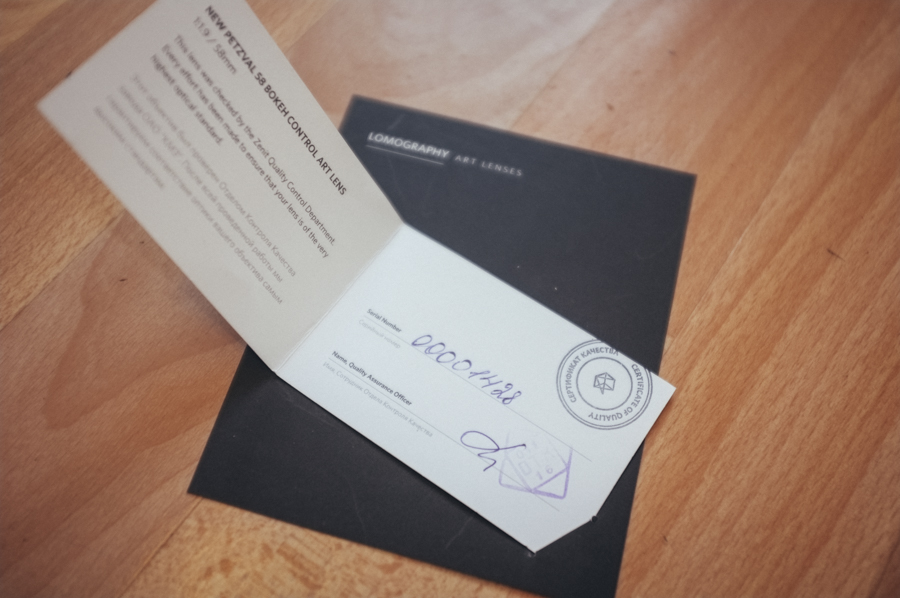
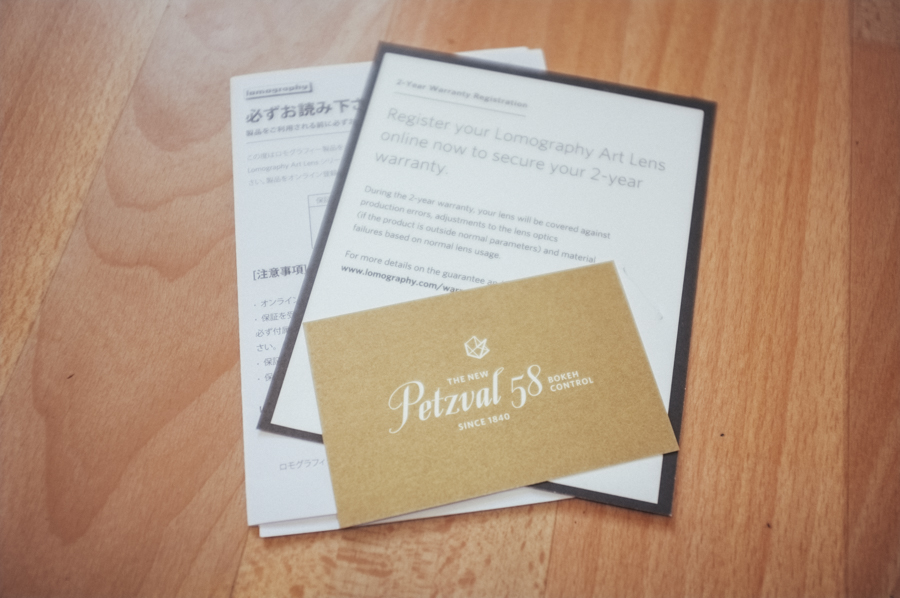
The registration papers
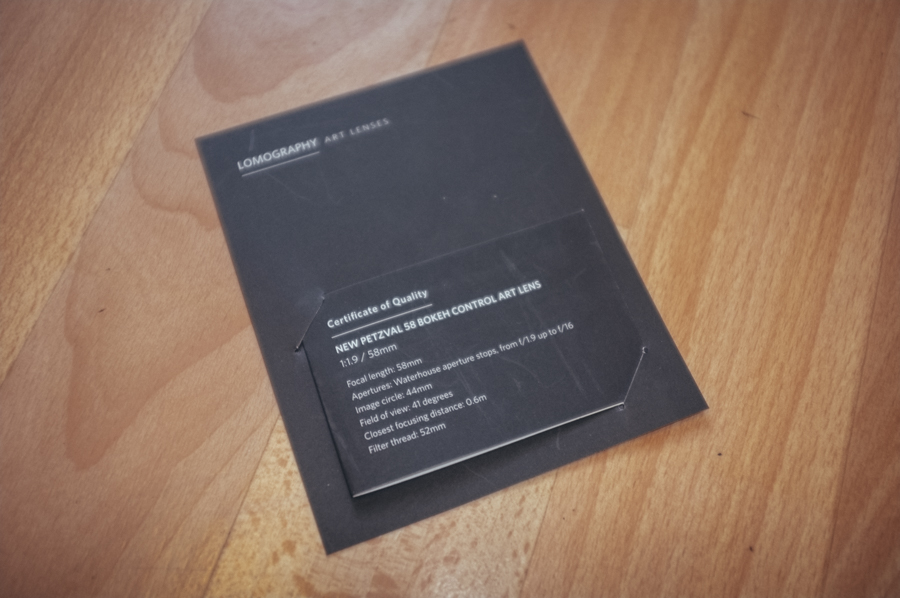
My certificate of quality...
with my signed registered lens serial number
 The box-opening :D The lens box Everything included as part of the Kickstarter package You get a lovely softcover book too The book shows all the test images taken prior to release... as well as the build process A leather lens pouch that anybody who's spent this much on a lens would never use….ever An ND x4 filter for the lens. Quarters the amount of light entering the lens (2 stops) Bokeh changing inserts. I assume great for kids parties and…..well thats about it The apertures. The lens requires manual drop in aperture plates like these A pack of actual photos on photographic paper. Random but they're in there The registration papers My certificate of quality... with my signed registered lens serial number

Cool ok so thats what the Kickstarter kids like me got but what will you get if you purchase the lens. This is what's currently listed on the package contents online as of March 2016.

  • New Petzval 58 Bokeh Control Art Lens Brass *It does also come in black
  • Standard Waterhouse aperture plates
  • Front and rear lens cap
  • Leather Pouch
  • Only for preorders: 4 special aperture plates *I think thats pre-orders prior to May 2016
  • Photo and manual book
  • Instruction manual

So even if you buy it now you're not missing out on anything beyond the ND filter which although I think is a mandatory addition you can pick them up anywhere and it doesn't need to be a Petzval specific one any 52mm ND filter will work.

Personally I feel theres a little lip-service being paid to the 'hipster' community here with the leather pouch and heart shaped bokeh plates but even so it's a very well put together package and nothing seems last-minute or unfinished. All-in-all I was very happy indeed as I unboxed it for the first time. Most importantly thought is that the big brass beastie screams quality when you pick it up. The thing isn't going to win any prizes for being lightweight but every feels very solid and well made indeed.

 
The brass version Petzval 58 on my Nikon D600

The brass version Petzval 58 on my Nikon D600

'Looks like a pretty nice lens Jake but give me the elevator pitch for it'
  • It's a 58mm prime lens.
  • The version I have here is the Brass version and it also comes in Black.
  • The apertures are manually changed via a drop-in process
  • This one is a Nikon fit but they also have Canon fit version and with widely available adaptors you can also attach them to Fuji, Olympus and Sony cameras.
  • It's a manual focus lens and does not communicate in any way to the camera
  • It has the ability to dial in the desired about of bokeh without effecting exposure
 
'So what is this Bokeh control thingy that everybody is bangin' on about?'
The dial on the barrel of the lens in the centre of the shot is the bokeh control ring. It goes from 1-7 and gives the ability to add or reduce the softness of the background bokeh.

The dial on the barrel of the lens in the centre of the shot is the bokeh control ring. It goes from 1-7 and gives the ability to add or reduce the softness of the background bokeh.

This bokeh control knob is the thing that got everybody including myself excited last year and it's essentially a way of manually dialling in the amount of bokeh swirling and out of focus parts of the shot. This isn't the first time we've seen this idea and I know Nikon played with concept again in the 90's with their DC (defocus control) lenses (here's the master lens reviewer Kenny R gushing over the 105mm version). The results achieved with DC's weren't anywhere near as pronounced as they are here in the Petzval and it was a crisper and a more precise look but still this idea has been around forever. The reason why it's exiting here is because of the signature Petzval bokeh look that was a gorgeous look even before the introduction of the additional bokeh control so this extra user controlled refinement is a welcome addition indeed.

The bokeh control dial goes from 1-7 with 1 being the least and 7 being the most amount of blurring/swirling/bokeh. This dial in my opinion is the key feature of the lens and after my first test it's actually turning out to be more of a diverse look than I anticipated, which is great. What I mean is that it's not simply a case of the higher the input number the more blur, in fact I found that even on the lowest setting the bokeh although not prominent is actually smoother giving it the impression of being more blurred than it actually is. What this does is to separate the subject from the background a lot more clearly so it's a completely different look not necessarily better or worse. If you go onto the Lomo/Petzval site and look at the test shots they've shot at different apertures and bokeh controls you'll see what I mean. I've borrowed them below to show you.

You can see that at the same aperture value the bokeh control produces very different looks and more is not necessarily better. The lower bokeh control values create fantastic separation between subject and background whereas the higher values creat…

You can see that at the same aperture value the bokeh control produces very different looks and more is not necessarily better. The lower bokeh control values create fantastic separation between subject and background whereas the higher values creates more swirling. Image taken from the lomography website and is owned by them and not my own

Beyond the obvious bokeh control of the backgrounds the bokeh control knob also effects the size of the focal  'sweet spot', this is the area in which the lens blurs regardless of the point of focus. You can see in the portrait images that I took at different values later on but its also present in the shots above. See how on the left hand image that the ladies sweater is sharp all over whereas the right hand shot the sweater is blurred even though the focal point hasn't moved. This is certainly a major factor to consider when choosing your bokeh control value.

 
Cool, cool Jake yeah I've seen a million and one bokeh ridden sun-through-tree-leaf shots but what's the lens actually like in a real life situation that doesn't involve a mobile forest and a sunny day?

Glad you asked as I was curious myself because up until I got my hands on the lens I wasn't sure how it would respond with real-life studio portraits either. My test shots are far from extensive and the purpose was to test the bokeh control at different values under studio portrait parameters. The following shots were all shot a the same f2 value and with the x4 ND filter attached to achieve that exposure with my studio strobes. The model was a metre from the background and was lit with a single large softbox behind me.

View fullsize JakeHicksPhotography (1 of 4).jpg
View fullsize JakeHicksPhotography (2 of 4).jpg
View fullsize JakeHicksPhotography (3 of 4).jpg
View fullsize JakeHicksPhotography (4 of 4).jpg

Click on the images above to enlarge them. All images above were taken at f2 - bokeh control 1

View fullsize JakeHicksPhotography (1 of 4).jpg
View fullsize JakeHicksPhotography (2 of 4).jpg
View fullsize JakeHicksPhotography (3 of 4).jpg
View fullsize JakeHicksPhotography (4 of 4).jpg

Click on the images above to enlarge them. All images above were taken at f2 - bokeh control 4

View fullsize JakeHicksPhotography (1 of 4).jpg
View fullsize JakeHicksPhotography (2 of 4).jpg
View fullsize JakeHicksPhotography (3 of 4).jpg
View fullsize JakeHicksPhotography (4 of 4).jpg

Click on the images above to enlarge them. All images above were taken at f2 - bokeh control 7

It should be fairly apparent from the shots taken here that the difference in the bokeh control even in such close quarters and with limited background excitement is significant. Even so I am still strangely excited that I am not any further forward on my preference of bokeh control value. I had assumed that under these portrait conditions that the optimum bokeh input would be glaringly obvious. I had thought that either the lower values would be too insignificant to warrant using at all and similarly I had also assumed that the higher input values would be so dramatic to be rendered useless as well. Neither proved to be the case, in fact I feel that all the values have different merits and advantages and in the future I still think I would shoot any  portrait session at varying bokeh input levels to get different looks not just the 'best' look.

 
'It's a 58mm prime lens, surely thats not great for portraits?'

I've been asked about this several times before, 'which is the best portrait focal length for portraits?' and although the industry deems 85mm to 105mm as the preferred range I disagree. Petzval already has the 85mm out and I waited for the 58mm for this reason, in fact I felt so strongly about it that I wrote a whole article on the issue. If you're unsure or are interested to see what I mean then you can check out why 50mm is is more than fine for portraiture here 50mm vs 85mm: Which is the best focal length for portraiture?

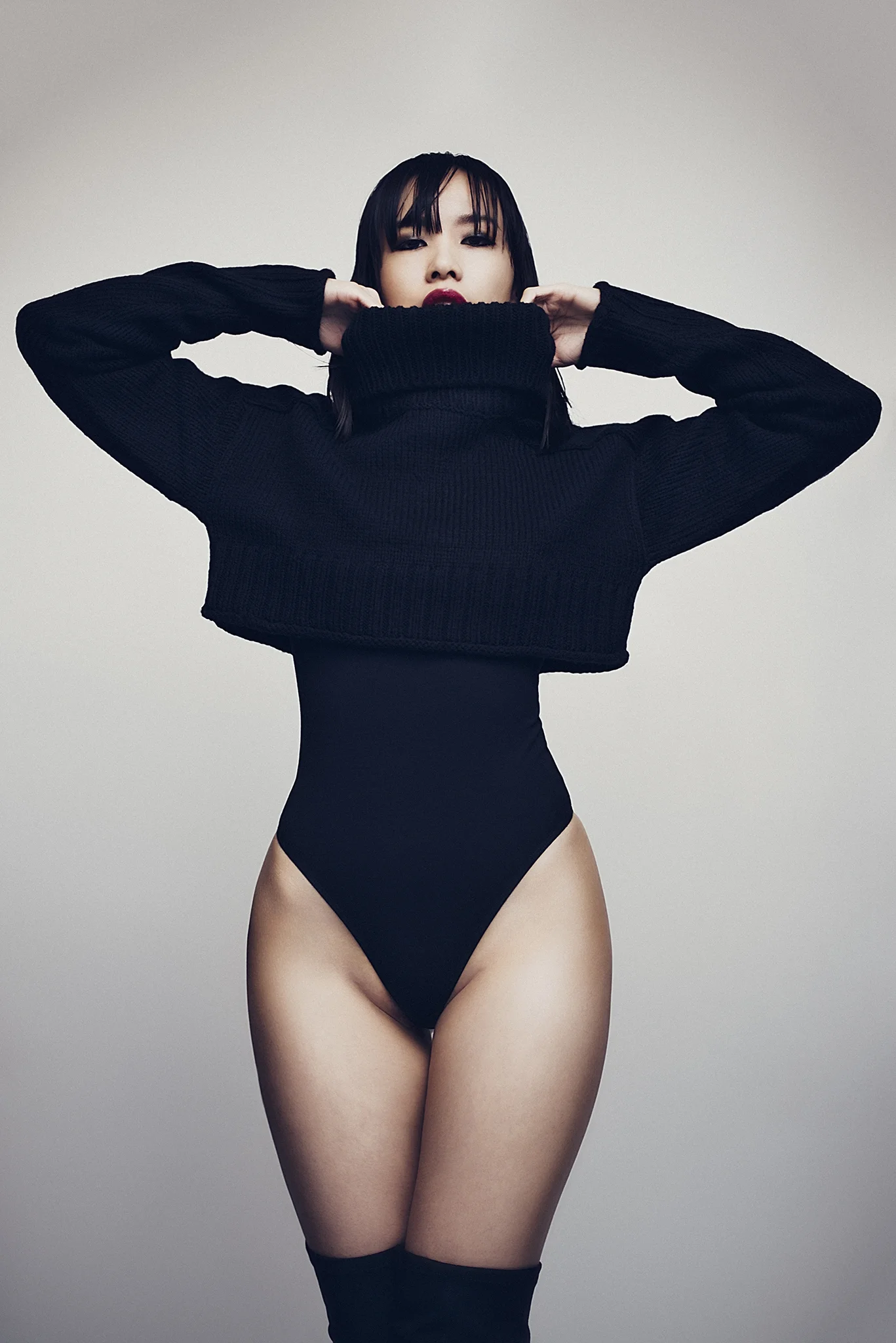
The focal point is always dead centre, you can see here that I've gotten the model to put her hands above her head to give me a reason to keep her head in centre frame.

The focal point is always dead centre, you can see here that I've gotten the model to put her hands above her head to give me a reason to keep her head in centre frame.

'That sweet-spot tho', it seems kinda small'

I have to say that yes, the size of the focusing sweet spot is going to be the biggest problem for me as I shoot studio portraits. The issue is that the edges of the frame are always going to be 'soft' regardless of the focusing or bokeh control value. You can see from my test shots that this sweet-spot does get bigger with the bokeh control set to 1 and pretty small when set to 7. You'll also see me try to adapt and compensate for this by shooting landscape and when in portrait orientation having the model put her hands above her head to give me a reason to keep her head in the centre of  the frame where the focused part is. Like I said theres no way around this and until there's a way to adjust the position of the sweet spot like in other art lenses your compositions will have to always have your subjects bang in the middle of frame.

It's also worth mentioning that although you can buy this lens and use it with adaptors to attach it to APS-C and micro 4/3 cameras your blurred edges will be greatly reduced on those smaller sensor sizes. Larger sweet spot, less blurring. Just something to consider if you're still using those little cameras.

 
'Those shots look great Jake but is there anything else I should know?'
That big ol' dial thing there is actually how you focus the lens. When the lens is attached it sits at the base of the lens and is operated via your left hand.

That big ol' dial thing there is actually how you focus the lens. When the lens is attached it sits at the base of the lens and is operated via your left hand.

To be fair the important stuff is in the results and the rest is fluff in my opinion but with that being said there are certainly a few things to bear in mind. Remember that this lens is re-make of a vintage classic and as such there's a few things that are quite different to what most of us are used to with our modern lenses.

Focusing

First off, remember this is a manual focus lens. I've come from an age of manual focus cameras and I've also been shooting vintage lenses and art lenses that are all manual focus for years so this isn't an issue for me but I will say that manual focussing is a skill like any other. It takes time to get good at it and its perfectly natural to get out of focus shots to begin with, it happens and you will get fewer and fewer of them as you get more practiced with the discipline. But not only is this a manual focus lens but the focusing is done via a knob at the base of the lens not via the traditional barrel focus control we're currently used to. This I've never used before but I found it surprisingly ergonomic and easy to use in both landscape and portrait orientation. The focusing is firm and solid and felt surprisingly precise and at no point did I feel that it would slip. Even in portrait orientation I found it very easy to operate if not easier than with normal barrel focusing as you're often holding the lens barrel and that can interfere with focusing but the focussing knob is well out of the way so its a very easy task and you quickly adapt without interruption.

This is Petzval lens attached to my Nikon d600 and you can see that the dust-plate can't be removed with the lens attached to the camera body.

This is Petzval lens attached to my Nikon d600 and you can see that the dust-plate can't be removed with the lens attached to the camera body.

Aperture

The other key thing to keep in mind is that you have to manually adjust the aperture and you do this via the individually packaged aperture plates. Mine came with f1.9, f2, f2.8, f4, f5.6, f8, f11, f16 plus the dust-plate that sits in the lens on arrival to keep dust and dirt out. I shoot with the Nikon D600 and like most of the Nikons they have a pronounced flange above the lens mount which can be a pain for swooping the aperture plates in and out, in fact the dust plate can't be removed with the lens attached.

To my knowledge I don't think the Canon bodies have this issue so you guys should be fine. No matter though you can just make sure to put your aperture plate in place before you attach the lens. The opposite to not being able to remove the dust plate is that the apertures fall out of their own accord and on more than one occasion mine fell out when I switched from landscape to portrait orientation whilst shooting. The Petzval fix for this is to bend the purpose built lugs on top of the aperture plates with a pair of pliers to ensure a snugger fit in your 'unique' lens. I haven't taken pliers to mine yet but it's something to be wary of before you start.

Fruits of the man-drawer! I found an old carabiner to keep the loose aperture plates together. Highly recommended.

Fruits of the man-drawer! I found an old carabiner to keep the loose aperture plates together. Highly recommended.

Talking of aperture plates, there was one thing that bugged me and that was that the plates came separately and loose wrapped in a box. The packaging was fine but once they're out all those plates are just rattling about in the bottom of my camera bag. I would have preferred a clip, clasp, ring, holder, binder, hook or even an old bootlace to keep them all together over a set of heart-shaped bokeh plates. But no matter, a quick rummage in the man-drawer bore fruits and I found an old carabiner to put them on. I strongly recommend you do the same before you bend them or worse, loose any.

One last thing on the manual apertures is that once they're in place thats it, its like having aperture preview on permanently. It's not a problem when shooting wide open on apertures like f2 but when you put the f11 and f16 plates in there then the viewfinder becomes pretty dark making it trickier to focus. It can't be helped and it's more apparent when shooting with flash and low powered modelling bulbs than natural light. To be fair I'm not sure who would buy this lens and then use it at f16 anyway.

The Good

It takes amazing pictures

Versatile focal length at 58mm. Great at portraits and landscapes alike

Very fast lens for a vintage re-make lens. It comes with an aperture as low as f1.9 which means this is a very fast and versatile in many lighting conditions.

Solid construction with stiff precise focussing

Bokeh control -Wohoooo!

Did I mention it takes amazing pictures

The Quirky

Manual focus lens that doesn't talk to the camera in any way

Aperture plates fall out on their own if not pre-bent by user

Doesn't come with a way of storing the aperture plates so they will get lost quickly if you're not careful

The dust plate can't be removed on some of the cameras when the lens is attached

The images captured are never going to be tack-sharp like in modern lenses, you just have to let go of this weird notion that sharper images mean 'better' images.

 
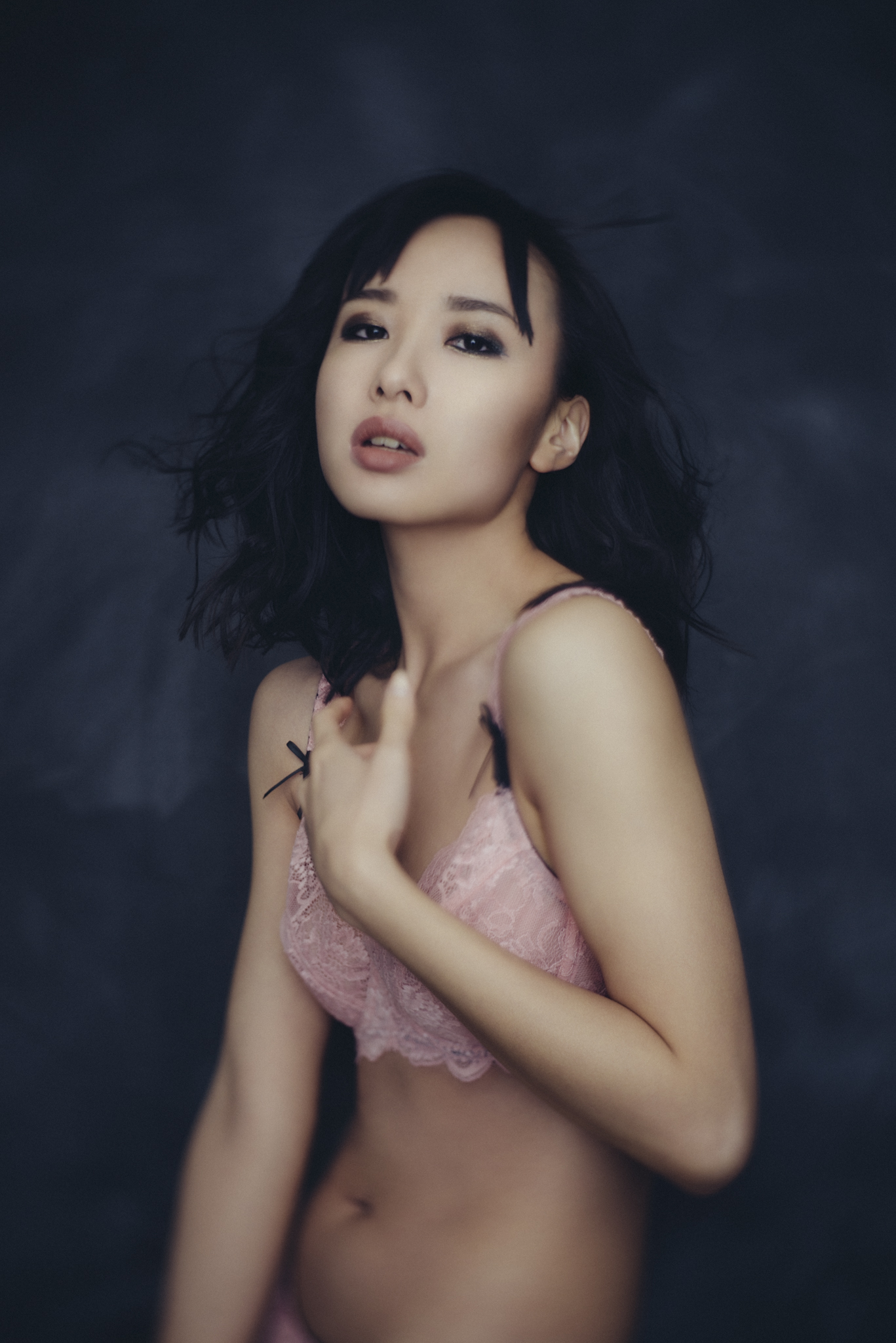
Single light portrait taken at f2 - Bokeh control 1

Single light portrait taken at f2 - Bokeh control 1

That's pretty much it guys, granted that is hardly a traditional lens review but this isn't a traditional lens so its tricky to compare it fairly. If you're after tack-sharp shots every time and you're looking for a lens to capture fast moving objects like kids and pets then this isn't for you. If however you're after a look that has bags of personality and a bit of soul then this might be for you. Don't expect to get this lens straight out of the box and take gorgeous images every time, this lens is commonly referred to as an 'art' lens and as such you have to adjust your expectations accordingly. The Petzval 58 will certainly make you work for it, it will make you stop and think, it will make you compose your shots, it will make you think before releasing the shutter but that work will be well worth it. With a little patience and experimentation this lens can create gorgeous images and even after my first test I fell in love with it.

I've been shooting for a while now and as result I usually look at the back of the camera a few times at the start of the shoot and then carry on shooting safe in the knowledge of knowing exactly what I was getting. Shooting with this lens for the first time meant that I was looking at the back of the camera after every shot because they were all different and it certainly put a lot of the excitement back into shooting of me.

The Petzval 58 enables you to 'create' photographs again, not just take them.
 

If that 'in-depth' review of mine has peaked your curiosity and you'd like to find out even more (if thats possible) then you can of course head on over to the Lomo site and take a look at some more test shots and get some more info. At present they're still fulfilling backorders from the Kickstarter backers but they are aiming to start shipping pre-orders by May 2016.

Here's the link Petzval 58 Bokeh Control Lens

Feel free to fire any question my way and I'll do my best to answer them. Let me know what you think of the lens so far and if you're considering getting one when they are released. 

Also, if you'd like to find out more about my work and any additional training and workshops I have available then please head on over to my training page Jake Hicks Photography Workshops


Tuesday 03.22.16
Posted by Jake Hicks
Comments: 8
 
Newer / Older